
How to make AI videos with Gemini (and when Seedance is the better pick)
Quick answers
- Can Gemini make videos?
- Yes, on a paid Google AI plan (from NT$165 a month in Taiwan), age 18+. It turns a sentence or up to 5 photos into a clip with sound.
- How long?
- 3 to 10 seconds a clip, 15 on AI Ultra. Ask "what happens next" in the same chat to continue it.
- How many a day?
- No number for personal plans. Most work accounts get up to 3; ours got 3, sometimes 2.
- Is it free?
- Not in the Gemini app. Google Vids lists 60 seconds a month for free accounts.
- Gemini or Seedance?
- Gemini if you already pay for it. Seedance 2.5 for longer clips, more shapes and paying per clip.

What can Gemini video do?
What Google's help page says beside what we got. We tested from November 7 to 10, 2026, on a Google Workspace account (the paid plan companies and schools use), so a personal plan may differ.
| What Google says | What we got | |
|---|---|---|
| Who can use it | A Google AI plan on a personal account, or a qualifying work account; 18+ | A Workspace work account |
| Length | 3–10 s; up to 15 s on AI Ultra | 10 s every time; no length setting appeared |
| Shape | Landscape (default) or portrait | Both worked; set it before you send |
| Quality | Not stated for the app | 720p (HD) |
| Sound | On request | Every clip had sound |
| Your photos | Up to 5 images and 1 video | A portrait photo came out landscape when Landscape was selected |
| Changing a clip | Ask in the same chat; extend by up to 10 s | Extending made a second 10 s clip; edits not tested yet |
| Watermark | Invisible SynthID in every video | A settings switch for the visible mark; ours was off |
The model is Gemini Omni. Google released Omni 1.2 Flash on November 5 and admits fast sports and complex physics still need work; its developer notes add that only English speech is fully supported so far.
Can Gemini make videos for free?
Not in the Gemini app. Google says a personal account needs a Google AI plan.
Taiwan prices from Google's plans page on November 9, 2026 (it shows your own country's price); Vids numbers from Google's Vids help. Vids and Flow are Google's other video tools.
| Plan | Price a month (Taiwan) | Video in the Gemini app | AI clips in Vids, a month | Flow credits, a month |
|---|---|---|---|---|
| No plan | Free | No | 60 s | — |
| AI Plus | NT$165 | Yes | 60 s | 200 |
| AI Pro | NT$650 | Yes | 500 s | 1,000 |
| AI Ultra 5x | NT$3,300 | Yes, up to 15 s | 2,500 s | 10,000 |
| AI Ultra 20x | NT$6,500 | Yes, up to 15 s | 10,000 s | 25,000 |
Two ways to spend nothing (we haven't tested either on a personal account):
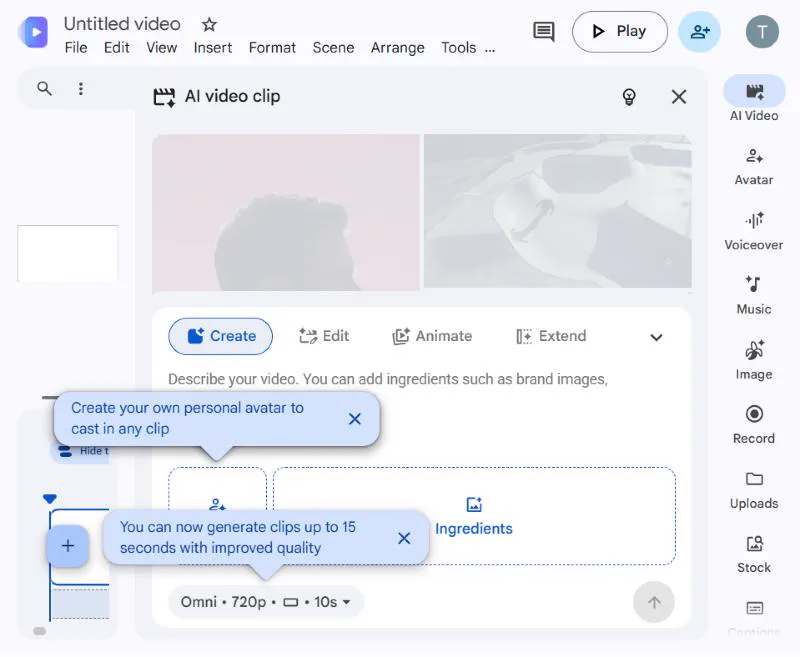
- Google Vids. Its "AI Video" uses the same Omni model. Its help lists 60 seconds a month for free accounts, about six 10-second clips, though another help page says it needs a Workspace plan. Generated clips are "for use only within Vids"; the finished video downloads as an MP4.
- Students. Google's plans page in Taiwan lists AI Plus free for a year for students.
How do you make a video in Gemini?
Open Gemini on the web or in the app, on the account with the plan.
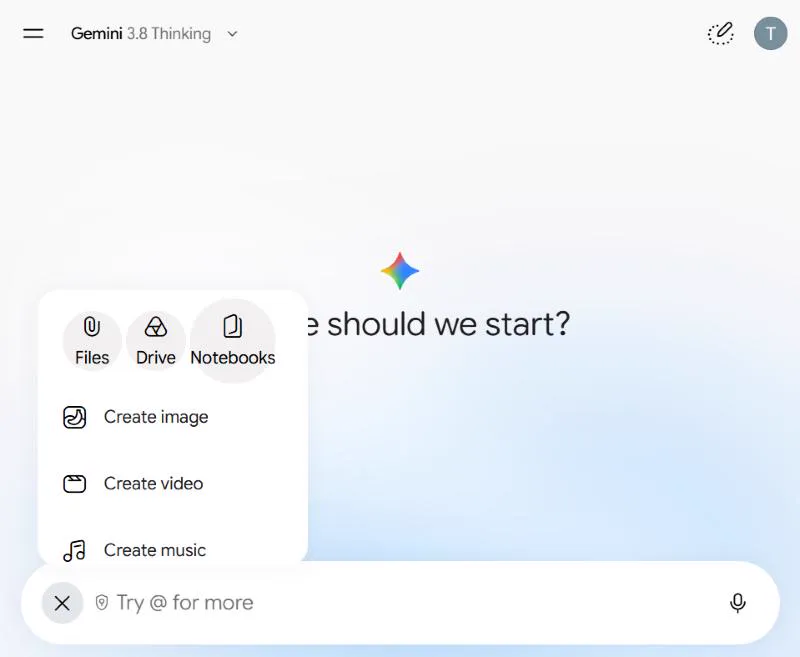
Tap + under the prompt box, then Create video. The first time, a short intro card opens; choose Try it.
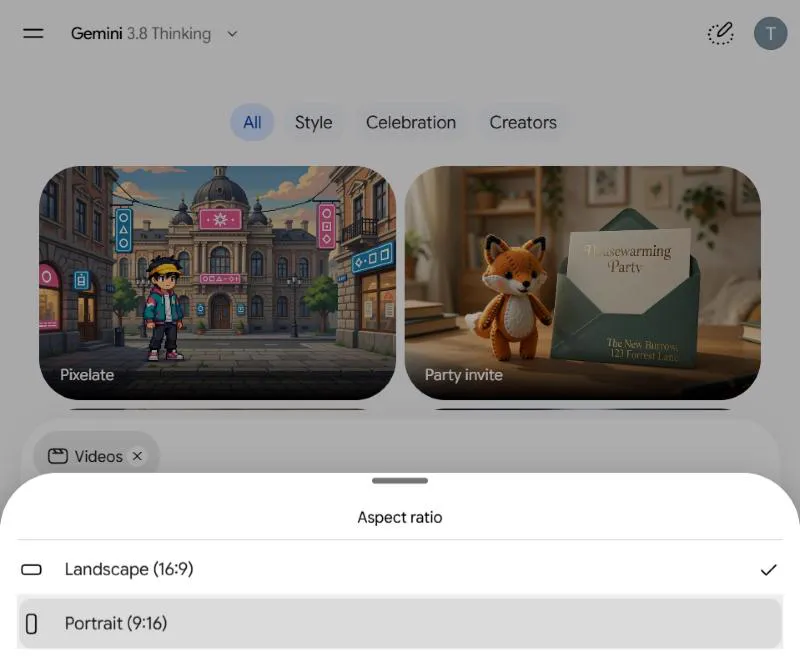
Choose the shape: Landscape (16:9) for YouTube, Portrait (9:16) for Reels, TikTok and Shorts. Using a photo? Attach it with + > Files and pick the shape that matches it.
Describe one scene with no cuts, and send it. Ask for the sound you want too; the next section shows how.
Wait 2 to 12 minutes. You can leave. If the chat looks empty or keeps spinning, reopen it from the sidebar.
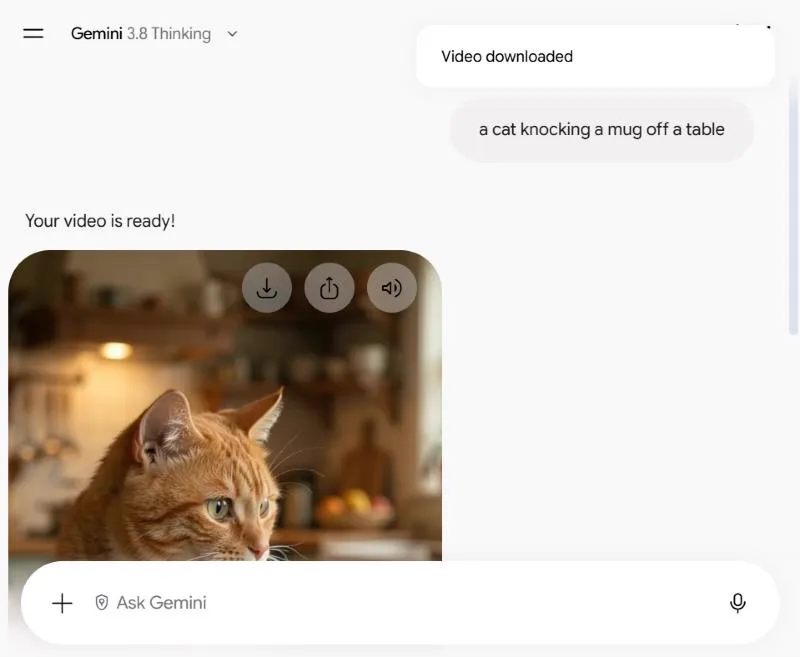
Download it: the buttons on the video save an MP4 or share it to Drive.
How many videos can you make a day?
Google publishes no number for personal plans. Most work accounts get up to 3 a day; ours got 3, sometimes 2.
| Account | Videos a day | Source |
|---|---|---|
| Personal, no plan | No video in the Gemini app | |
| AI Plus, Pro, Ultra | Not published. Usage is 2x, 4x and 5x or 20x Pro's, refreshing every 5 hours up to a weekly cap | |
| Work: Business or Enterprise Standard and Plus | Up to 3 | |
| Work: AI Ultra Access | Up to 5 | |
| Our Workspace account | 3 with text prompts; 2 on days we also made a Vids clip, or an extension and a photo clip | Our test |
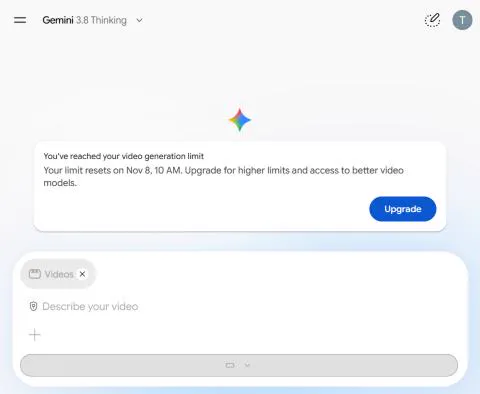
- At the limit, the tool greys out and gives the reset time: 10 AM for us in Taipei; yours may differ.
- Send two at a time at most: a third failed, though it didn't count. Gemini's "1 more" note isn't always right.
How do you write a Gemini video prompt?
Describe one shot in five parts, in plain words:
- Who or what: "a chubby orange tabby cat"
- Where: "on a sunny kitchen counter"
- What happens, in order: give each moment a time, such as "[0-3s]"
- The camera: "handheld and slightly shaky" or "camera still"
- The sound: "Sound: a crash, one short meow"; put spoken lines in quotation marks
- Write "in a single continuous shot" for one scene with no cuts.
- With a photo, "make it move" is too vague: say what moves.
- To change a clip, ask for one change and add "Keep everything else the same".
The difference it makes, with the same cat and mug:

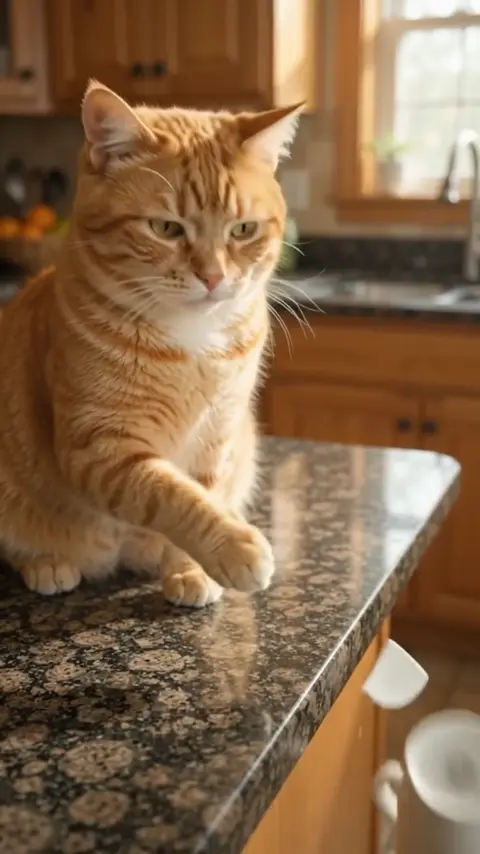
From one line, Gemini edited its own short film: a cut to the smashed mug, then the cat looking down. You chose none of it. With the full prompt, it's one shot, and the mug tips at about 7 seconds.
Gemini video prompts to copy, with the clips they made
Paste them as they are, or swap the details. Each clip is one try in the Gemini app, unedited. Where we ran the same prompt in Seedance 2.5, open it at the bottom of the card to compare.
Pet chaos: a cat pushes a mug off the counter
Vertical phone video of a chubby orange tabby cat on a sunny kitchen counter, in a single continuous shot. [0-3s] The cat stares straight into the camera, one paw resting on a white coffee mug. [3-7s] Without breaking eye contact, it slowly pushes the mug toward the edge. [7-10s] The mug tips off and smashes out of frame; the cat blinks, unbothered. Handheld and slightly shaky, warm morning light. Sound: kitchen hum, ceramic sliding, a crash, one short meow.
- WorkedThe stare, the slow push, and the mug tipping at about 7 seconds.
- MissedThe crash was meant to stay out of frame, and the meow came first.
- TrySwap in your own pet and whatever it knocks over.
Same prompt in Seedance 2.5
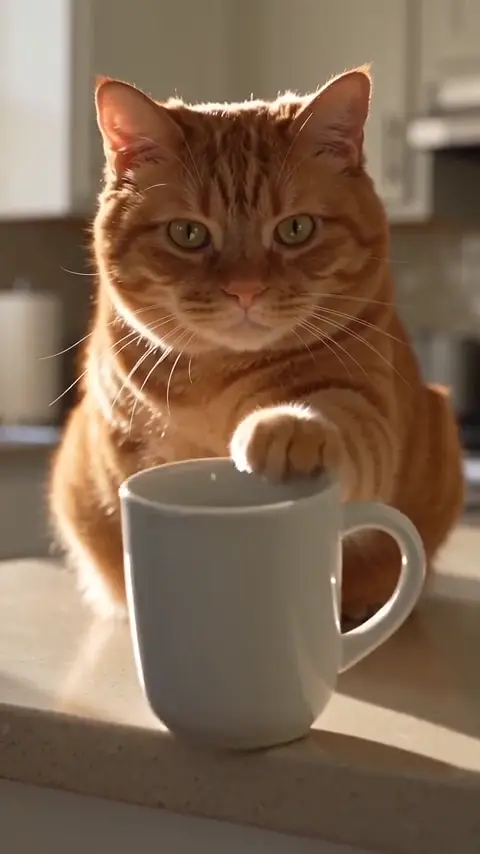
Seedance kept the crash out of frame and the meow late, but its camera never moved, in both tries.
Make it longer: what happens next
How: Send it in the cat clip's chat with no tool selected (choosing Create video there starts a new chat).
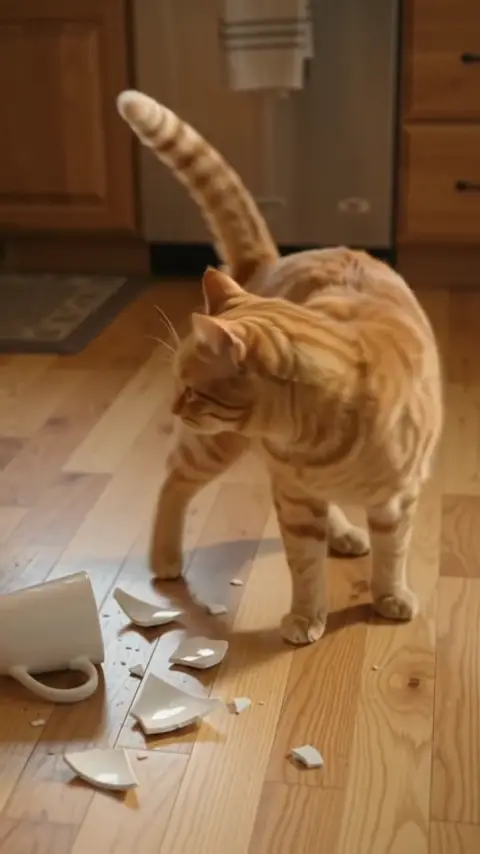
What happens next: the cat hops down and strolls off, tail high, as footsteps approach. Keep the same kitchen and light.
- WorkedA second 10-second clip that starts where the first ended: the cat hops down by the broken mug and strolls off as someone walks in.
- MissedIt's a separate file, not one 20-second video; join the two in any editor.
- TryAsk for one next beat at a time.
Photo to video: a desk figurine comes alive
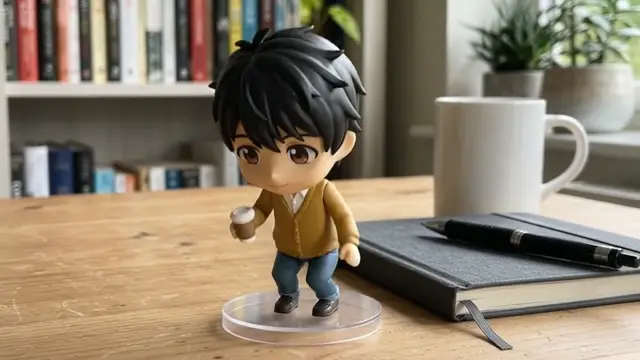
How: Choose Create video, attach the photo with + > Files, pick the shape that matches it, then send.
Use my photo as the first frame. The small collectible figure on the desk blinks, stretches its arms, then hops off its clear base and waves at the camera. Close-up with the room behind softly blurred. Keep its glossy painted-plastic look. Sound: tiny plastic clicks and a soft "hi!"
- WorkedIt blinks, stretches, hops off its base and waves, keeping the plastic look and the tiny cup.
- MissedAll in the first 5 seconds, then it stands still. Our portrait photo became a zoomed-in landscape clip because Landscape was selected.
- TryYour own pet or toy photo; set Portrait first if it's tall.
Same prompt in Seedance 2.5
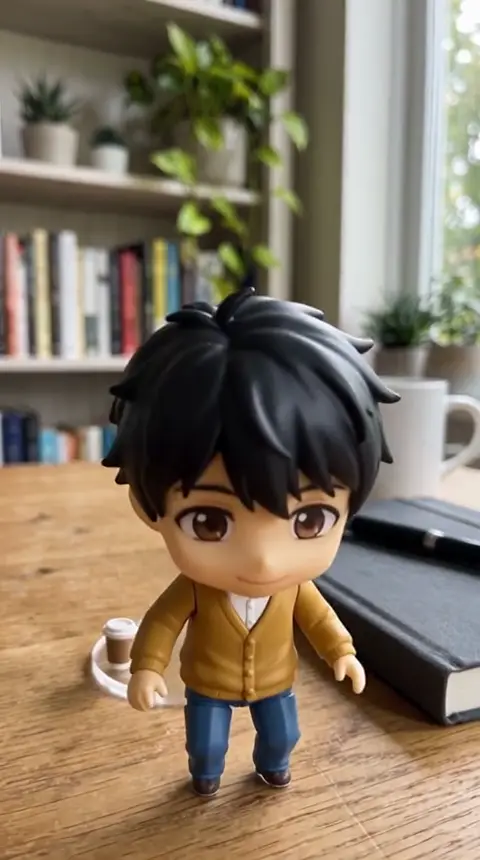
Seedance kept the photo as the exact first frame and spread the moves over 10 seconds, but left the cup on the base.
A birthday video with a name on it
A birthday cake with lit candles on a wooden table in a cozy, dim living room, in a single continuous shot. [0-4s] The camera slowly pushes in toward the cake. [4-7s] Someone off-screen blows out the candles and smoke curls up. [7-10s] Gold confetti falls and the words "Happy Birthday, Mia" appear above the cake in handwritten gold letters. Sound: people cheering and a party horn.
- WorkedThe camera moving in, the candles out at about 5 seconds, and the name spelled right from about 7 seconds.
- TryChange the name and the cake; keep on-screen text short.
Same prompt in Seedance 2.5

Seedance spelled the name right on cue too; its room went very dark once the candles were out.
Two people talking

Two friends in their twenties sit at a café table by a rainy window, medium shot, camera still. The woman in a yellow raincoat leans in and says, "You actually booked the tickets?" The man in round glasses grins and says, "Tokyo. Next Friday." She laughs and covers her mouth. Sound: rain on the glass, quiet café chatter, cups clinking.
- WorkedThe raincoat, the round glasses, the rainy street, and the laugh with a hand over her mouth at about 6 to 8 seconds.
- TryNew lines, but keep to two short ones: that fills 10 seconds.
Same prompt in Seedance 2.5
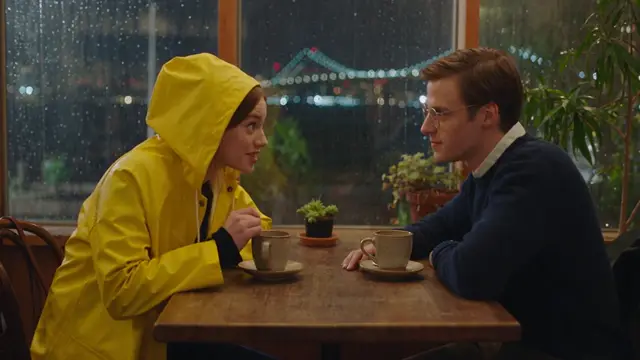
Seedance chose a night view, and her hand only started to rise in the last second.
A prompt written in Chinese, with Chinese text on screen

兩個二十多歲的朋友坐在下雨天的咖啡店窗邊,中景,鏡頭固定。穿黃色雨衣的女生湊過去,用中文說:「你真的訂好機票了?」戴圓框眼鏡的男生笑著說:「東京,下禮拜五。」她笑著摀住嘴。窗戶玻璃上用白色粉筆手寫著「今日特調」四個字。聲音:雨打在玻璃上、咖啡店低聲交談、杯子碰撞聲。
In English: two friends at a rainy café window. She asks, in Chinese, whether he really booked the tickets; he grins: "Tokyo, next Friday." She laughs and covers her mouth, and 今日特調 ("today's special") is chalked on the window.
- WorkedIt understood the Chinese prompt, put a Taiwanese-looking street outside, and got all four characters right.
- MissedThe characters float in front of the man instead of sitting on the glass.
- TryKeep on-screen text to a few characters; add longer captions in an editor.
Same prompt in Seedance 2.5

Seedance put the text on the glass, where it belongs, but mirror-image.
A hand-painted anime look
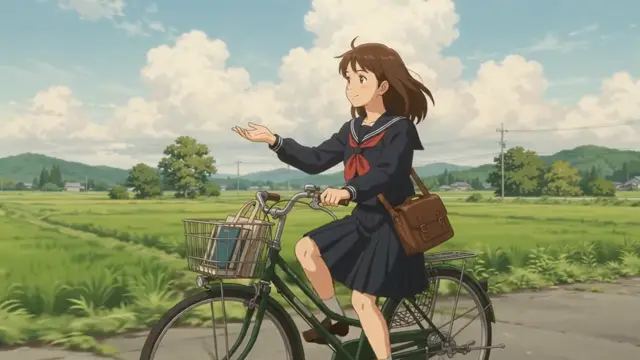
Hand-painted anime film look: a girl in a school uniform cycles down a country road past green rice fields on a summer afternoon, tall white clouds overhead, the camera tracking alongside her. She lifts one hand off the handlebar to feel the wind. Soft watercolor backgrounds, warm light. Sound: cicadas, a ticking bicycle chain, gentle piano.
- WorkedThe tracking shot, the watercolor backgrounds, and the hand off the handlebar at about 5 to 7 seconds.
- TryDescribe the look rather than naming a studio. Want a Studio Ghibli feel? Start from that style prompt.
Fast action: a skateboard trick
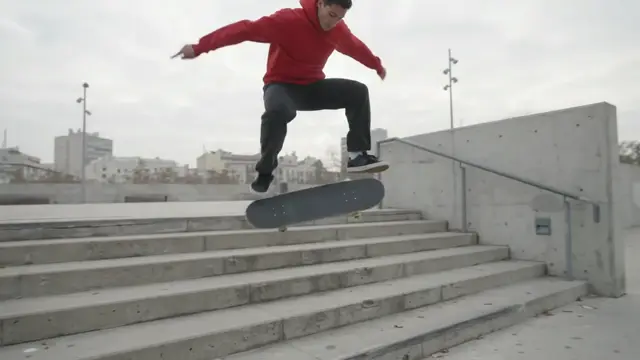
A skateboarder in a red hoodie kickflips down a set of six concrete stairs in an empty city plaza, in a single continuous shot. [0-3s] He rolls toward the stairs, the camera low and following. [3-6s] He pops a kickflip, the board spinning under him in mid-air. [6-10s] He lands cleanly, rolls away and raises a fist. Overcast daylight. Sound: wheels on concrete, the snap of the tail, the clack of the landing, a distant cheer.
- WorkedOne take, a low following camera, a flip that lands, and the raised fist.
- MissedHe rides at the stairs from the bottom and flips over them, never going down, with about 2 seconds in the air.
- TryKeep fast action simple: one trick, a still or following camera.
Same prompt in Seedance 2.5
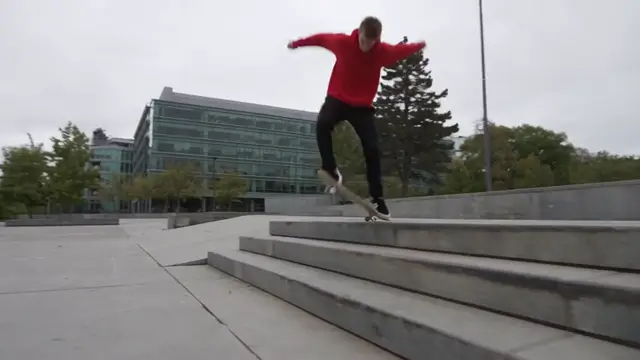
Seedance went down the steps as asked, with about 1.3 seconds in the air, still floaty for six stairs.
Gemini vs Seedance 2.5: which is better?
Neither won outright. Gemini is the easy one if you already pay for it. Seedance 2.5 gives you longer clips and more control, and you pay per clip.
Seedance 2.5 is a rival AI video model from ByteDance, the company behind TikTok. You use it through video apps such as SpeedReel, CapCut or Higgsfield.
| Gemini app (Gemini Omni) | Seedance 2.5 (in a video app) | |
|---|---|---|
| How you pay | A monthly Google AI plan, from NT$165 in Taiwan | Per clip. In SpeedReel, 10 s with sound is 124 credits (about $1.24) at 480p, 278 at 720p |
| One clip | 3–10 s; 15 s on AI Ultra | 4–30 s |
| How many | 2 to 3 a day on our work account | As many as you pay for |
| Shapes | Landscape, portrait | 16:9, 4:3, 1:1, 3:4, 9:16, 21:9 or auto |
| Top quality | 720p in our downloads | 1080p |
| Your own files | 5 images and 1 video | Up to 50: 30 images, 10 videos, 10 audio clips |
| Changing a clip | Ask in the chat | Change a moment at a set time, add or remove things, extend forward or backward |
Then we gave both the same six prompts, word for word, at 10 seconds. Gemini's clips are 720p and Seedance's 480p, its cheapest setting, so this compares motion and instructions, not sharpness. One try each (the cat got a second Seedance try).
| Test | Gemini | Seedance 2.5 | Closer to the prompt |
|---|---|---|---|
| Cat and mug | Showed the smash, meowed early, moved like a phone | Crash out of frame, meow late; camera never moved | Seedance |
| Two people talking | Covers her mouth on cue at 6–8 s | Hand rises only in the last second | Gemini |
| Chinese prompt and text | 今日特調 readable, but floats in front | On the glass, but mirror-image | Tie |
| Birthday text | Name spelled right, about 7 s | Name spelled right, about 7 s | Tie |
| Photo as first frame | Landscape crop; beats crammed into 5 s | Exact first frame; beats spread over 10 s | Seedance |
| Fast action | Clean trick, but never goes down the stairs; 2 s in the air | Goes down the steps; 1.3 s in the air | Seedance |
Open "Same prompt in Seedance 2.5" in each card above to watch both.
So which should you use?
- Gemini if you already pay for a Google AI plan, you want a few fun clips, and you'd like to change them by chatting.
- Seedance 2.5 if you need more than 15 seconds in one take, several reference pictures or a square or cinema shape, or you make more than a few clips a day without a subscription.
More on the other side: our Seedance 2.5 guide. We made the Seedance clips in SpeedReel, which has a friendly, informal partnership with PromptJazz (see About).
Gemini video FAQ
Can Gemini make videos for free?
Not in the Gemini app: Google says a personal account needs a Google AI plan (from NT$165 a month in Taiwan). Google Vids' help lists 60 seconds of AI clips a month for free personal accounts, but another Vids help page says the feature needs a Workspace plan, so it may not appear on every account. We haven't tested a personal account yet.
How many videos can Gemini make a day?
For personal plans Google publishes no number: AI Plus and Pro get 2x and 4x the standard usage, and Ultra gets 5x or 20x Pro's. Usage refreshes every 5 hours until you reach a weekly limit, and video uses the most. For work and school accounts, Google lists up to 3 videos a day on most Business and Enterprise plans and up to 5 on AI Ultra Access. Our Workspace account made 3 text-to-video clips a day at most, sometimes only 2, and the message gave the reset time: 10 AM for us in Taipei.
Can a Gemini video be longer than 10 seconds?
In a single clip, only on AI Ultra, which goes up to 15 seconds and is still rolling out, Google says. On other plans, ask in the same chat what happens next, with no tool selected. In our test, Gemini made a second 10-second clip that starts where the first one ends. It's a separate file, so join the two in any video editor.
How do I turn a photo into a video with Gemini?
Choose Create video, attach the photo with + > Files, pick the shape that matches your photo, then describe what should move. You can attach up to 5 photos. Our portrait photo came out as a landscape clip, zoomed in, because Landscape was selected, so set Portrait first for a tall photo. Use photos you have the rights to.
Can Gemini make vertical 9:16 videos?
Yes. Choose Portrait (9:16) under the prompt box before you send. Landscape and portrait are the only two shapes. Google says a video follows an uploaded photo's shape, but in our test the shape setting won.
Why can't I make videos in Gemini?
The usual reasons: a personal account with no Google AI plan; you're under 18; a work account whose plan doesn't include video (Starter plans don't); today's limit is used up; or your region. Google says features vary by plan and region.
Why did my Gemini video fail or get stuck?
Ours failed once, with "Sorry, something went wrong", when we sent a third video while two were generating. It didn't count toward the limit. Send one or two at a time. Twice the page also kept spinning although the video had finished: opening the chat again from the sidebar showed it.
Is Gemini's video made with Veo?
Not in the Gemini app. Google replaced Veo there with Gemini Omni in May 2026, and its help page now names Gemini Omni 1.2 Flash, released November 5. Veo is still offered to businesses on Google Cloud for now, and in some video apps.
Why is the Chinese text in my Gemini video garbled? Can I write the prompt in Chinese?
You can write the prompt in Chinese: we wrote one café scene entirely in Chinese. Text in AI video can come out wrong in any language. In our one test, Gemini got all four characters of 今日特調 right, though they floated in front of the actor rather than sitting on the glass. Keep text short, put it in quotation marks and say where it goes; add anything longer in an editor afterward.
How do I remove the Gemini watermark?
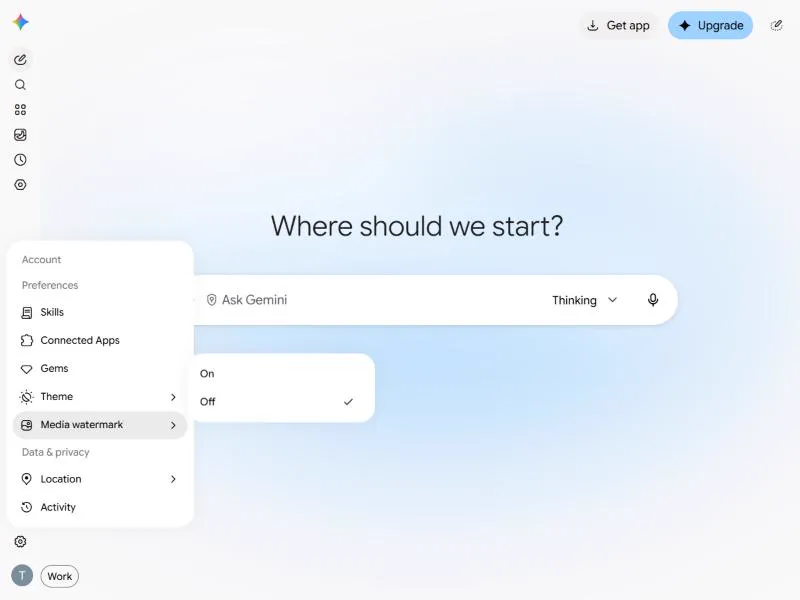
You can turn off the visible one: before you generate, go to Settings > Media watermark and choose Off (in a few countries the switch only appears on AI Ultra). It was off on our account, and our downloads show no visible mark. The invisible SynthID watermark is in every video and can't be switched off. We don't recommend remover tools: Google's terms ban bypassing its protective measures and misleading people into thinking AI content was made by a human.
Can I use Gemini videos commercially?
Google's Terms of Service say Google "won't claim ownership" of original content you generate, but they don't directly address commercial use. They do ban misleading people into thinking generative AI content was made by a human, and you need the rights to any photos you upload. For anything that matters, read the terms yourself or ask a lawyer; this isn't legal advice.
Sources: Google Terms of Service, Generative AI Prohibited Use Policy.
Gemini app, Flow or Google Vids: which should I use?
Use the Gemini app for one quick clip you can change by chatting. Use Vids to build a longer video from scenes and a voiceover; each AI clip can be 3 to 15 seconds. Flow is Google's filmmaking tool, paid for with monthly credits (200 on Plus, 1,000 on Pro). Google says all three have Gemini Omni 1.2 Flash.
Where to go next
- How to make an AI video, in plain English: chat apps against video apps, and one prompt built in four steps.
- Seedance 2.5: what it can do, where to use it, and why a clip misses your prompt.
- Prompt libraries: camera moves, visual styles and text on screen.
- Generate in SpeedReel ↗
How we tested: the Gemini clips were made in the Gemini app on a Google Workspace work account from November 7 to 10, 2026, at the app's default 10 seconds and 720p, with its visible watermark setting off. The Seedance clips were made with Seedance 2.5 in SpeedReel on November 7, 2026: 10 seconds, 480p, with sound. One try each, except for a second Seedance try of the cat, unedited. Timing was read from frame sheets. Facts about Google's products were checked on Google's own pages on November 9, 2026. Limits and prices change often.