
How to make AI videos with Seedance 2.5
The short answer
Seedance 2.5 is ByteDance's video model, released July 31, 2026. It turns a prompt, plus up to 50 reference images, videos and audio clips, into one take of 4 to 30 seconds with sound, at up to 1080p. You can use it in CapCut and Dreamina (not in every country), Higgsfield, Krea, OpenArt, SpeedReel, fal, OpenRouter, Replicate and ByteDance's own BytePlus API. Write the prompt as one summary sentence, then the action in timed steps with one action each, then what stays the same.
What is Seedance 2.5?
Seedance 2.5 is a video model from ByteDance, the company behind TikTok and CapCut. It was released on July 31, 2026. It makes video from words, from a picture, or from a mix of pictures, video clips and audio you give it as references, and it makes the sound at the same time as the picture.
Over Seedance 2.0, it adds:
- takes up to 30 seconds long, instead of 15;
- up to 50 references, instead of 9 images, 3 videos and 3 audio clips;
- timed prompts that it follows ("0–3 s: …");
- edits timed to the second: change one moment of a clip you already have, add or remove something, or redo its sound. 2.0 can edit and extend clips too, but not at a set moment.
What can Seedance 2.5 do, and what can't it?
Checked in ByteDance's own BytePlus documentation, updated October 28, 2026. Several sites quote numbers that don't match it, so here they are side by side:
| Seedance 2.5 | Seedance 2.0 | |
|---|---|---|
| Length of one take | 4 to 30 s; can be extended forward or backward | 4 to 15 s |
| Top resolution | 1080p. No 4K in ByteDance's API, though some CapCut pages claim it | Up to 4K through ByteDance's API (not 2.0 Fast or Mini) |
| Shapes | 21:9, 16:9, 4:3, 1:1, 3:4, 9:16, or "adaptive": the model picks, or follows your start picture | The same |
| References | Up to 50: 30 images, 10 videos, 10 audio clips | 9 images, 3 videos, 3 audio clips |
| Timed prompts ("0–3 s") | Followed | ByteDance says 2.0 follows "Shot 1, Shot 2" instead. In our test it kept the order, but late (below) |
| Sound | Made with the picture, in mono; speech in 11 languages | Made with the picture, in mono |
| Editing | Change a moment at a set time; add, remove or replace things; edit the sound; extend forward or backward | Edit and extend (forward, backward, or join up to 3 clips), without set times |
| Cheaper versions | None. A Draft mode makes a 480p preview at the normal 480p price, to check before a bigger render | 2.0 Fast and 2.0 Mini, up to 720p |
ByteDance is open about two weak spots: complex motion and scenes where several people or things interact still have "room for improvement", and spelling on screen can slip. Both come up in the FAQ below.
Is Seedance 2.5 worth it over 2.0?
For the final take, yes. For trying out wording, no.
Prices in SpeedReel credits for an 8-second clip at 480p with sound, checked October 31:
| Seedance 2.5 | 2.0 | 2.0 Fast | 2.0 Mini |
|---|---|---|---|
| 99 | 68 | 54 | 34 |
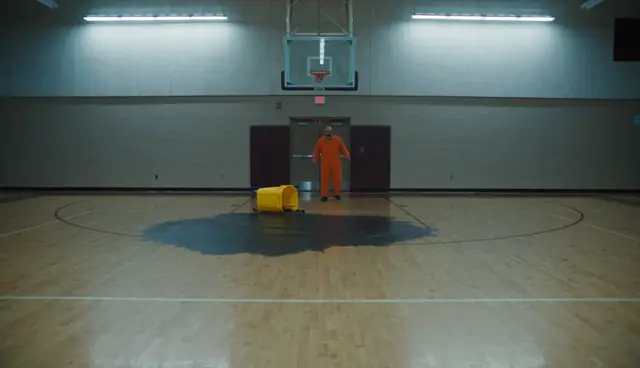
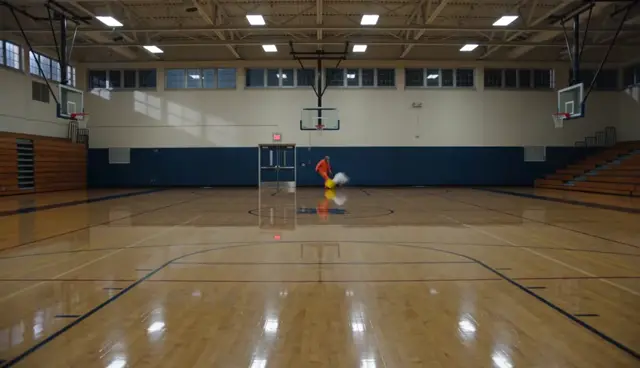
We gave both models the same 8-second prompt with four timed events: a janitor walks into a dark gym, switches on the lights, knocks over his bucket, and switches the lights off again. Timing comes from the frames' brightness, so the light switches give exact times.
| Event | Asked for | Seedance 2.5 | Seedance 2.0 |
|---|---|---|---|
| Lights on | 2–4 s | 2.4 s | 3.5 s |
| Bucket tips, water spreads | 4–6 s | Tips at 4.3 s; the puddle spreads and stays | A white splash that vanishes; the bucket is upright again by 5.5 s |
| Lights off | 6–8 s | 7.2 s | 7.4 s |
2.0 kept the order and every event landed inside its slot, only later. The real difference was physics: in 2.5 the water stayed on the floor, in 2.0 it disappeared.
So: draft cheap, finish in 2.5. 2.5 costs about 45% more than 2.0, and nearly twice as much as 2.0 Fast. It earns that on the final take, on takes longer than 15 seconds, on many references at once (a product, a person and a set), and on anything where objects need to behave like objects.
Can Seedance 2.5 hold a 30-second take?
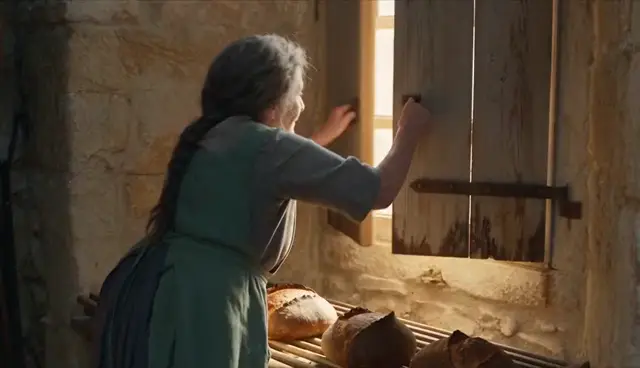
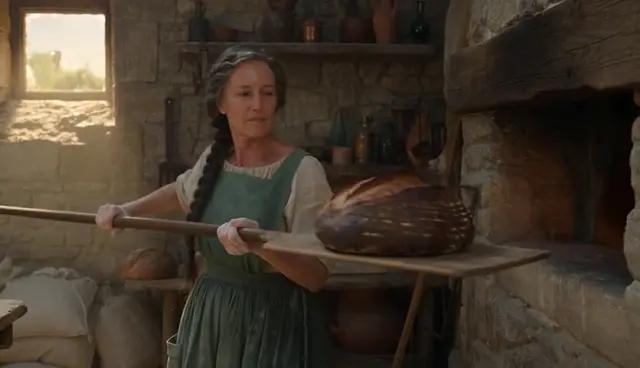
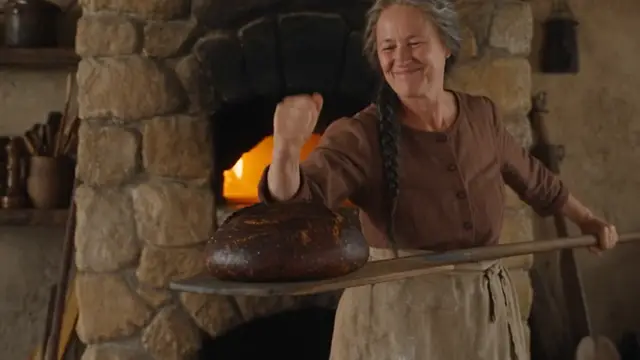
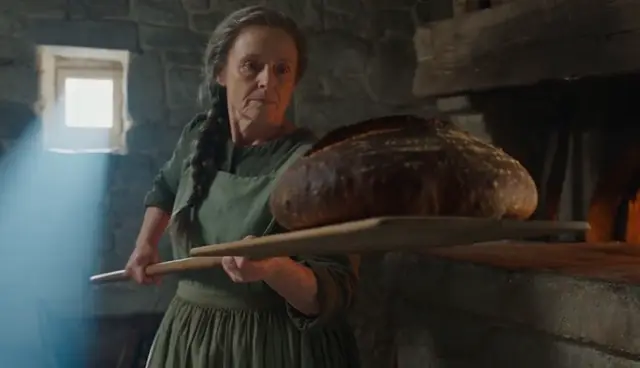
In our test, it did. Reddit users report that 2.5 "falls off" after 15 seconds, so we wrote the baker's whole morning as six steps, 5 seconds apart, in one 30-second take (the clip at the top of this page; 371 credits at 480p in SpeedReel):
| Step | Asked for | Landed |
|---|---|---|
| Feeds a log into the oven; sparks | 0–5 s | Sparks at 1–3 s |
| Kneads the dough | 5–10 s | 6 s |
| Cuts it into three, shapes the loaves | 10–15 s | Cut at 10 s, three loaves by 13 s |
| Slides the loaves in on the paddle | 15–20 s | Loaded at 16 s, in the oven by 18–20 s |
| Pulls out the finished batch, knocks on one | 20–25 s | One loaf, taken out by hand at 23–24 s; no knock |
| Rack, shutters, sunrise | 25–30 s | Shutters open at 28 s, light by 29 s |
Five of six steps landed on time, including two of the three after the 15-second mark. The one that slipped was the only step with two actions in it. It also broke plain logic: she reaches into a burning oven bare-handed. One take is one take, so treat this as a good sign, not a guarantee.
Where can you use Seedance 2.5 (and is it free)?
Only places where 2.5 itself is confirmed, not just 2.0. Prices checked on each platform's own page, November 1, 2026:
| Platform | How you pay | Cheapest way in | Example price | Notes |
|---|---|---|---|---|
| BytePlus ModelArk | Per use (ByteDance's API) | $30 in credits (or a plan) to switch it on | 5 s at 720p: $1.16 | For developers. Failed jobs are free |
| SpeedReel | Credits, no subscription | 250 free credits, no card | 5 s at 480p: 62 credits (about $0.62); at 720p with sound: 139 | Its own feature: a built-in editing timeline. Clips, music, dialogue and sound effects are generated straight onto it and cut together in one tab. Our clips are made here (see below) |
| CapCut and Dreamina | Subscription | Paid plans, age 16+. Dreamina Basic: $15 a month for 1,575 credits | Dreamina: 37 credits a second at 720p. CapCut: not published | CapCut's launch post lists Europe, Asia, the Middle East and South America, not the US: check in the app. Adds visible AI labels |
| fal | Per use (API) | Pay as you go | 5 s at 720p: about $2.31 | 480p to 1080p, at about twice ByteDance's own rate |
| Higgsfield | Credits | Plus plan, $49 a month for 1,000 credits | 10 s at 720p: 70 credits | 1080p: 16 credits a second (80 for 5 s) |
| Jimeng, Doubao Pro | ByteDance apps | — | — | China only |
| Krea | Compute units | Pro plan or higher | About 171 units a second at 720p | |
| OpenArt | Subscription credits | — | Not shown | Also has a "Seedance 2.5 Draft" model |
| OpenRouter | Per use (API) | Pay as you go | ByteDance's token rate | 480p and 720p |
| Replicate | Per use (API) | Pay as you go | 5 s at 720p: about $1.16 | 480p and 720p |
- Is it free? Not without limits anywhere we found. SpeedReel's 250 free credits cover about four 5-second clips at 480p; other sites run occasional promotions.
- Is there an official website? Seedance has no app of its own. ByteDance offers it in CapCut and Dreamina (not listed for the US), in Jimeng and Doubao Pro in China, and to developers through BytePlus. seed.bytedance.com is its research page.
- Why is it so expensive? The price grows with length and resolution. In SpeedReel a 30-second take at 1080p with sound is 2,048 credits (about $20); the same take at 480p is 371. Draft at 480p, then make the final take bigger.
How to make a clip with Seedance 2.5, step by step
Shown in SpeedReel. Most video apps put these controls in the same order.
Pick Seedance 2.5 from the model menu. Keep 2.0 Fast in mind for drafts.
Set the length, shape, resolution and sound, and check the price before you generate. Start at 480p and 5 to 8 seconds.
Add a start picture or references if you have them. A start picture with a real-looking person in it gets refused; use a picture of the empty place and let the person walk in.
Write the prompt (next section), or let the assistant draft it from a few questions.
Generate, then watch the whole take before you use it. Look for the things a quick glance misses: a cut you didn't ask for, a colour that changed, something that breaks plain logic.
How do you write a Seedance 2.5 prompt?
In three parts, the core of ByteDance's own prompt guide (which adds a first line saying what each reference is for) and the shape every PromptJazz library follows:
- One summary sentence: who, where, what happens, the look, the camera.
- The action in timed steps (0–2 s, 2–4 s…), each with what we see, what the camera does and what we hear.
- What stays the same throughout: the angle, the place, the light, the sound.
Here is the gym prompt from the test above, the one that made the 2.5 clip:
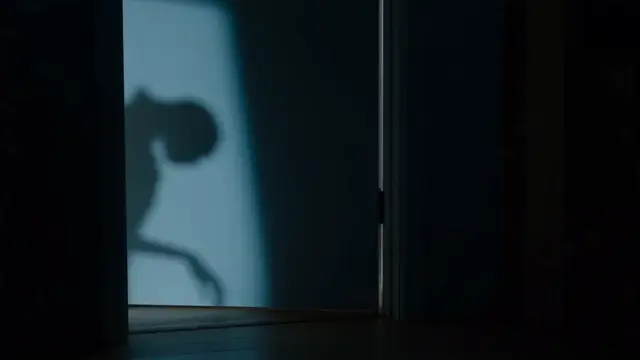
A night janitor with a bushy grey mustache and a bright orange jumpsuit in an empty school gym at night, filmed in one continuous wide shot from the far end of the court; the camera stays still.0–2 s: in near darkness, he walks in through the double doors pushing a yellow mop bucket.2–4 s: he flips the big wall switch, and all the overhead lights snap on at once.4–6 s: he bumps the bucket with his knee; it tips over and water spreads across the shiny floor.6–8 s: he flips the switch back off, and the gym goes dark except for the glowing exit sign.Sound: squeaky bucket wheels, the loud clack of the switch, water splashing, the switch again; no background music.
Rules we tested:
- One action per timed step. The only step that slipped in our 30-second take had two.
- Write each event at the start of its slot, and say when the first one starts ("from the first second"). Our events landed up to a second and a half after their slot began.
- Say how it's filmed, or it gets edited into shots for you. End with "one continuous take". See the camera library.
- Name a colour twice if it matters.
- Give people features you could pick out of a crowd, and describe places and products instead of naming them. Names and look-alikes are what get refused.
- Write what should be there. ByteDance supports "no" only for subtitles and sound (music, sound effects, speech); any other "no X" can bring X in.
- Name each reference and its job: "@Image1 is the mug; @Image2 is the kitchen", numbered in the order you uploaded them.
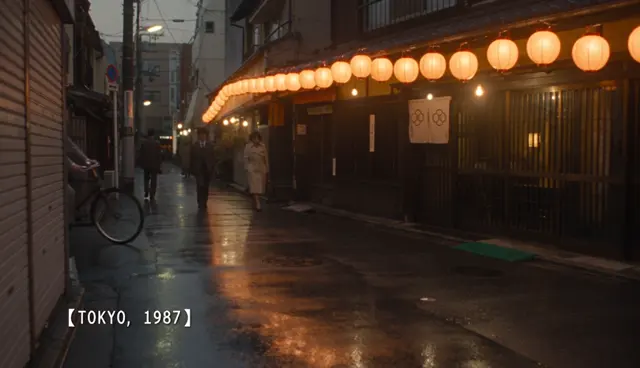
One note on brackets. ByteDance's guide gives them jobs: ( ) for music, < > for sound effects, { } for dialogue and 【 】 for subtitles. We use 【 】 for words on screen, and it works well (FAQ 7). That subtitle job is likely why the brackets themselves sometimes get drawn on screen. We haven't tested the sound brackets yet.
Questions
7 reasons your video didn't come out the way you described
Why does Seedance skip actions, or do them at the wrong time?
It drops or rushes an action when one step holds more than one, and in text-to-video it tends to hold still, then cram everything into the end. Give each timed step one action, write the event at the start of its slot, and say when the first one starts. In our 30-second take, the only step that slipped was the one with two actions in it.

Why did it cut to a different shot?
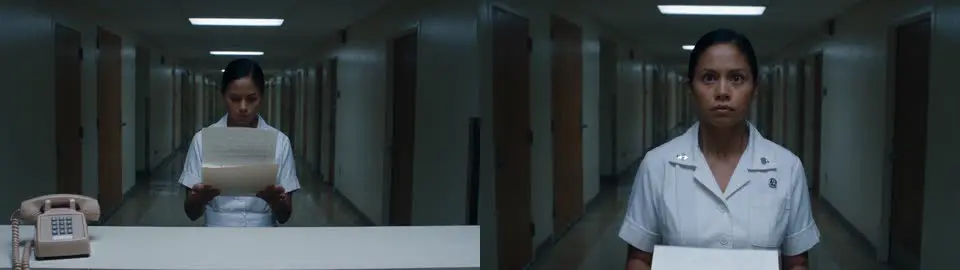
If the prompt doesn't say how to film it, Seedance edits it for you, and it likes to cut to whatever the action reveals. Say where the camera starts and how it moves, and end with "one continuous take". Our baker prompt came out as three shots; one added camera line made it one take.
Why can't it do a backflip or a fast fight move?
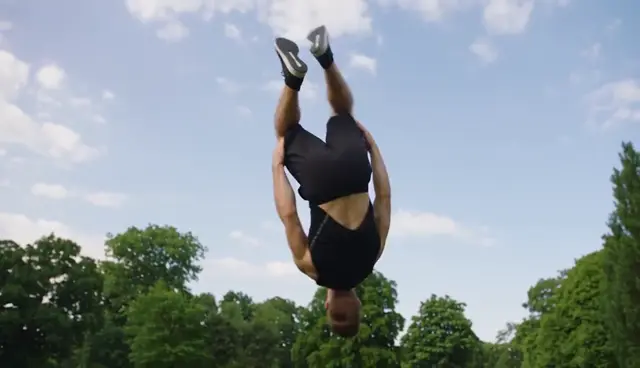
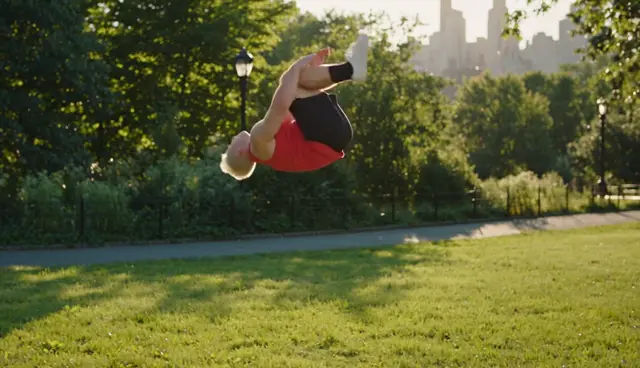
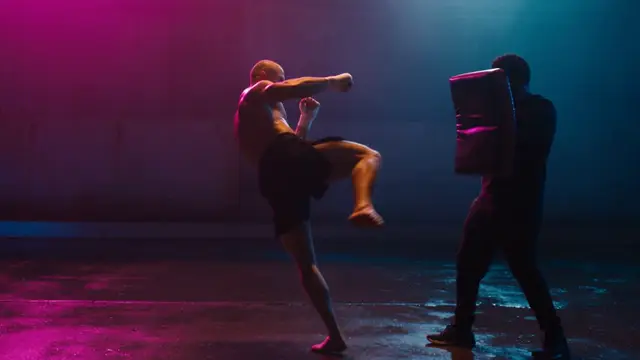
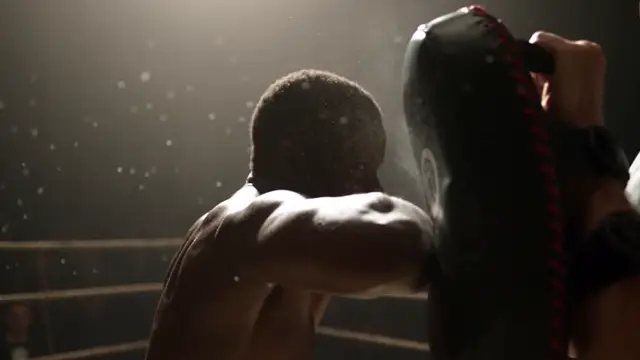
ByteDance itself says complex motion still needs work, and a short prompt leaves the model to guess the physics. Ask for one move, seen from the side, with a still wide camera and slow motion at the top. "A man does a backflip in a park" hung in the air for over two seconds; our fixed prompt landed a clean flip in 2 of 2 takes. The short prompt also dressed him in a real sportswear brand nobody asked for; "a plain red tank top" kept logos off.
Why does it ignore my reference image?
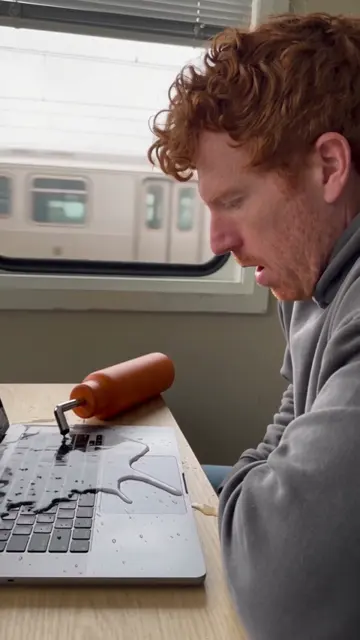
Usually the prompt never says what the reference is for. Name each one in the order you uploaded it and give it a job, and put every prop the action needs into the start picture, or it pops in mid-clip. A reference can also win too hard: in one of our tests, a product photo turned a different bottle in the scene into the product.
Why was my video or photo refused?
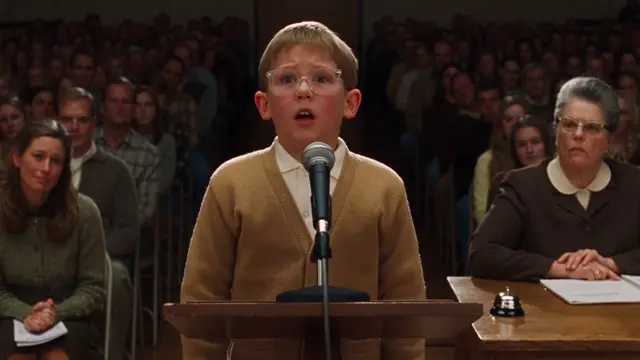
Start pictures with real-looking people are refused, and the copyright check also reacts to results that look like a famous face or film scene, even when you name no one. Start from a picture with no people and let the person walk in (on cue in 7 of 7 of our tests), and give people distinctive features. If a scene keeps getting refused, change the setting, not the wording: a wedding toast refused four times passed first try as a school spelling bee. Even our one-sentence baker was refused once. In SpeedReel, refused jobs are refunded.
The request failed because the output video may be related to copyright restrictions.
Why did the person or their clothes change?
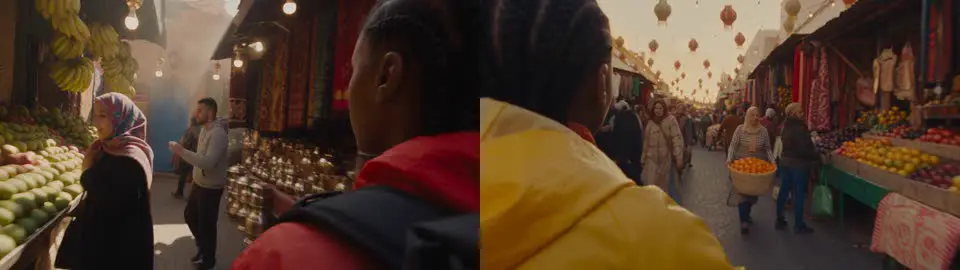
Colours and casting drift between takes, and even within one. Name the colour twice, repeat the person's description and pronoun in each step, and if you start from a picture, describe the hair first. Our baker's green apron came out brown in one take; in a market scene, naming a yellow jacket twice held the colour in 5 of 5 takes.
Why is the text on screen misspelled?
Spelling slips, and ByteDance says so. Put short words in 【 】 brackets: they were spelled exactly in 8 of 8 of our test takes, against 4 of 5 in quotation marks. If the brackets get drawn on screen, add "brackets" to the negative prompt, or name the single word plainly.
More misses we've caught

It turned into a cartoon: comedy with exaggerated details drifts to 3D animation. Add "live-action footage, real people".
The acting went over the top: emotions go to their strongest version. Say how strong: "barely", "for a second".
A plain product came out as a famous brand: "plain, unbranded" pulls toward the market leader's design. Give it a shape and colour of its own.
Unwanted music: we couldn't make it happen. Six of our clips had no Sound line and none got music. If it happens to you, ByteDance's advice is a Sound line naming the sounds you want, with "no background music" at both the start and the end of the prompt.
Where to go next
- How to make an AI video, in plain English: chat apps against video apps, and one prompt built in four steps.
- How to make AI videos with Gemini: the same six prompts in Gemini and Seedance 2.5, side by side.
- Prompt libraries: camera moves, lighting, martial arts and text on screen, all made with Seedance 2.5.
- Generate in SpeedReel ↗
How we tested: the new clips on this page were made in SpeedReel on October 31, 2026, with Seedance 2.5 (and 2.0 for one comparison): text-to-video, 480p, 16:9, with sound, unedited. Timing was read from frame sheets, and for the gym test from frame brightness. The misses come from the PromptJazz libraries, made the same way in October 2026. Specs are from ByteDance's BytePlus documentation; platform prices from each platform's page, rechecked November 1. PromptJazz makes its clips in SpeedReel, a friendly partner (About).