
The short answer
A character sheet is one picture of your character from the front, the side and the back, plus a face close-up, on a plain grey background with empty hands. Make it in an image model, then attach it to every video shot as a reference. Below are the exact prompts we used for nine kinds of sheet, and the catch: Seedance refused our realistic human sheets, while stylized, 3D and game-style ones went straight through.
What is a character sheet in AI?
A character sheet (also called a turnaround or a character reference sheet) is a picture that shows one character from several angles, so the video model knows what they look like from every side. In Chinese it's 角色三視圖 or 角色設定圖.
You make the sheet once, in an image model, and reuse it in every shot. It's the single biggest step toward consistent characters in AI video.
The rules that make a sheet work in video
- Four panels: full body front, side, back, and a big head-and-shoulders close-up.
- A plain light-grey background with even light, so nothing else gets copied into your scene.
- Empty hands. A prop in hand changes from angle to angle. Give props their own sheet.
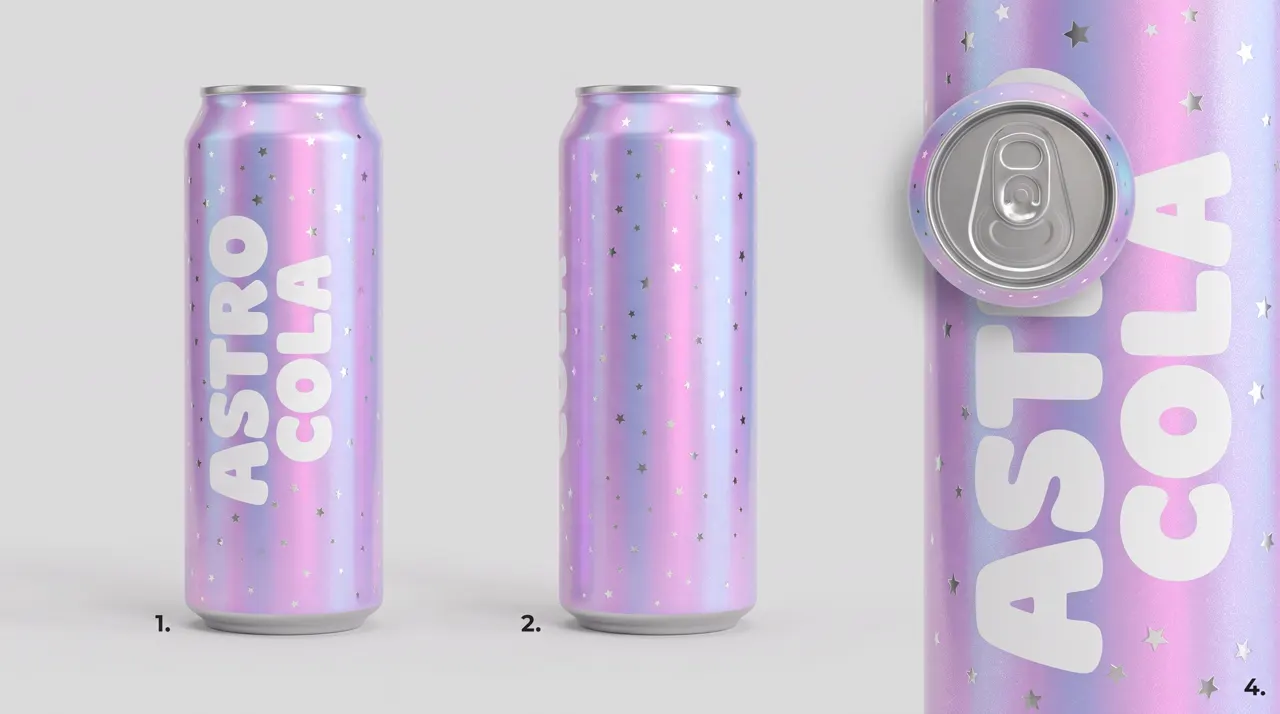
- No text on the sheet. Our first can sheet came back with "1.", "2.", "4." written under the panels. Video models can copy those too.
- Plain, unbranded clothes, and say so. Our "plain black canvas high-tops" came out as a famous brand's classic sneaker.
- Features you could pick out of a crowd. A copper braid and freckles, a notched ear, a grey streak. Plain faces drift, and in our earlier tests they also triggered more refusals.
- One sheet per look. A new outfit or a new age is a new sheet, made as an edit of the first so the face carries over.
Turnaround sheet prompt (the basic one)
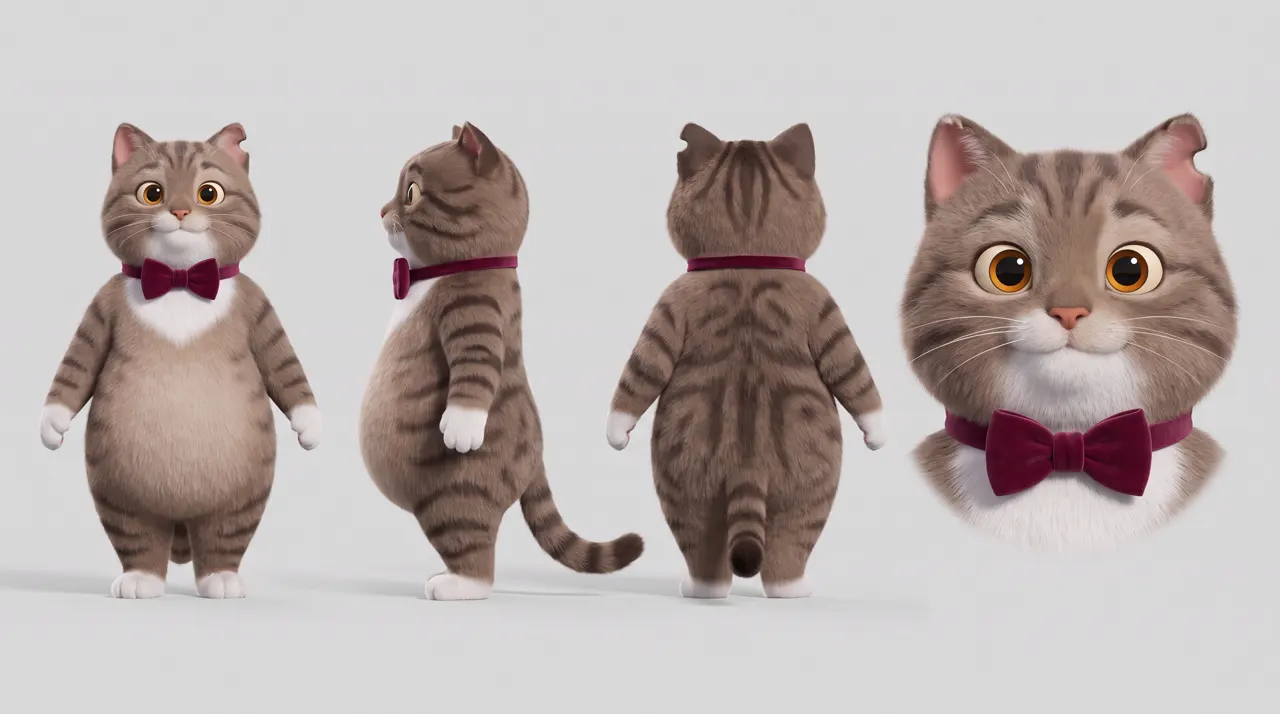
Character turnaround reference sheet in a soft 3D animated look: rounded shapes, plush fur, gentle even studio light, on a plain light-grey background. The same character shown four times side by side: full body front view, full body side profile, full body back view, and a large head-and-shoulders close-up. A friendly, chubby brown-and-grey striped tabby cat who stands upright on two legs like a person, with a round belly, a white bib and white paws, big round amber eyes, a small notch in the tip of the left ear, and a burgundy velvet bow tie. Standing relaxed, arms at sides, empty paws. No text, no labels, no captions.
Swap the style line and the description for your own character; keep everything else. The same prompt makes a brand mascot sheet: describe your mascot instead of the cat. This cat stars in our AI music video template, and it held in all 3 shots (see below for where its fur drifted).
Expression sheet prompt
Almost nobody covers these, and they help when a character must sing, shout or cry. Attach your turnaround as a reference picture, then:
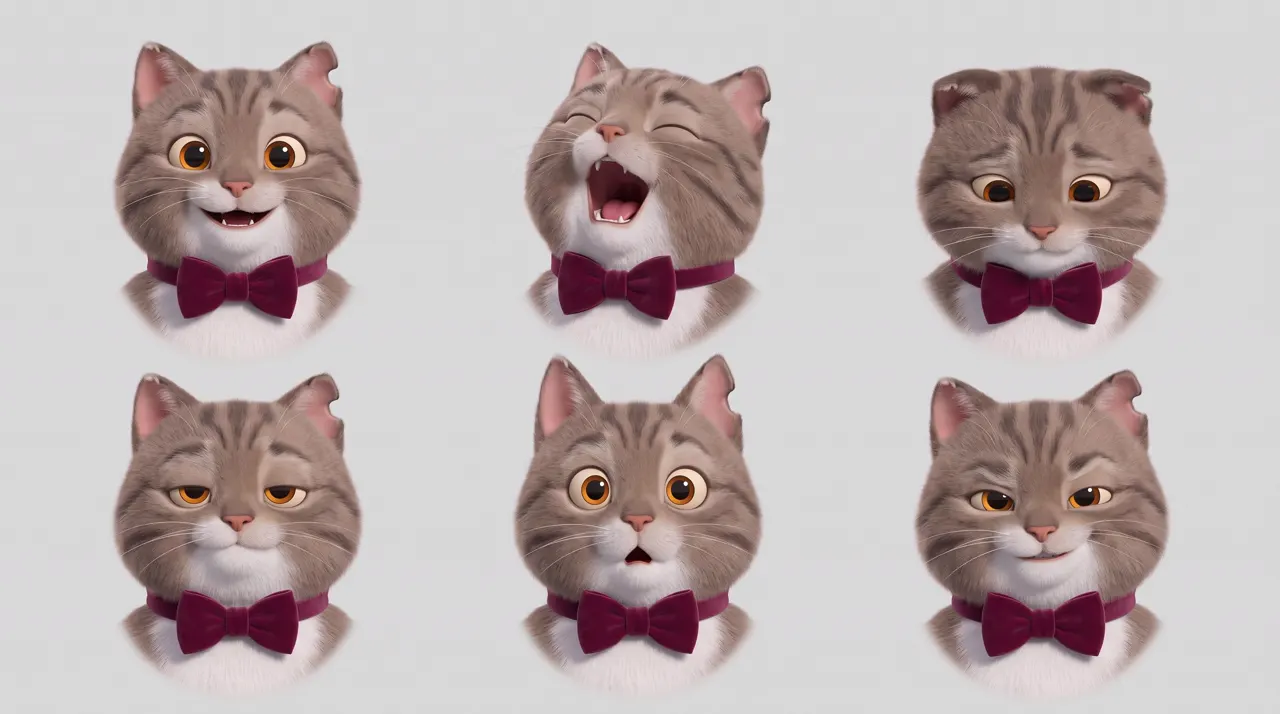
Expression sheet of the exact same cat as the reference, same soft 3D animated look, same plain light-grey background: six head-and-shoulders portraits in two rows of three, all with the same striped fur, white bib, amber eyes, notched ear and burgundy velvet bow tie. Top row: happy and beaming; belting a high note with its mouth wide open and eyes squeezed shut; shy, looking down with a small smile. Bottom row: sleepy with half-closed eyes; surprised with wide eyes and ears up; smug with one eyebrow raised and a sly grin. No text, no labels.
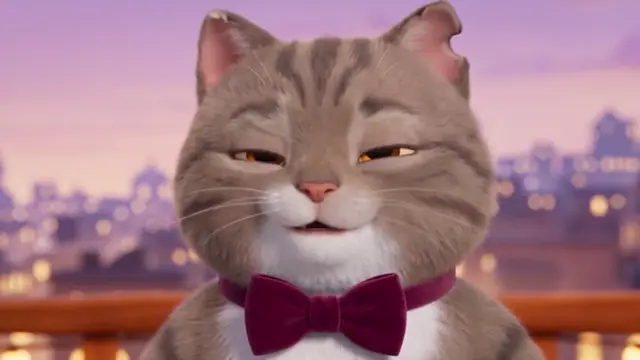
In the video prompt, point at it: "belting the high note like @Image2". Our cat hit that exact face on the high note.
Outfit change: same character, new clothes
Attach the turnaround and change one thing:
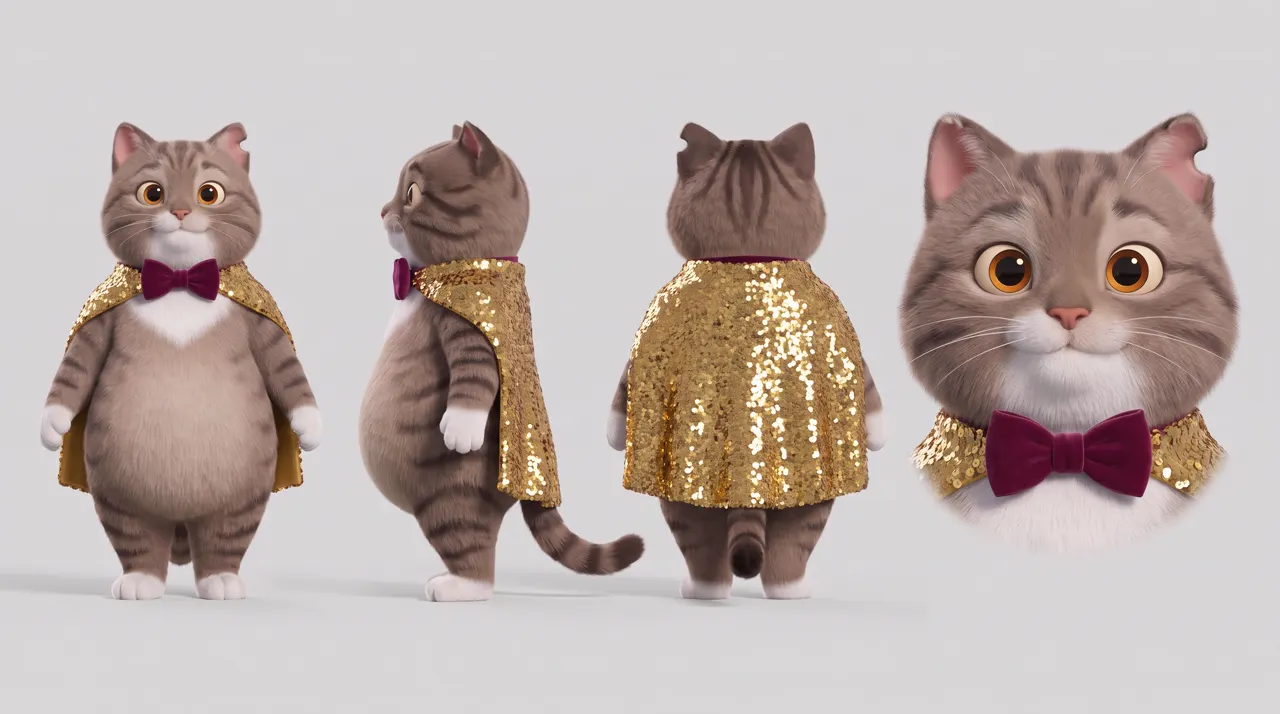
Make a new turnaround sheet with exactly the same layout, look and background as the reference: full body front, side profile, back, and a large head-and-shoulders close-up. The exact same chubby tabby cat with the same burgundy velvet bow tie, now in its stage outfit: a short sequinned gold cape fastened at the neck over the bow tie, falling to its hips and catching the light. Everything else unchanged. Arms at sides, empty paws. No text, no labels.
"Everything else unchanged" matters. Use the outfit sheet only in the shots where the character wears it.
Growing older: one face, three ages
For a story that spans years, make the youngest sheet first, then each older one as an edit of the last.
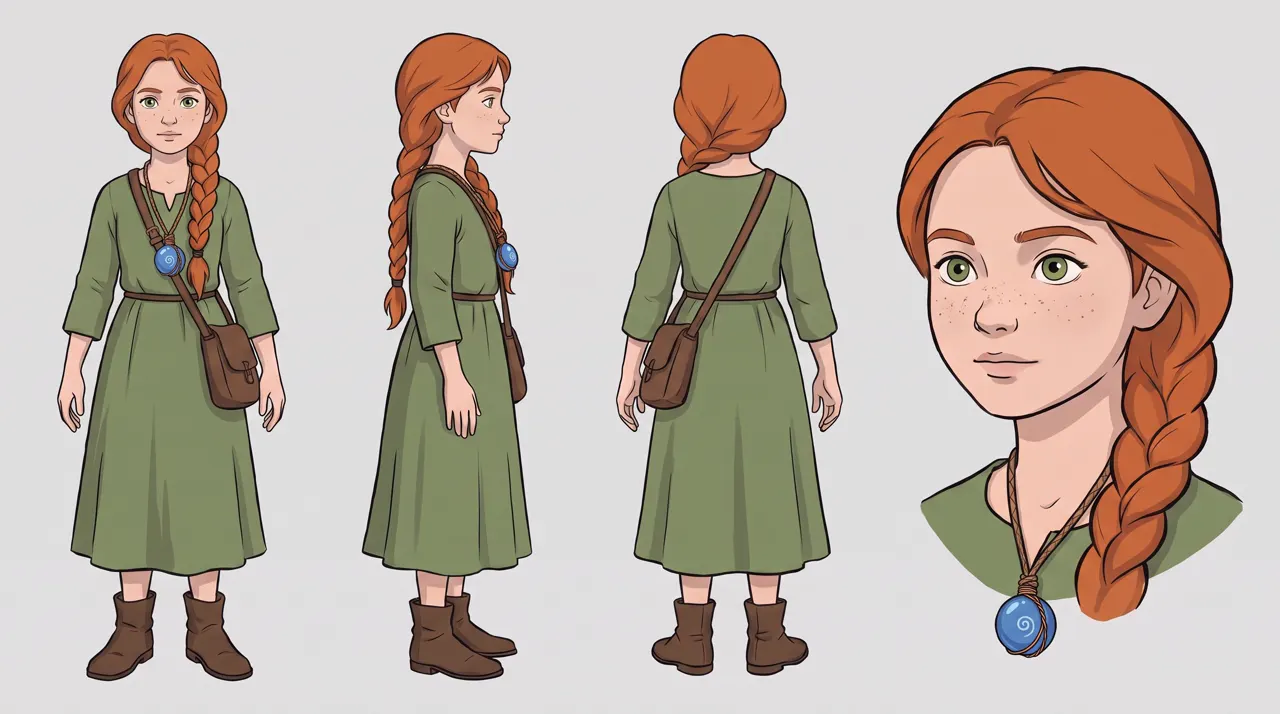
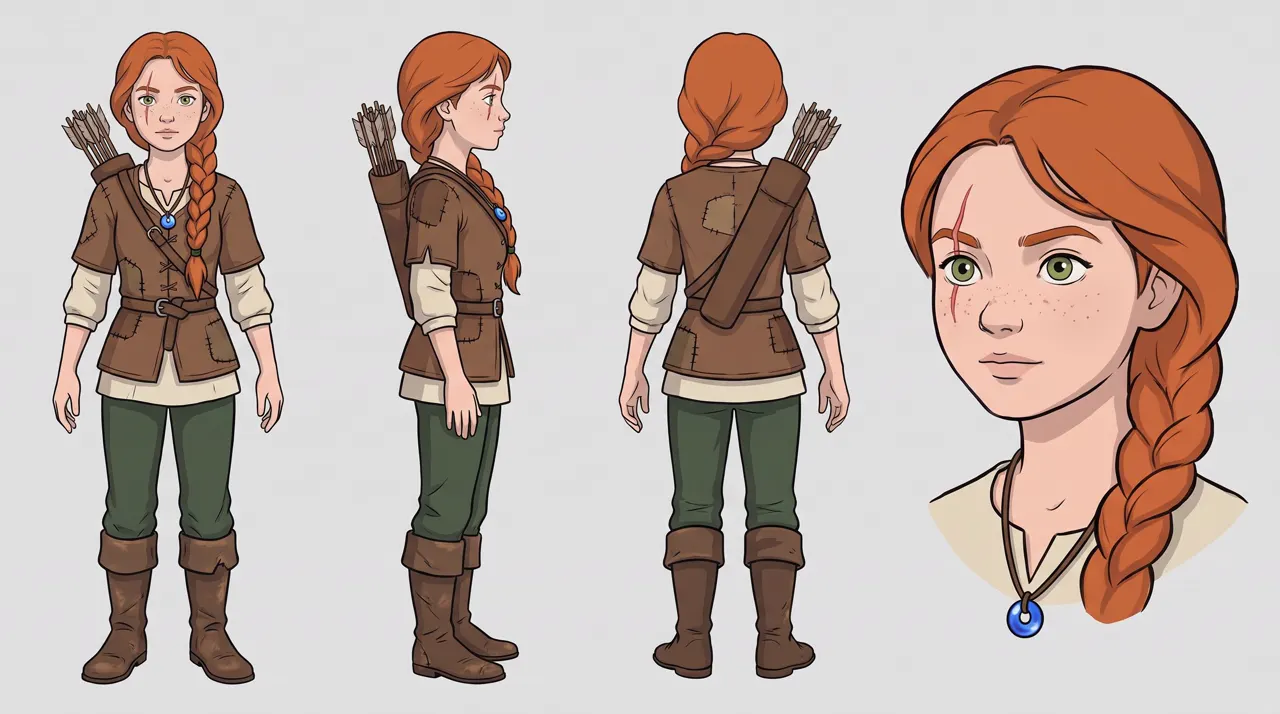
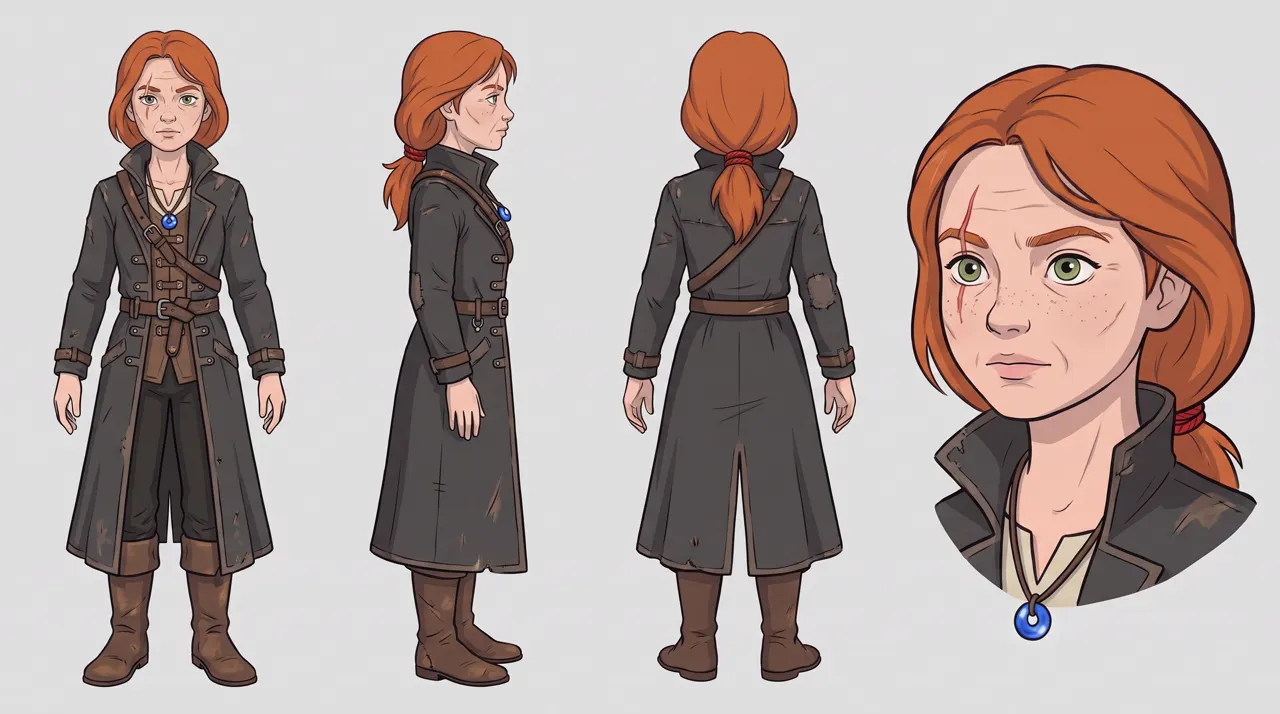
The first sheet uses the turnaround prompt with a hand-drawn style line ("hand-drawn rotoscoped animation style: clean ink outlines, flat cel colours"). The 30-year-old, with the 15 and 19 sheets attached:
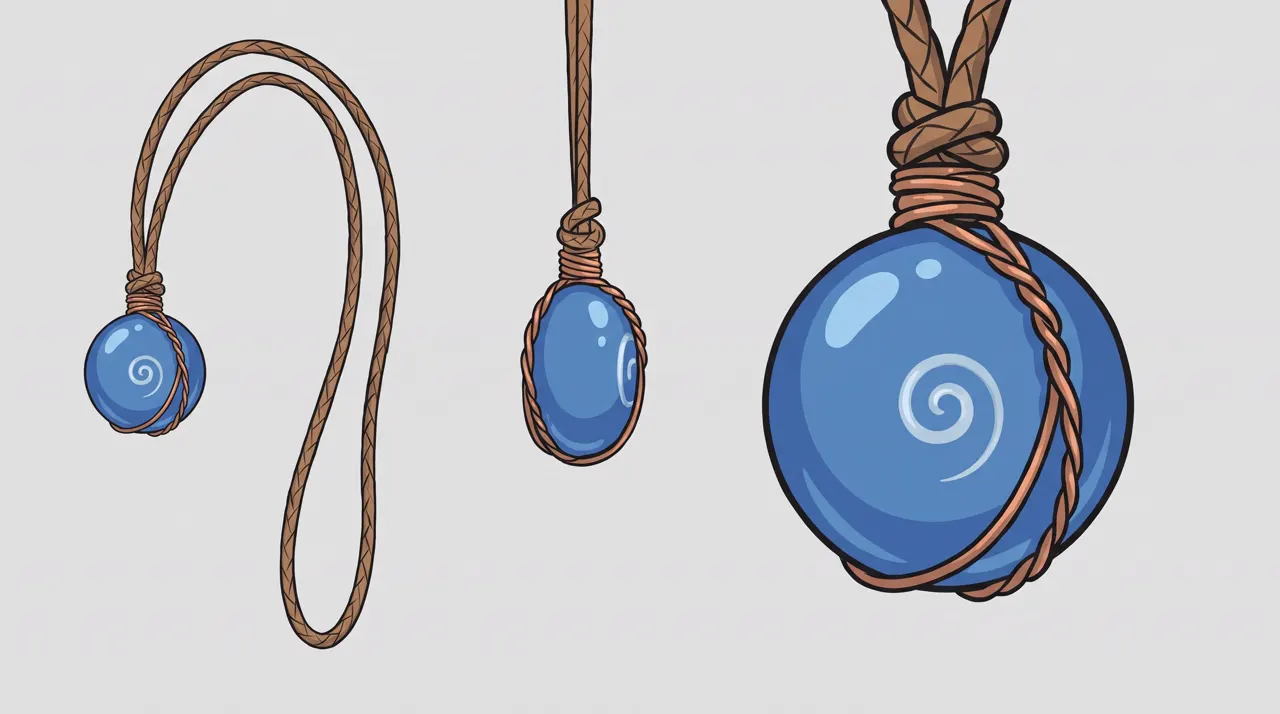
Make a new character turnaround sheet with exactly the same layout, art style and background as the references: full body front, full body side profile, full body back, and a large head-and-shoulders close-up. The same Mira, now a seasoned monster hunter of about 30: the same face, grown older and weathered, the same freckles and green eyes, the same blue glass bead amulet on its leather cord. Her copper-red braid is now cut to shoulder length and tied off with a red cord. The scar through her left eyebrow has healed into a thin pale line. She wears a long charcoal hunter's coat with leather straps and buckles, dark trousers and tall boots. Calm, steady posture, arms at her sides, empty hands. No text, no labels.
What slipped: her 15-year-old sheet left the amulet out, and the bead changed shape between sheets. We fixed the first with a one-line edit ("she now wears the amulet from the second reference") and settled the shape with a separate amulet sheet. The scar landed on her right eyebrow, not the left, but in the same place on both sheets, which is what counts.
How the three sheets held in video: the hub guide's test.
Realistic 3D character sheet
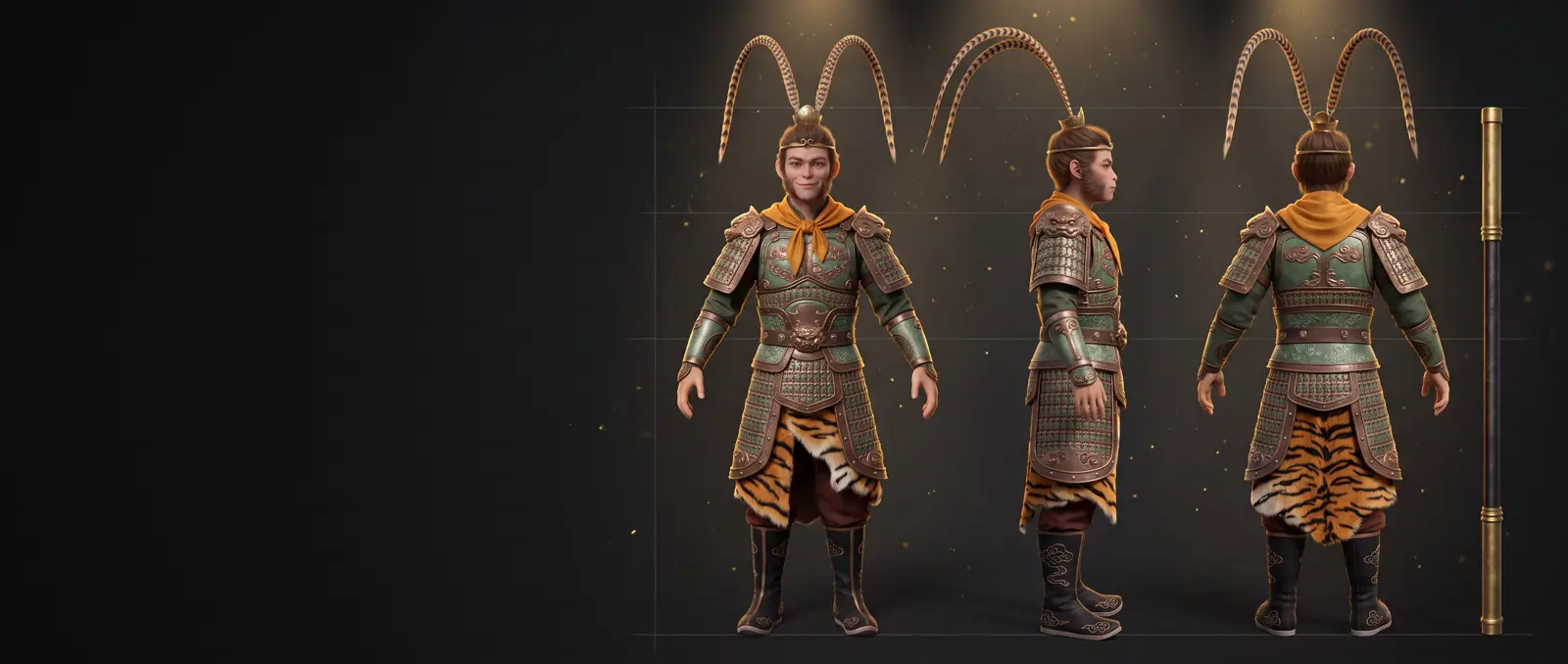
For fantasy films. This Monkey King keeps the legend's classic pieces (pheasant feathers, gold circlet, tiger-skin kilt, iron staff) with our own armour and colours:
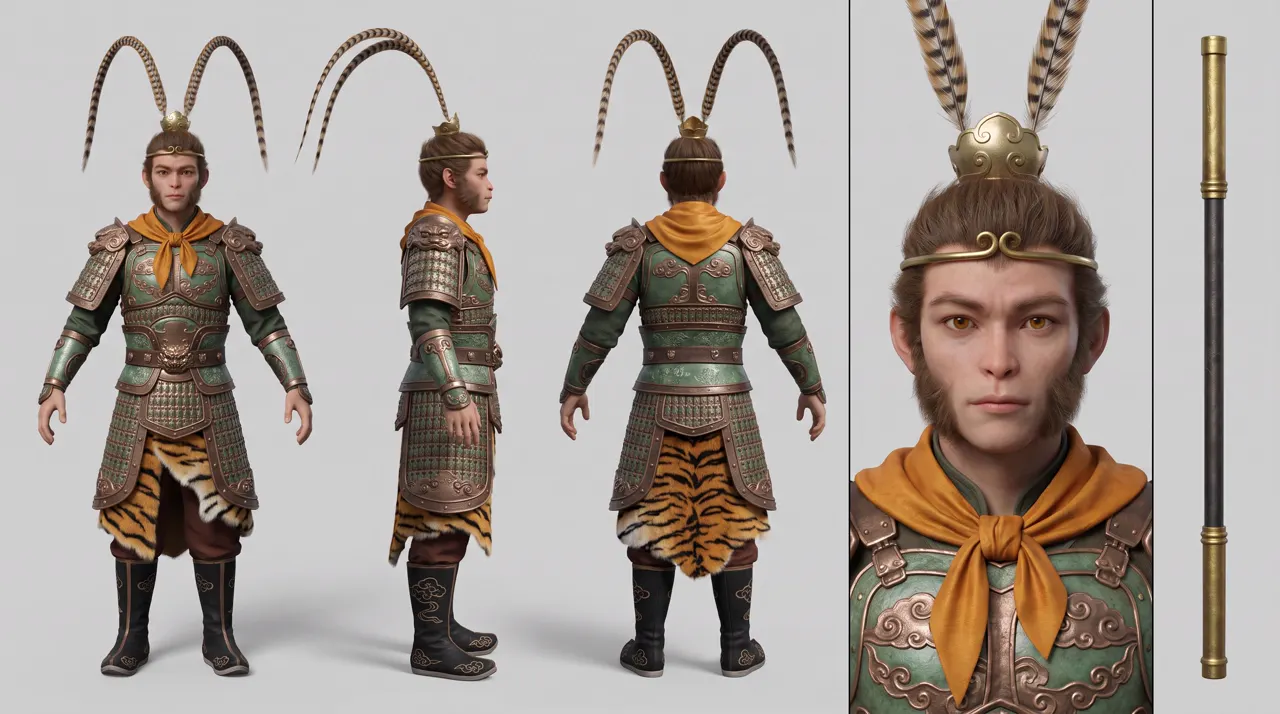
Photorealistic 3D character turnaround sheet for a fantasy feature film, on a plain light-grey studio background with soft even light. The same warrior shown four times side by side: full body front view, full body side profile, full body back view, and a large face close-up, plus a separate narrow panel on the far right showing his staff standing alone. A young Monkey King warrior with a handsome human face and faint monkey traits: amber eyes, tufted sideburns, a slightly wide brow. He wears bronze and jade-green lamellar armour engraved with swirling cloud patterns, a small gold crown shaped like a cloud swirl with two long striped pheasant tail feathers rising from it, a thin gold circlet across his forehead, a short saffron-orange silk scarf knotted around his shoulders, a tiger-skin kilt, and black boots embroidered with cloud patterns. His hands are empty, arms relaxed at his sides. The staff: black iron with wide gold bands at both ends. No text, no labels.
The staff gets its own panel, so the hands stay empty. Design your own version of famous characters: copying a game's or a film's costume invites a copyright refusal.
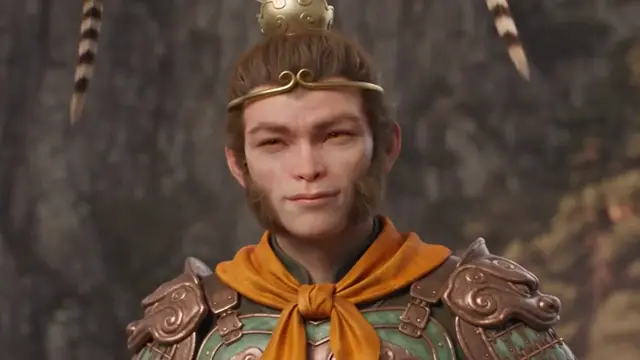
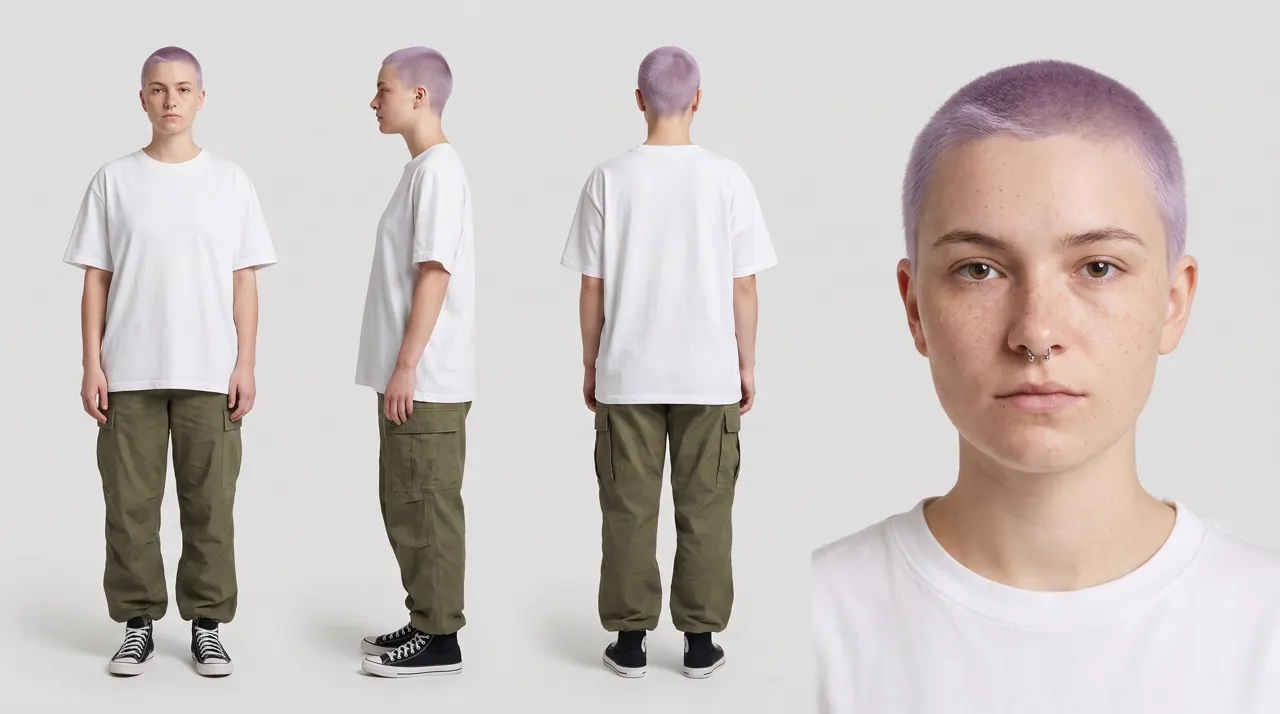
Realistic person sheet: works as a picture, blocked as a reference
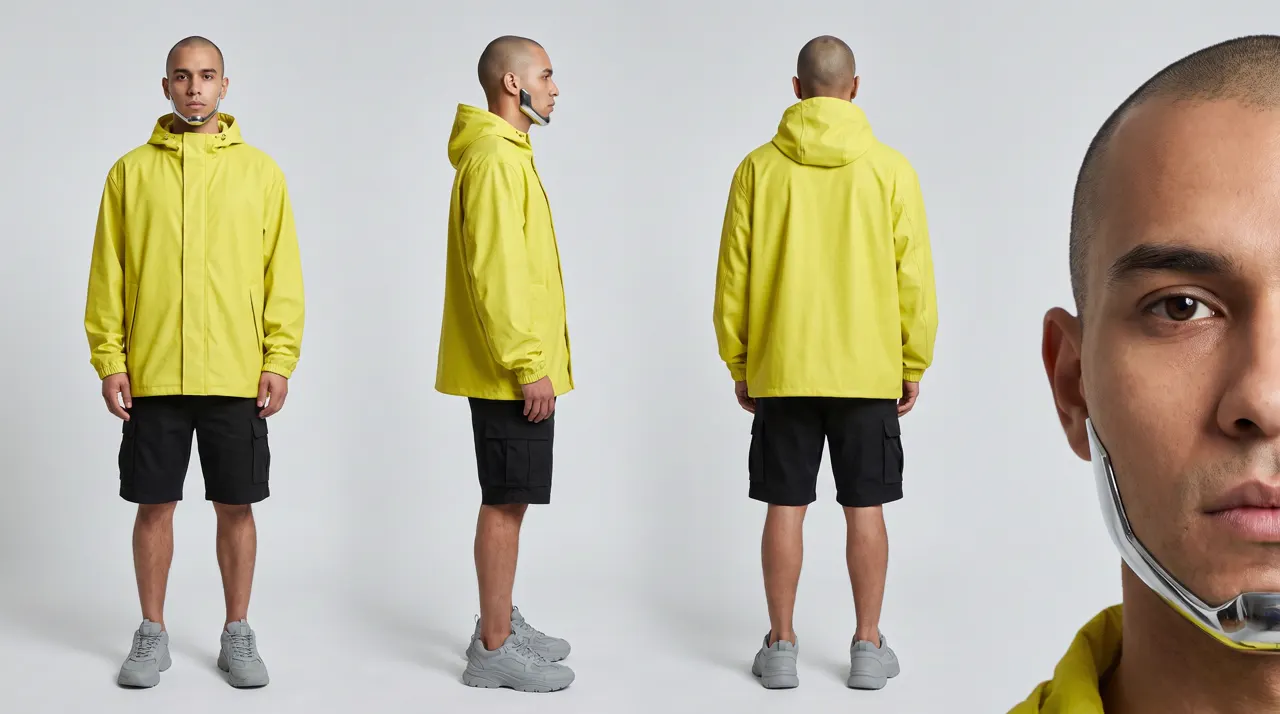
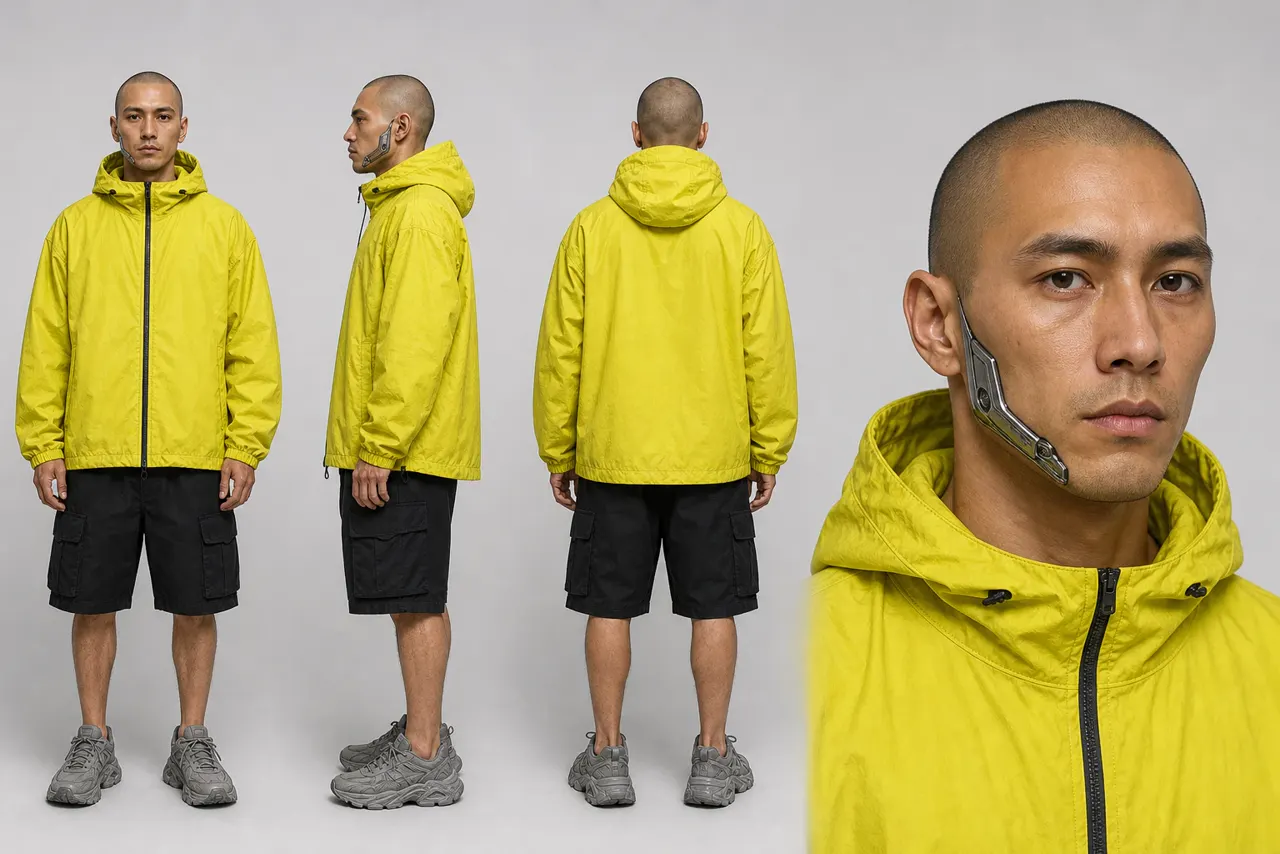
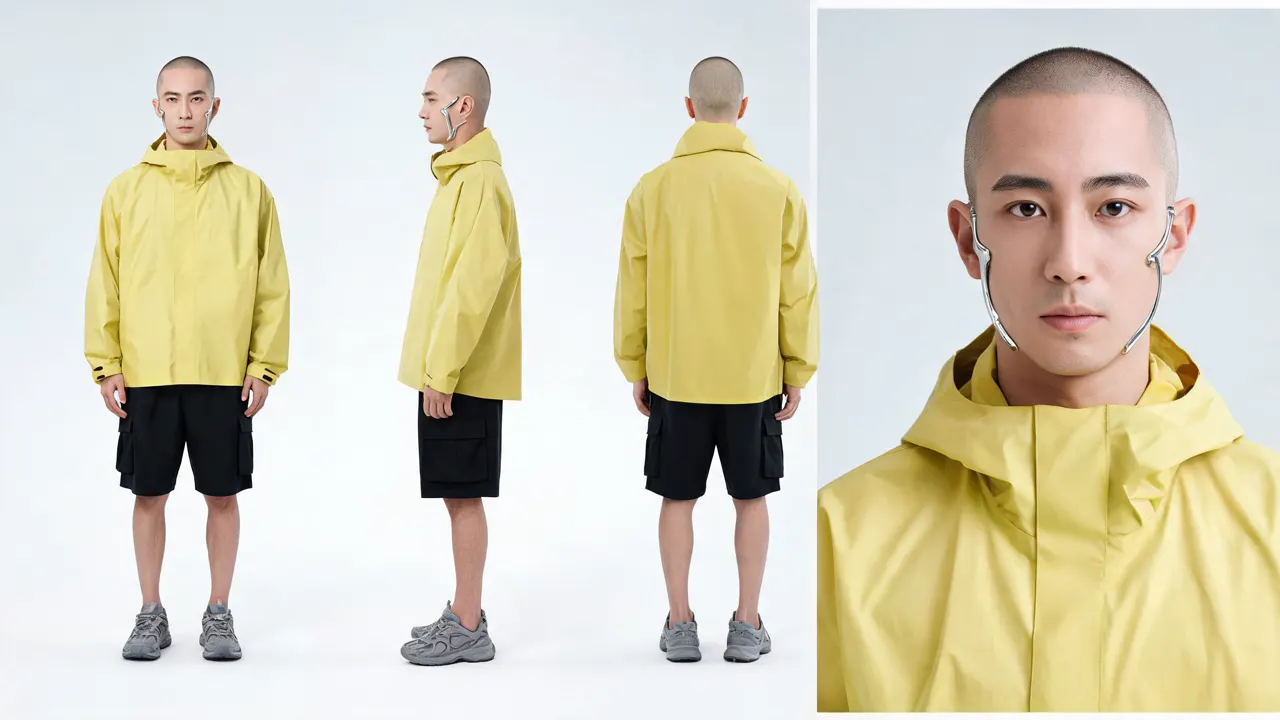
Photorealistic character turnaround reference sheet, on a plain light-grey studio background with soft even light. The same man shown four times side by side: full body front view, full body side profile, full body back view, and a large head-and-shoulders close-up. A cyberpunk courier in his late twenties: a shaved head, a polished chrome implant running along his left jawline, dark brown eyes, an oversized acid-yellow rain shell jacket, black cargo shorts, chunky grey sneakers. Plain unbranded clothing with no logos, no patches, no text anywhere. Standing relaxed, arms at his sides, empty hands. No labels, no captions.
Image models make realistic sheets happily. Seedance refused it as a reference image ("the input image may contain real person"), and refused a second realistic sheet too. The way around it, reusing your own clip, is in the hub guide.
Location reference sheet (and the same place, changed)
A place gets a sheet too: one wide, people-free picture, plus a second one for each state it appears in.
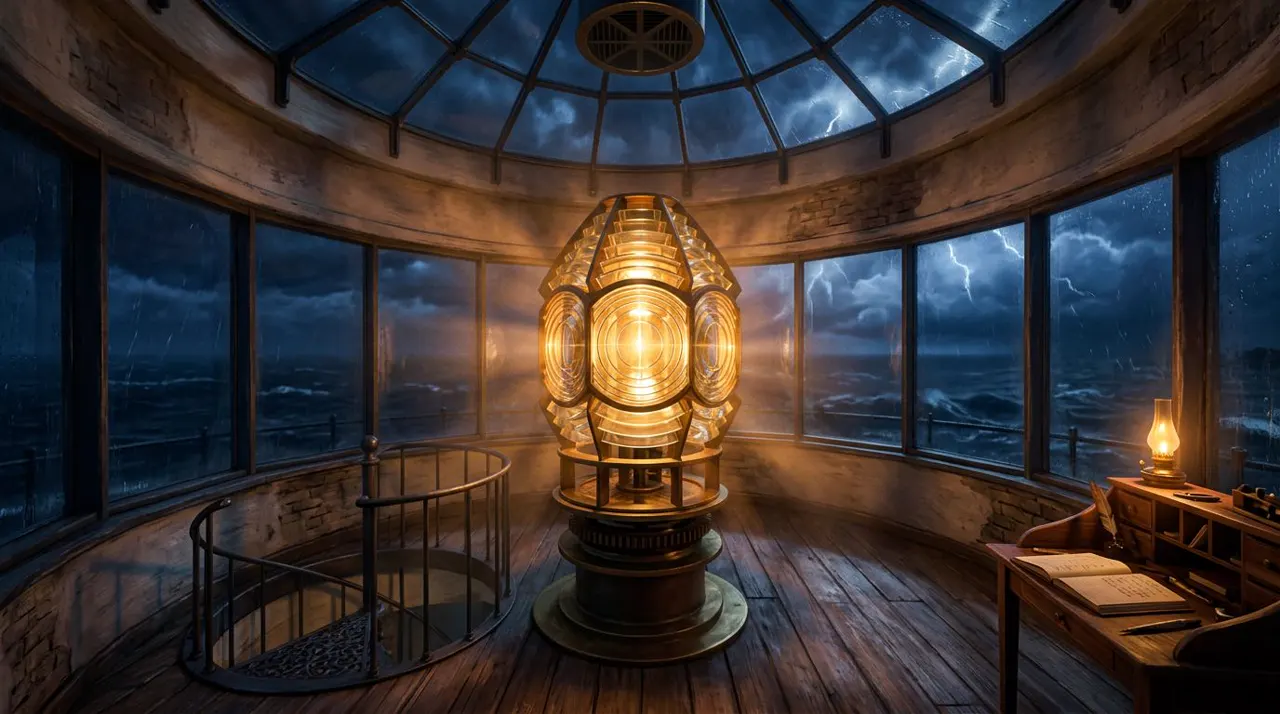
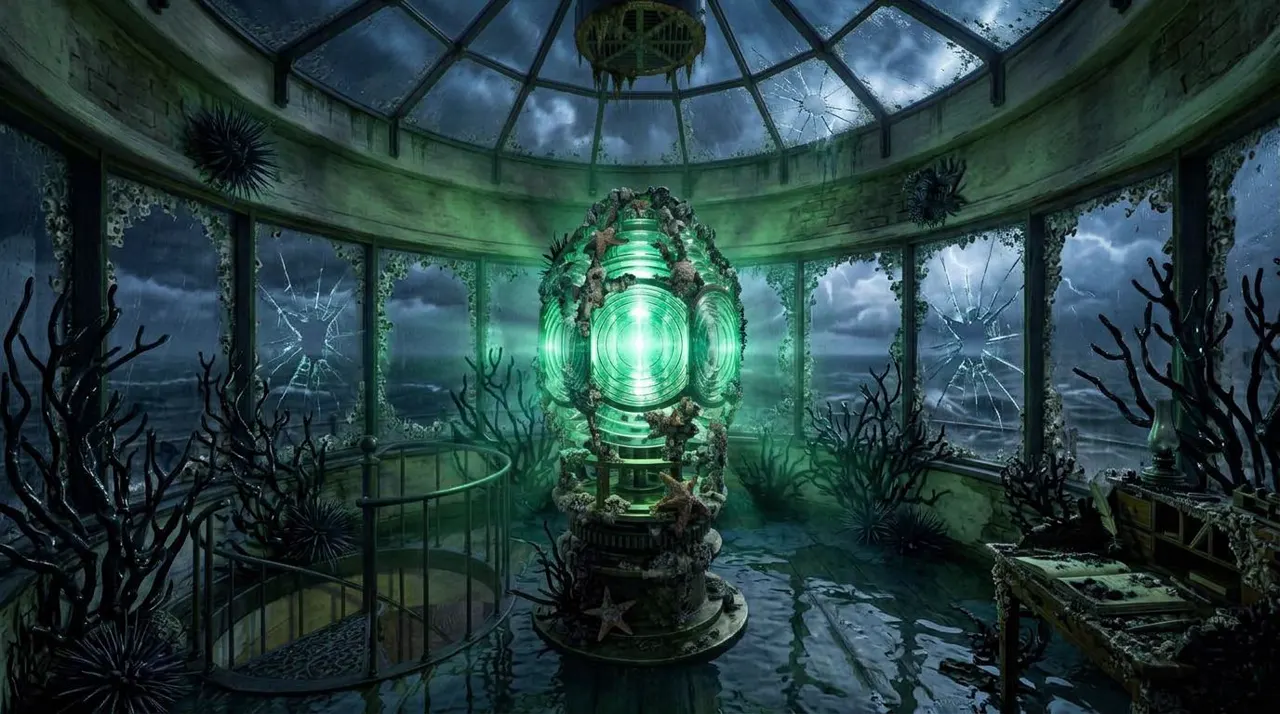
The clean room came from a plain prompt (style line, "a huge faceted glass lens in a brass frame in the centre… spiral staircase opening on the left… desk on the right… no people, no text"). The overgrown version was made from it:
The exact same lighthouse lamp room as the reference, from the same camera position, with every object in the same place: the lens in its brass frame, the ring of windows, the spiral staircase opening on the left, the desk on the right. Now it has been overrun: wet, glossy black coral branches creep up the walls, over the desk and around the lens, barnacles crust the brass, seawater pools on the floor, and several windows are cracked. The oil lamp has gone out; the only light is a cold sickly green glow coming from inside the lens. Same art style. No people, no text.
List every object and where it is. That's what keeps the layout. Use the same trick for day and night, or lights on and off.
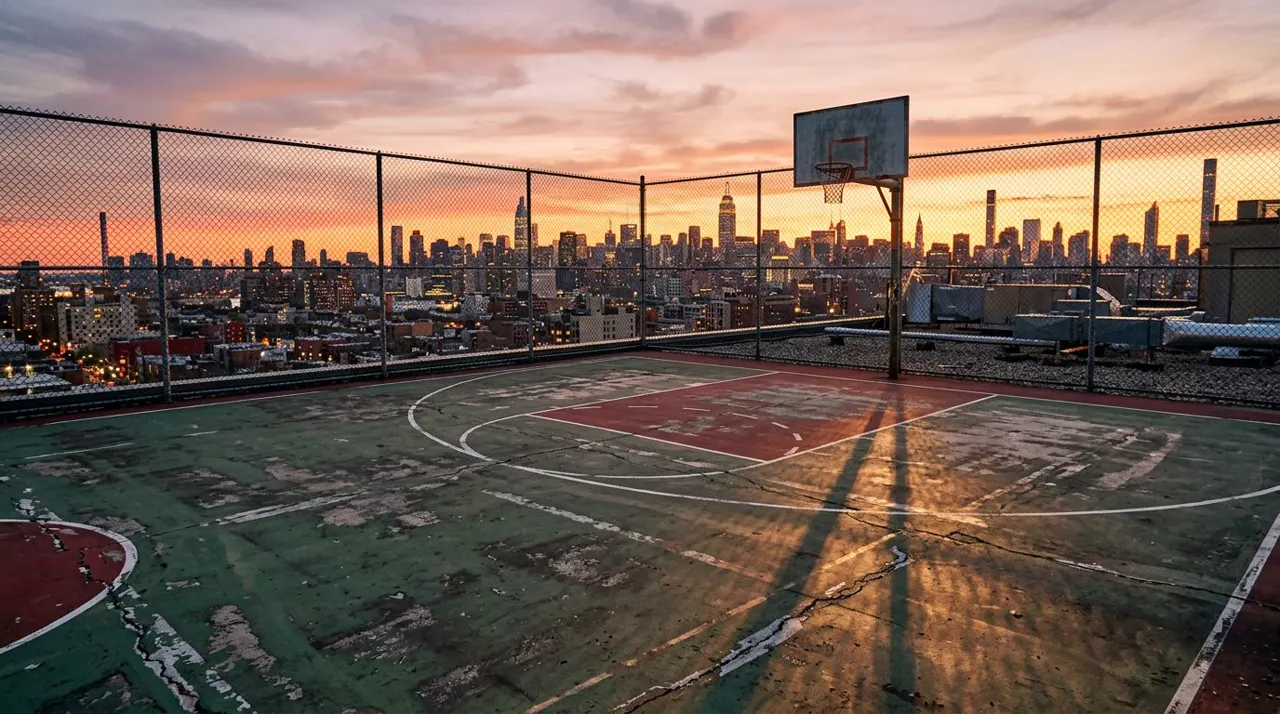
Two traps:
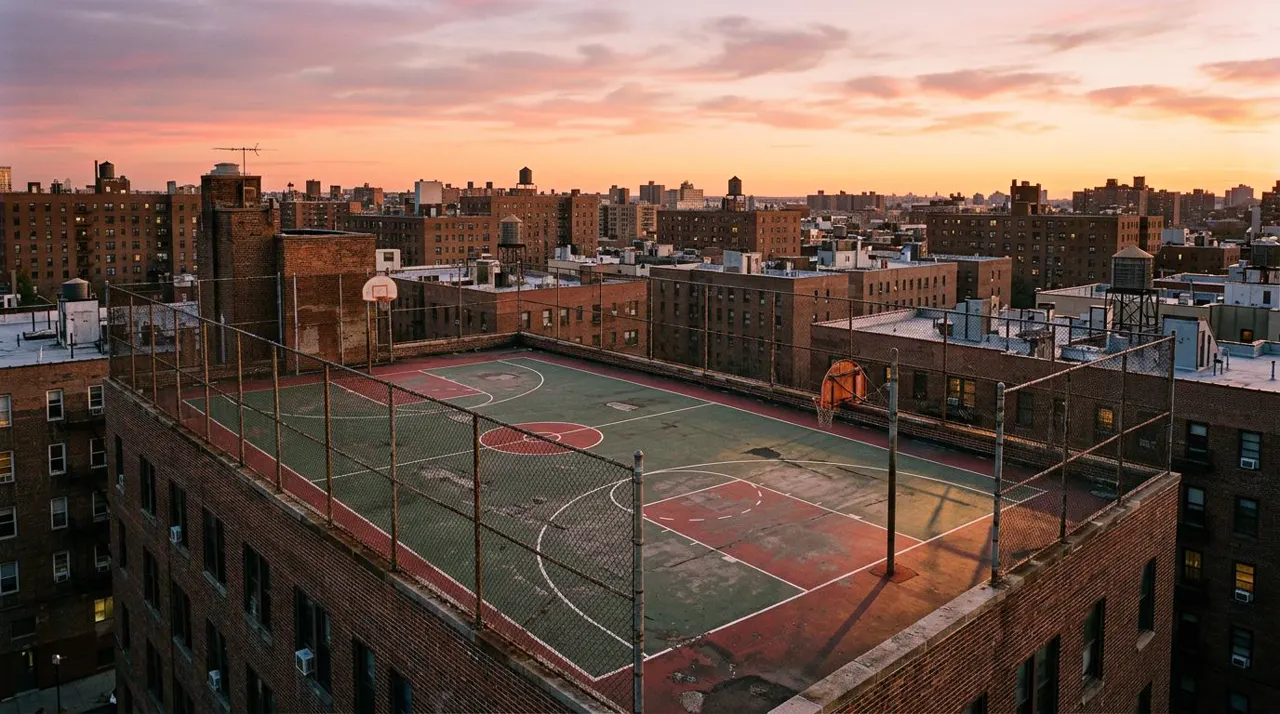
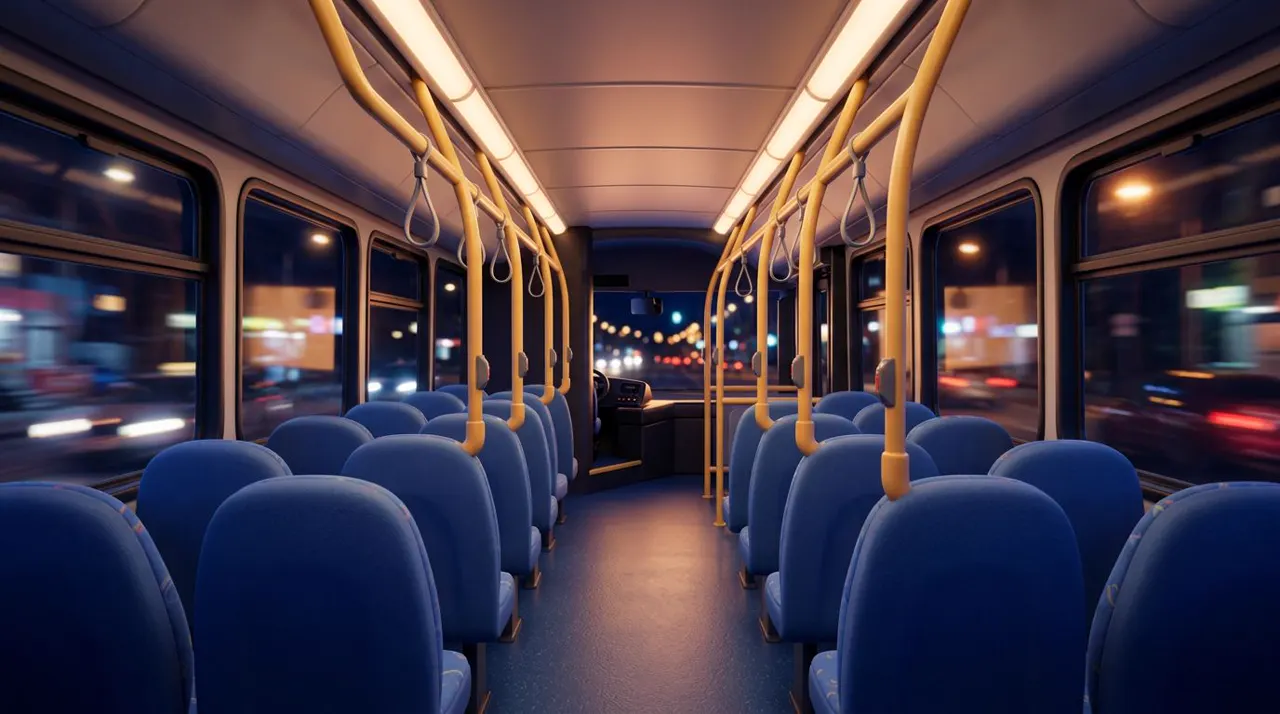
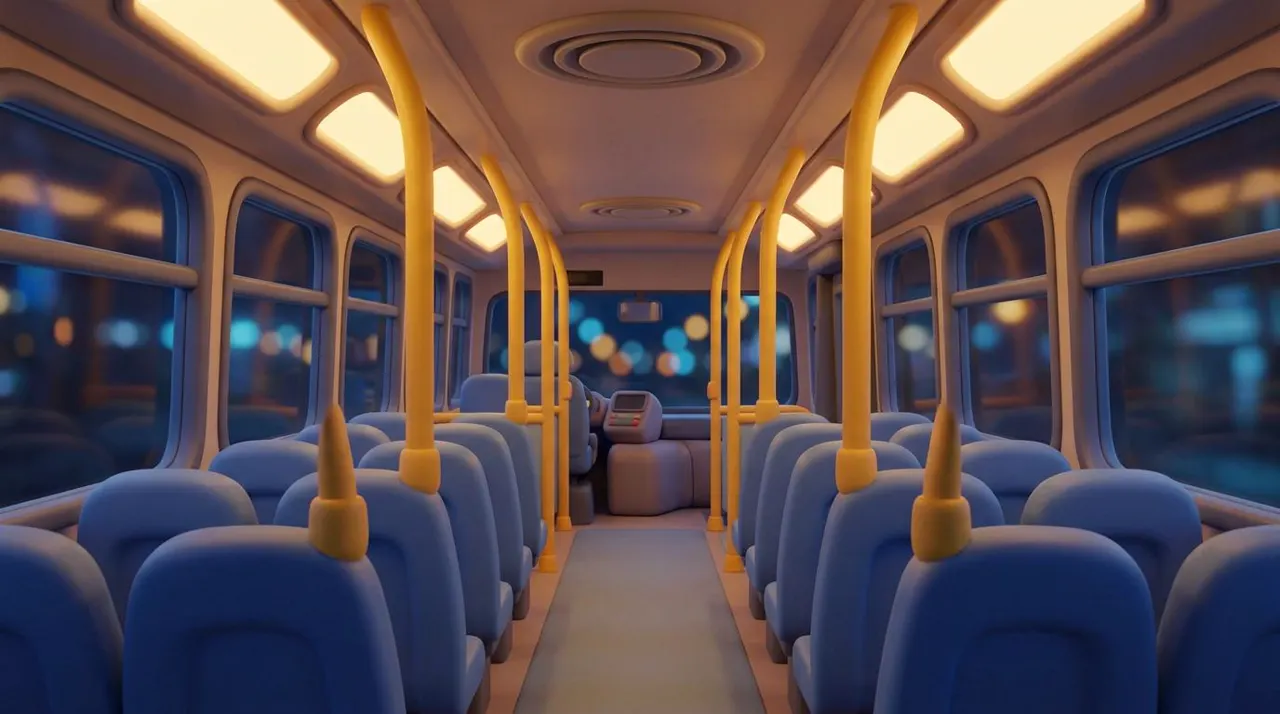
Product and prop sheets
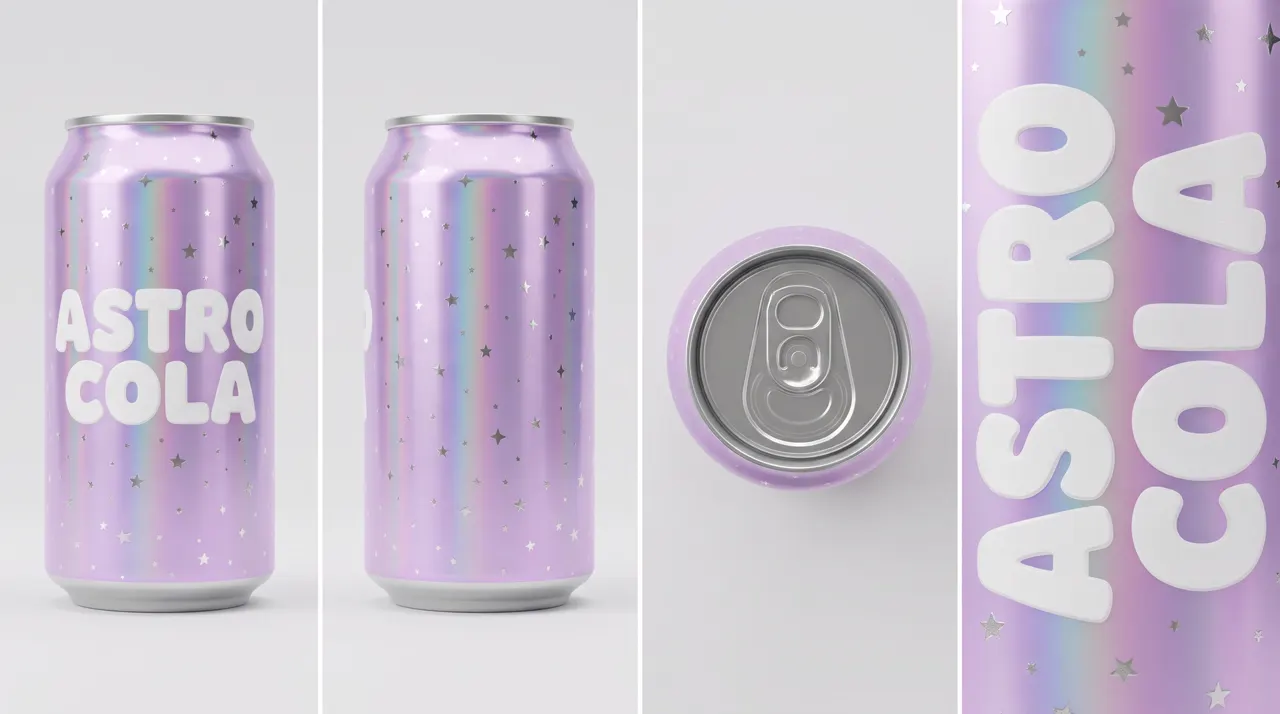
Product reference sheet on a plain light-grey studio background with soft even light. The same soda can shown four ways side by side: front view, side view, top view showing the ring pull, and a close-up of the lettering. A slim, tall aluminium can with a holographic lilac finish that shimmers pink and blue, covered in small chrome star speckles, with the words ASTRO COLA in chunky rounded white letters running down the front. No other text, no barcode, no nutrition panel, no other logos.
Put the label on its own close-up panel. Short, common words spell more reliably than invented ones. A prop sheet is the same idea, three views of the object alone: Mira's amulet is a whole view, a side view and a close-up. More on products in the AI product video template.
Will your character sheet work in video?
Every sheet in this guide, sent to Seedance 2.5 as a reference picture, November 3, 2026:
| Sheet | Look | In video |
|---|---|---|
| Tabby cat (3 sheets) | Soft 3D animal | Passed in 3 of 3 shots. The fur drifted lighter and then ginger in the last two |
| Mira (3 ages) | Hand-drawn anime | Passed in 3 of 3 shots |
| Investigator, keeper, creature | Game cutscene | Passed in 3 of 3 episodes |
| Monkey King | Realistic 3D, monkey features | Passed, 1 of 1 |
| Cyberpunk courier | Realistic person | Refused on submit |
| Gen-Z skater | Realistic person | Refused on submit |
| Places and products | No people | Passed every time |
A refusal on submit costs nothing. The Monkey King's first take did fail later, but on its sound ("strong wind, distant thunder" tripped an audio copyright check); the silent retake worked.
Which image model should you use for character sheets?
We made every sheet with Nano Banana Pro in SpeedReel (18 credits each) and the place pictures with Nano Banana 2 (9 credits). To compare, we ran the courier prompt above, word for word, in three models:
| Model | Credits | How it did |
|---|---|---|
| Nano Banana Pro | 18 | Closest to the brief. Its close-up panel cut half the face off |
| GPT Image 2 | 6 | Strong. Implant on the correct side of the jaw; a brighter yellow jacket |
| Seedream 5 Lite | 5 | Weakest: the implant wrapped both sides of the jaw, a paler jacket and a different face |
The prompts are plain English, so they work in any image model; these are the three we tried.
Questions
AI character sheets: FAQ
What is a character sheet in AI?
One picture showing a character from the front, side and back, plus a face close-up, on a plain background. You attach it to every video shot so the character looks the same each time.
How many views should a character sheet have?
Four is enough: front, side, back and a close-up. Add an expression sheet if the character's face has to act.
What background should a character sheet have?
Plain light grey with even light. Dark grey works for night or horror looks. Never a scene: the model may copy it into your shot.
Should a character sheet have labels?
No. Leave out names, arrows and panel numbers. Video models sometimes draw text they see.
Can I make a character sheet from one photo?
Yes. Attach the photo to an image model and ask for a turnaround of "the exact same character". For a real person's photo, check the image model's rules first, and remember Seedance blocks realistic faces as references anyway.
Will a realistic character sheet work in Seedance?
Not as a reference picture: both of ours were refused. Use a stylized look, or make one clip of the person from words and reuse that clip as a reference video.
Where to go next
- How to keep characters consistent in AI video: how to use these sheets, and our three-ages test.
- Templates: product video · music video · AI series.
- Generate in SpeedReel ↗
How we tested: all sheets were made in SpeedReel on November 3, 2026: 33 pictures plus 5 re-rolls, 533 credits in all, none refused. Five first takes slipped (a missing amulet, a famous-looking sneaker, a real skyline, panel numbers, a photographic bus), and each was fixed with one re-roll; the misses are shown above. The video tests used Seedance 2.5 at 480p. PromptJazz makes its clips in SpeedReel, a friendly partner (About).