

The short answer
Give your singer a character sheet, give each location its own picture, and upload your song as an MP3 reference audio file on every shot. In our test, all three clips sang the same part of the same song. Our chubby tabby cat stayed recognisably the same across a rooftop, a laundromat and a night bus, and changed into its gold stage cape on cue. No song yet? Make one in your video app or in a music generator like Suno.
What you need for an AI music video
- Your song, as an MP3. Seedance rejected our .m4a file and took the same audio as MP3.
- A singer sheet: a turnaround of your singer, plus an expression sheet for the big notes. How: AI character sheet prompts.
- One picture per location, with nobody in it.
- A video model that takes reference audio. Seedance 2.5 does; SpeedReel allows up to 3 audio clips per shot.
Step 1: the song
If you have a song, cut the part you need for each shot (a 10-second shot needs a 10-second piece) and save it as an MP3.
If you don't, there are two ways:
- Let the video app sing it. We wrote two lines and asked for them in the first shot. Seedance sang them over bass and drums, and the clip passed its audio copyright check. Then we cut the audio out of that clip and used it as the song for the next shots. One command with the free tool ffmpeg does it:
ffmpeg -i first-shot.mp4 -vn -c:a libmp3lame -b:a 192k song.mp3 - Use a music generator such as Suno, then upload the track. Check its terms first: free and paid plans treat commercial use differently.
Write your own lyrics. A line from a real song, or a famous voice, will trip copyright checks.
Step 2: the singer
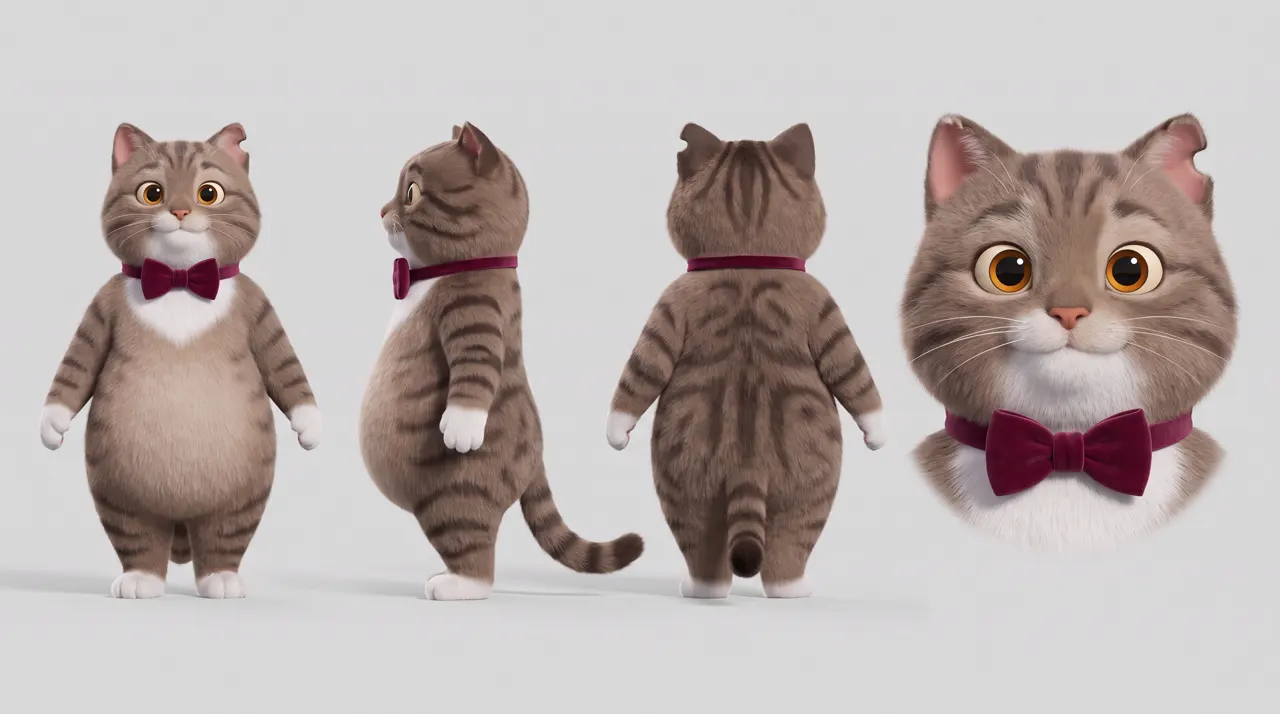
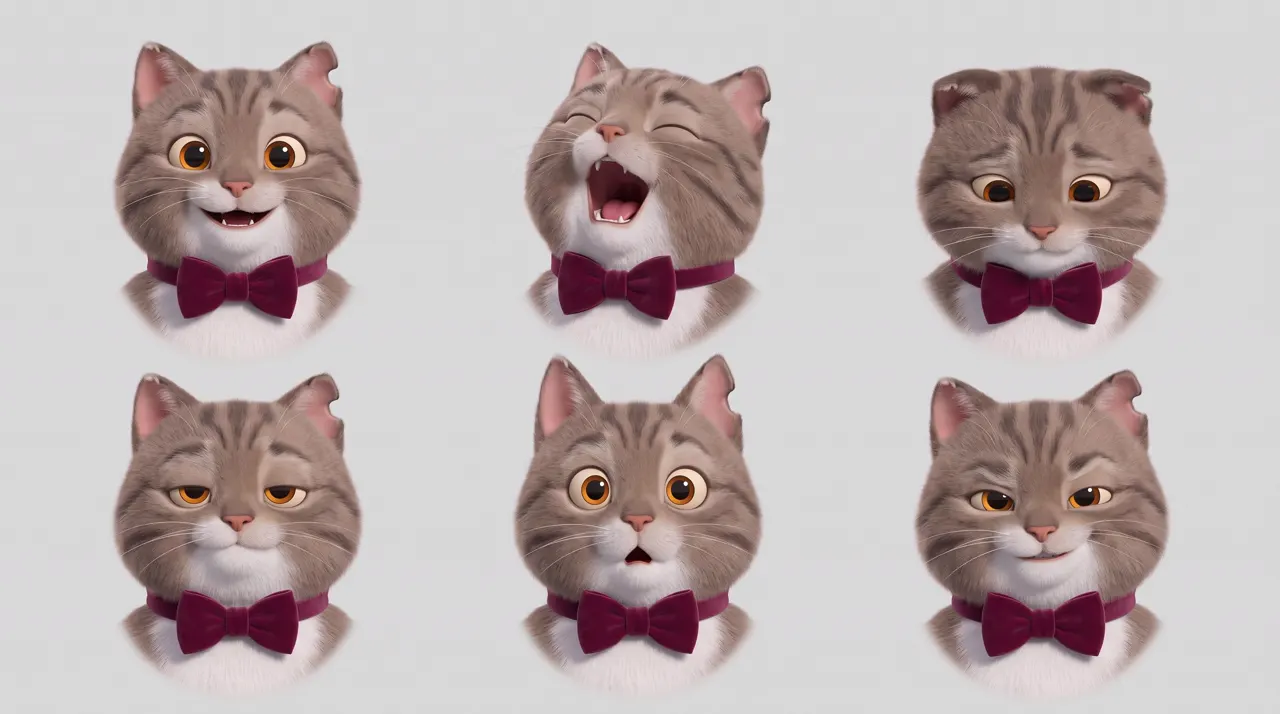
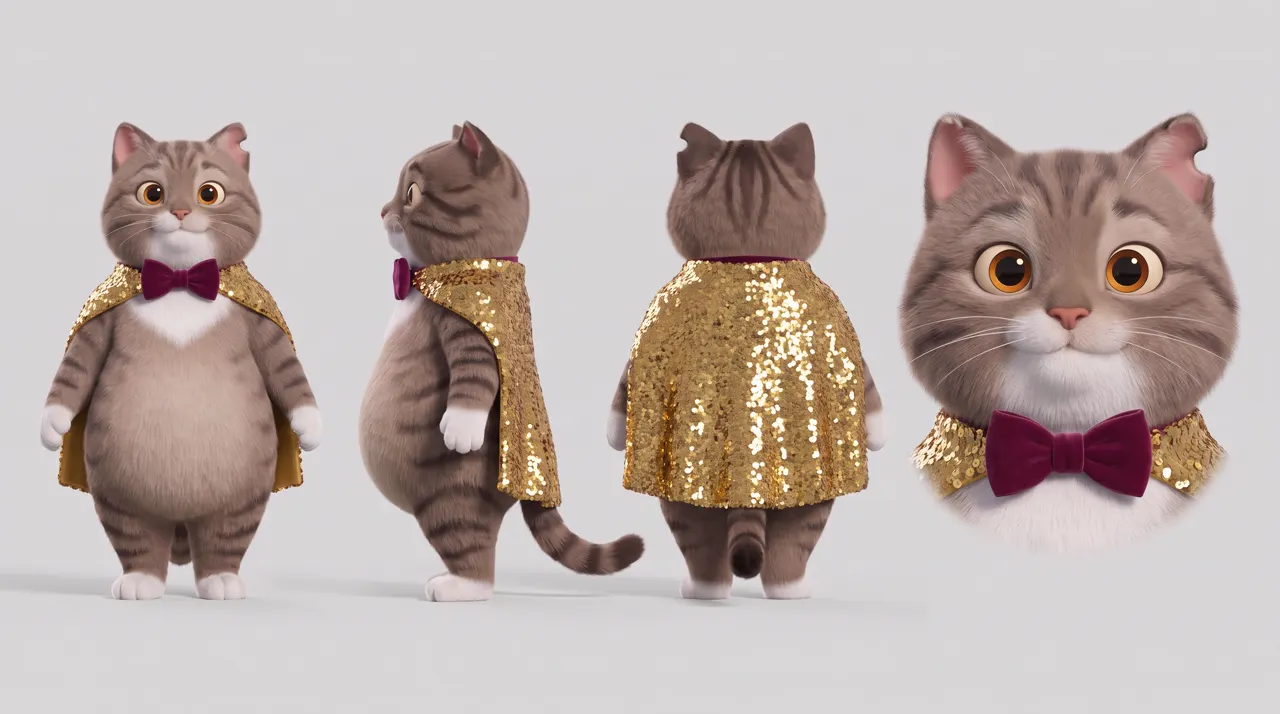
Our singer is a chubby tabby cat with a white bib, amber eyes, a notched left ear and a burgundy velvet bow tie. It has three sheets: the turnaround, six expressions, and its stage outfit (a sequinned gold cape) made as an edit of the turnaround. Use the outfit sheet only in the shots where the singer wears it.
Step 3: the places

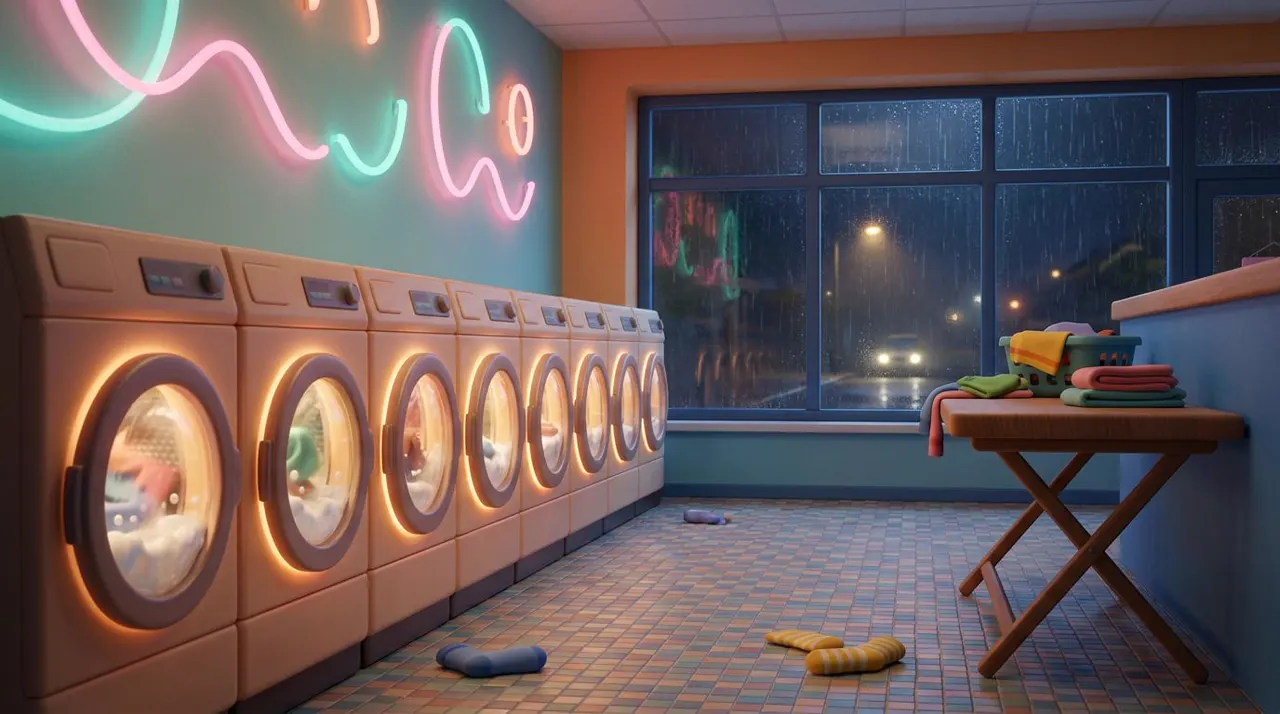
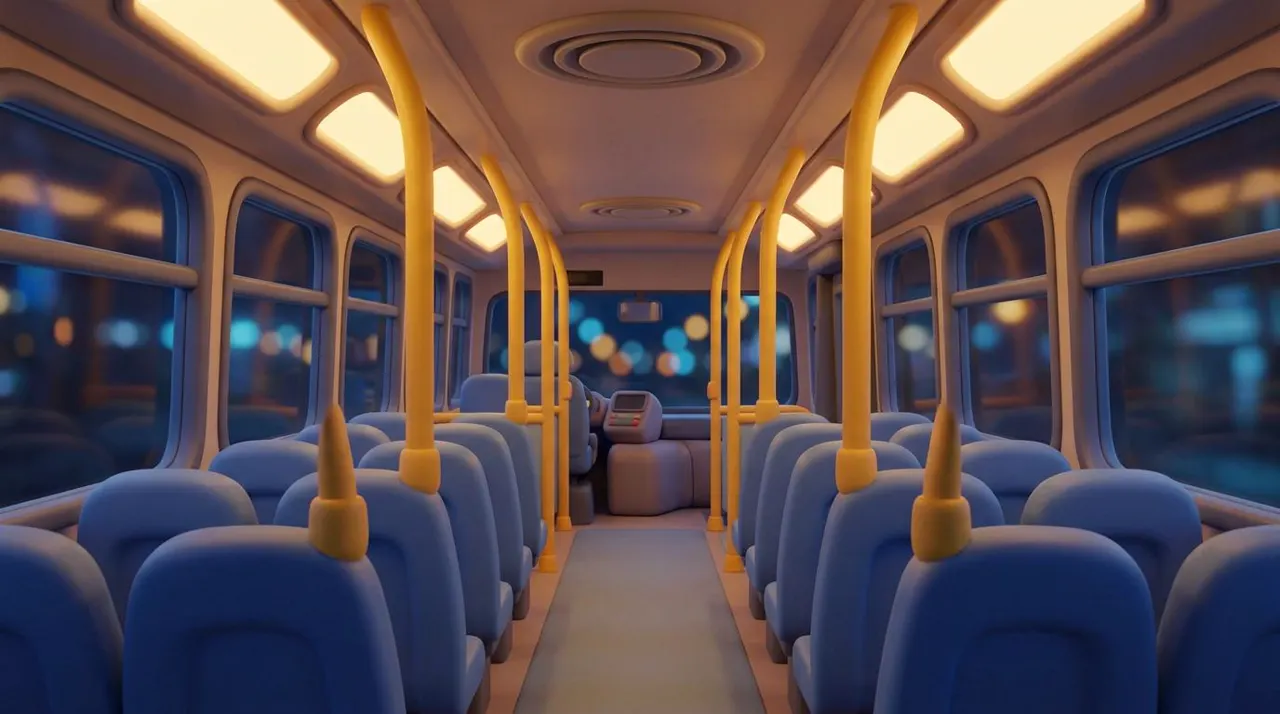
One people-free picture per location, all in the singer's style. Our first bus came out photographic even though the prompt said "soft 3D animated look". Attaching the laundromat picture as a style reference fixed it.
The AI music video prompt template
@Image1: the singer (character). @Image2: the singer's expressions (character). @Image3: the [place] (location). @Audio1: the song (music and voice).[Style line, the same in every shot.] The [singer] from @Image1, in [outfit], sings in the [place] from @Image3 at [time], in the same voice and melody as the song in @Audio1.0–3 s: [shot and action].3–6 s: [camera move, swaying to the beat].6–8 s: close-up, [expression] like @Image2.Sound: the song from @Audio1, with the same voice and instruments.Consistency: same [features and outfit] as @Image1.
For the first shot, before you have a song, drop @Audio1 and write the lyrics into the action lines in quotes, with a Sound line naming the instruments.
Our three shots
Shot 1 of 3
The rooftop: this one made the song
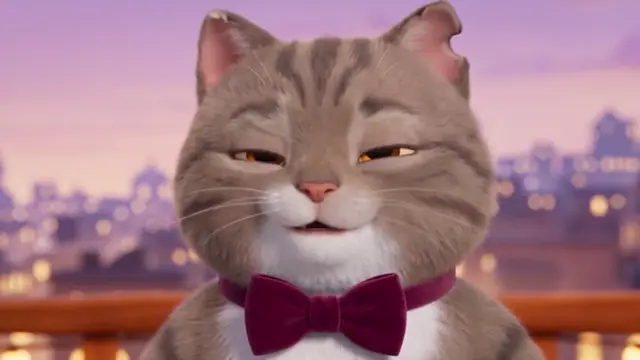
@Image1: the cat singer (character). @Image2: the cat's expressions (character). @Image3: the rooftop (location).Soft 3D animated look: rounded shapes, plush fur, warm rich colour. The chubby tabby cat from @Image1, standing upright in its burgundy velvet bow tie, sings on the little rooftop stage from @Image3 at dusk under warm string lights.0–3 s: wide shot, the cat steps into the light and takes a breath.3–7 s: medium shot, the cat sings in a warm, smooth jazzy voice: "Coins in my pocket, the dryer hums low,"7–10 s: close-up, eyes squeezed shut, belting the high note like @Image2: "I'll sing till the morning, with nowhere to go."Sound: the cat's singing over a soft upright bass and brushed drums.Consistency: same stripes, white bib, amber eyes, notched ear and bow tie as @Image1.
Shot 2 of 3
The laundromat, in the stage cape, with shot 1's song as reference audio
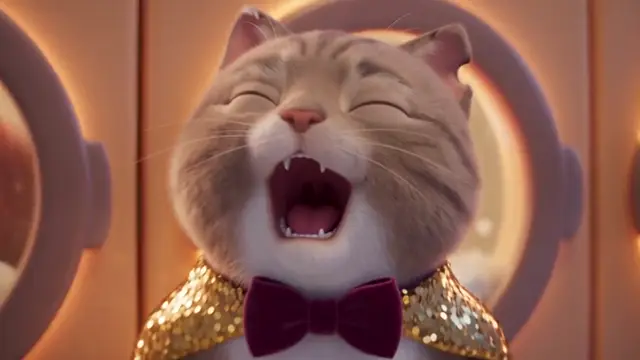
@Image1: the cat singer in its stage cape (character). @Image2: the cat's expressions (character). @Image3: the laundromat (location). @Audio1: the song (music and voice).Soft 3D animated look: rounded shapes, plush fur, warm rich colour. The chubby tabby cat from @Image1, in its burgundy bow tie and sequinned gold cape, sings in the neon laundromat from @Image3 at night, in the same voice and melody as the song in @Audio1.0–3 s: medium shot, the cat leans on a spinning washing machine and sings, the cape catching the pink and teal neon.3–6 s: the camera circles slowly as the cat sways to the beat.6–8 s: close-up, eyes squeezed shut, belting the high note like @Image2.Sound: the song from @Audio1, with the same voice, soft upright bass and brushed drums.Consistency: same stripes, white bib, amber eyes, notched ear, bow tie and gold cape as @Image1.
Shot 3 of 3
The night bus, no cape, with shot 1's song as reference audio
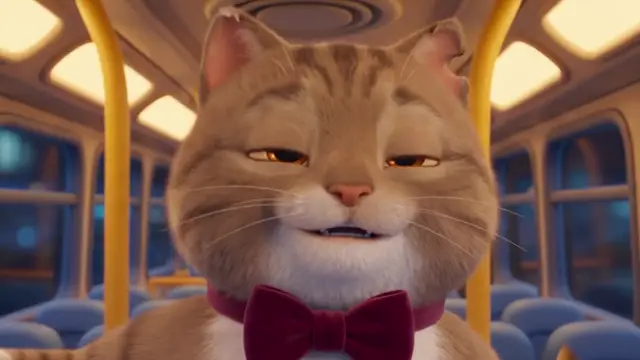
@Image1: the cat singer (character). @Image2: the cat's expressions (character). @Image3: the night bus (location). @Audio1: the song (music and voice).Soft 3D animated look: rounded shapes, plush fur, warm rich colour. The chubby tabby cat from @Image1, in its burgundy velvet bow tie and no cape, sings alone on the empty night bus from @Image3, in the same voice and melody as the song in @Audio1.0–3 s: medium shot, the cat sits by the window, city lights streaking past, and starts to sing softly.3–6 s: the cat stands, holds a yellow grab pole and sways with the bus.6–8 s: close-up, eyes closed, a happy smile on the last note like @Image2.Sound: the song from @Audio1, with the same voice, soft upright bass and brushed drums, under a low bus engine hum.Consistency: same stripes, white bib, amber eyes, notched ear and bow tie as @Image1.
What came out:
- The song carried over: shots 2 and 3 sang the same part of shot 1's song, in the same voice, over the same bass and drums.
- The singer: the same cat on the rooftop and in the laundromat, cape and bow tie as asked. On the bus it drifted warmer, toward a ginger tabby, but kept its bow tie. One take can't say whether the bus's warm light caused it; a second take, or a lighting line like "cool grey-brown stripes", is the fix to try.
- The outfits stayed apart: the cape appeared only in the laundromat.
- The places all matched their pictures.
- The high note: the close-up hit the "belting" face from the expression sheet.
Reference audio added nothing to the price: 99 credits per 8-second shot at 480p, 124 for 10 seconds. The three shots cost 322.
Can you put your own face in an AI music video?
Not in Seedance. It refuses reference pictures that look like a real person, AI-made ones included. That's why we used a cat. What works instead:
- A stylized version of you: an animated, 3D or clay character based on your look. Stylized sheets passed every time we tried them.
- A person described in words, then reused: make one clip, and attach it as a reference video for the rest. The details are in the consistency guide.
Questions
AI music videos: FAQ
Can I use my own song?
Yes. Upload it as an MP3 reference audio file on each shot, and cut it into pieces as long as each shot.
Can I make the song with AI?
Yes. Either let the video model sing your lyrics in the first shot and reuse that audio, as we did, or make the track in a music generator like Suno and upload it. Check the generator's terms before you use it commercially: free and paid plans treat that differently.
Will the singer look the same in every shot?
Mostly, with a character sheet attached to each shot. Ours held its markings and bow tie in all three; its fur colour drifted warmer in the last one. Check each take before you edit.
Can the AI singer lip-sync to my track?
Yes. With your track as reference audio, our cat sang the same part of the song in both later shots, mouth moving with the words. Check each take, especially fast lyrics.
How long can an AI music video be?
Each Seedance 2.5 shot is 4 to 30 seconds. A full music video is many shots edited together over your track.
Where to go next
- AI character sheet prompts: the cat's three sheets, word for word.
- How to keep characters consistent in AI video
- More templates: product video · AI series.
- Generate in SpeedReel ↗
How we tested: all three clips were made with Seedance 2.5 in SpeedReel on November 3, 2026: 480p, 16:9, with sound, single takes, unedited. Shot 1's audio was cut out with ffmpeg, saved as MP3 and uploaded as the reference audio for shots 2 and 3. The lyrics are our own. PromptJazz makes its clips in SpeedReel, a friendly partner (About).