
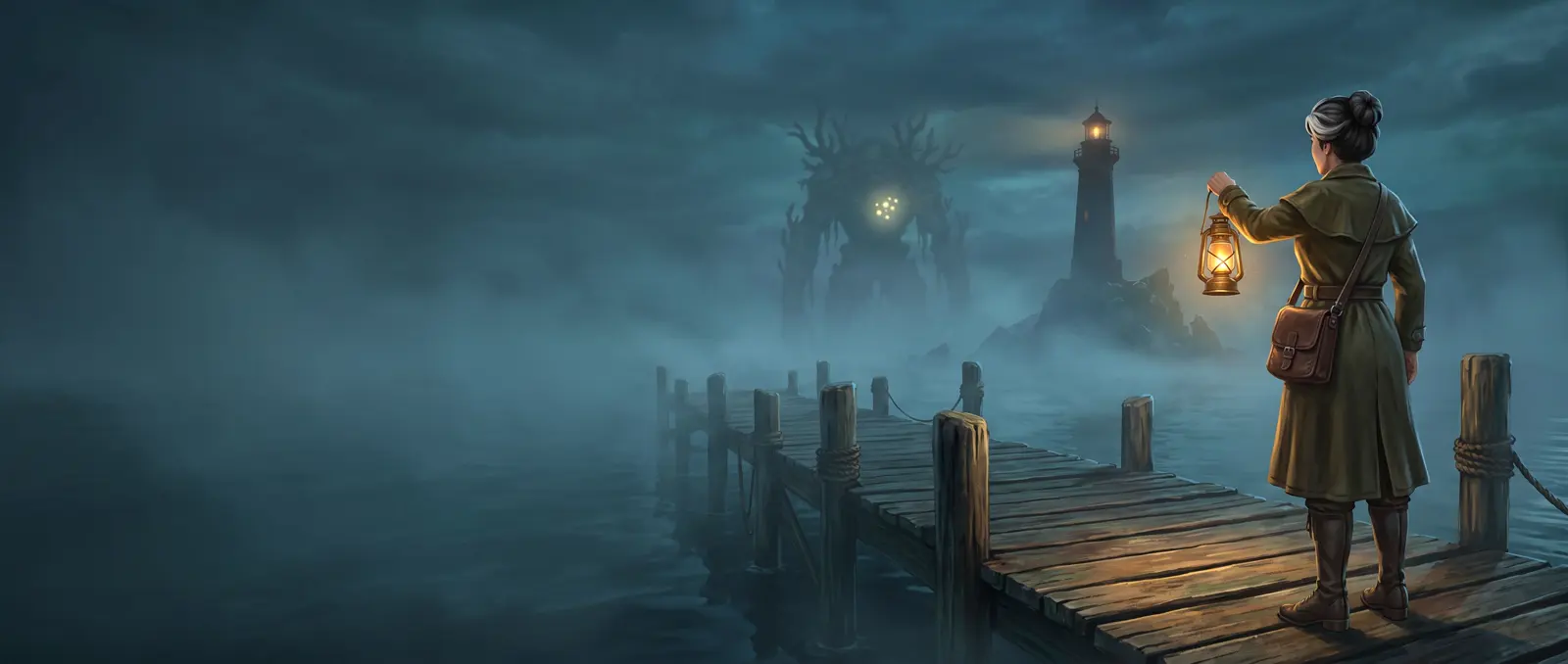
The short answer
Before episode one, make a series bible: a sheet for every character, a picture of every location (including any changed versions), a sheet for every recurring prop, and one style line. Attach the right pictures to every episode and paste the same style line each time. We made a three-episode horror series this way: the investigator, the lighthouse, the keeper and the creature stayed the same in every episode.
What is a series bible for AI video?
A series bible is everything that must never change, decided once and reused in every episode:
| Part | What it is | Ours |
|---|---|---|
| Style line | One sentence describing the look, pasted first into every prompt | "In the look of a video game cutscene, clearly computer-generated: painterly hand-textured surfaces, slightly stylized proportions, volumetric fog and dramatic rim light." |
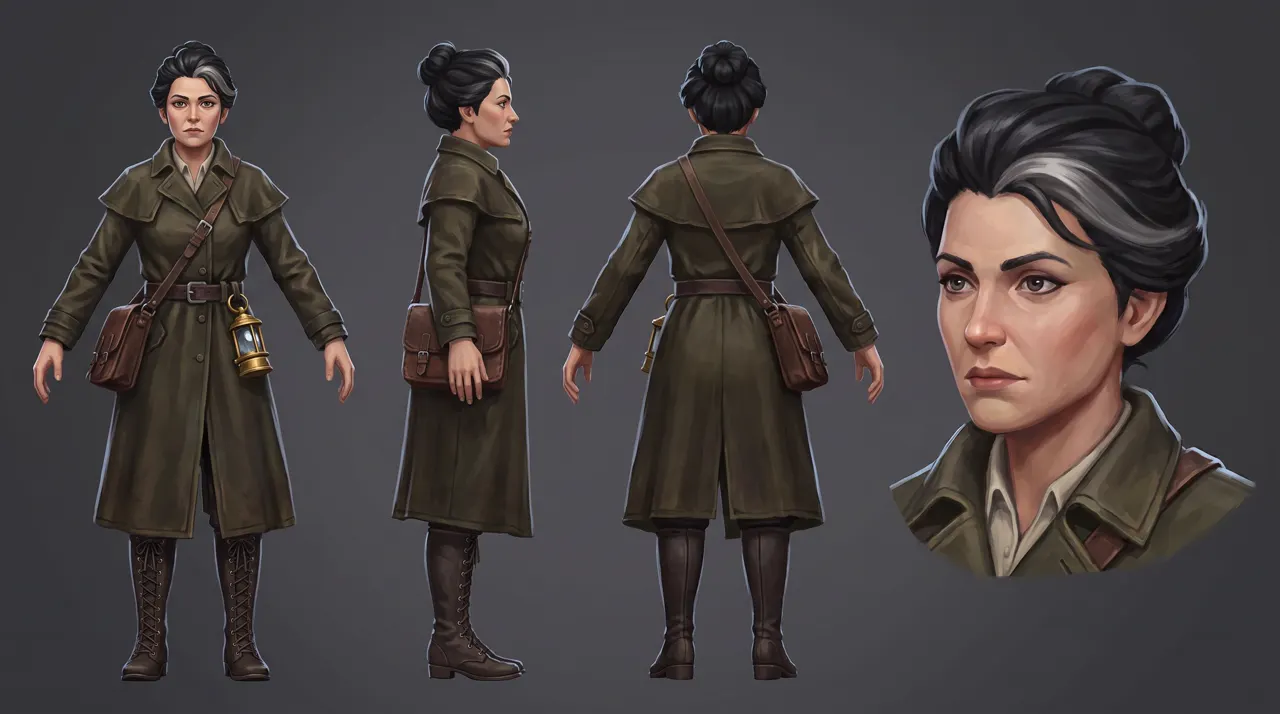
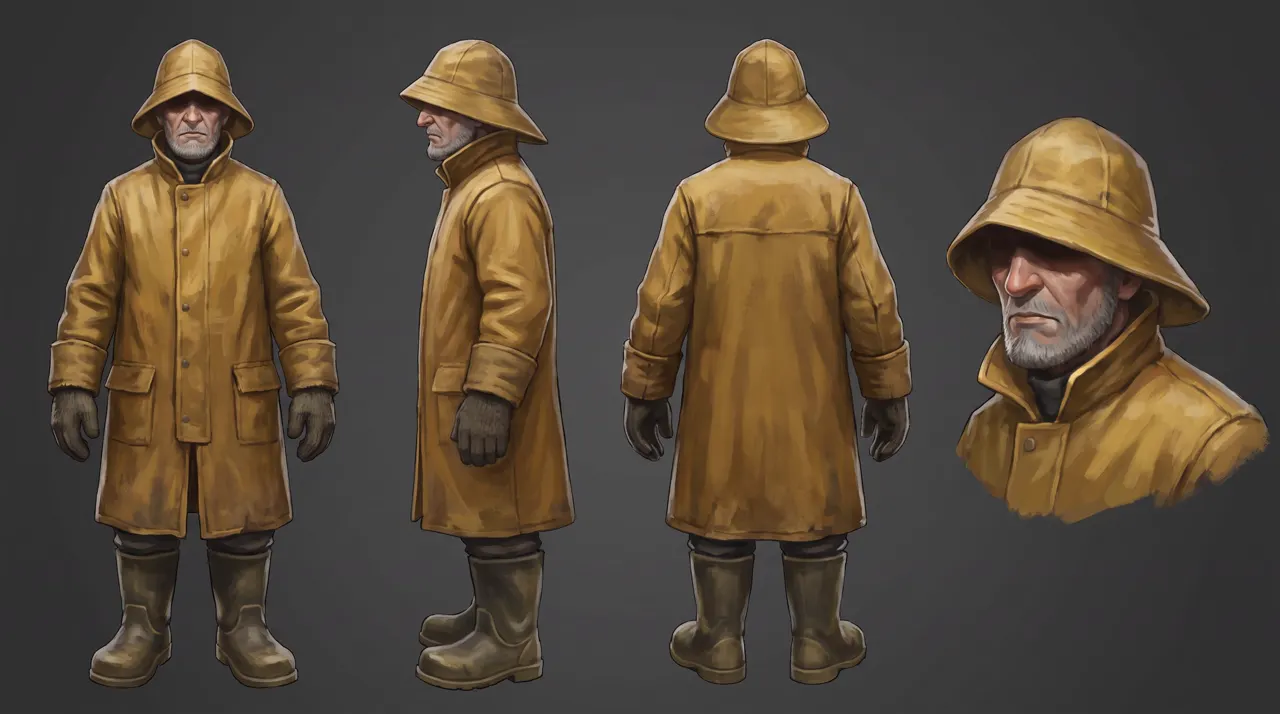
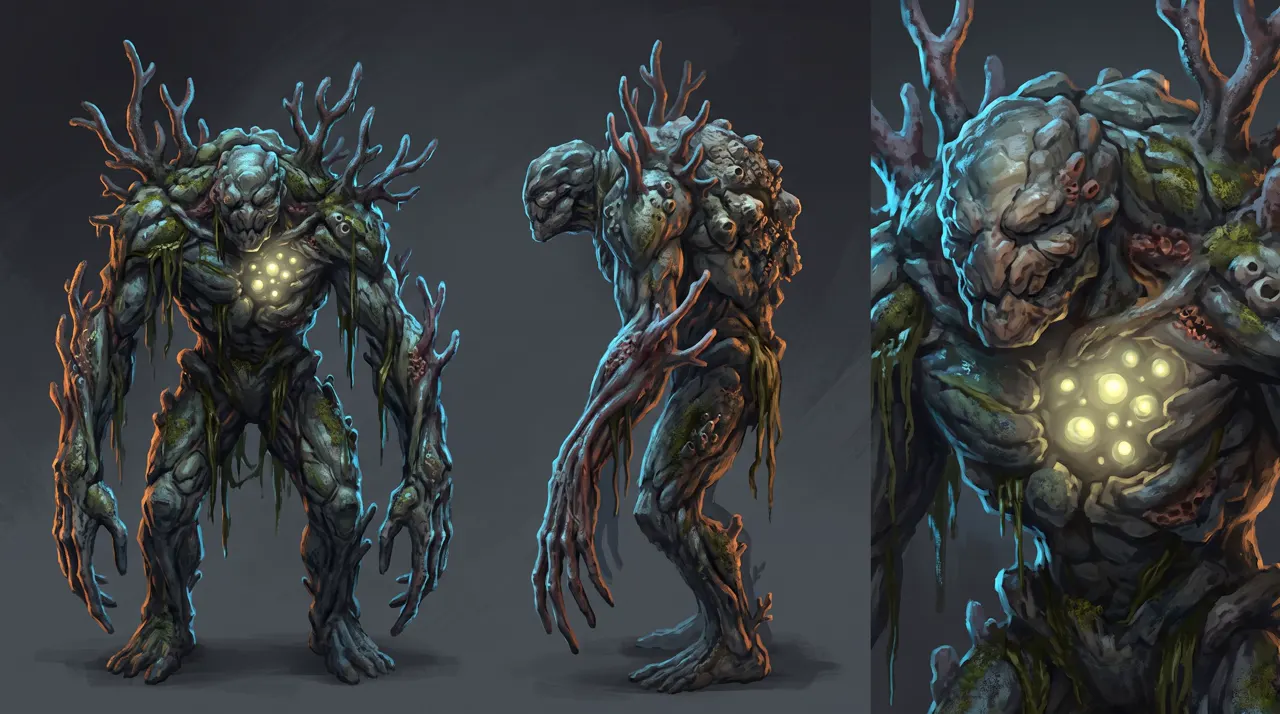
| Cast sheets | A turnaround for each character | The investigator, the lighthouse keeper, the creature |
| Location pictures | One people-free picture per place, plus one per state of a place | The dock; the lamp room clean; the lamp room overgrown |
| Prop sheets | Anything that recurs | Her brass lantern |
| A route | How the places connect | Dock → lighthouse stairs → lamp room |
Make the sheets with the character sheet prompts.
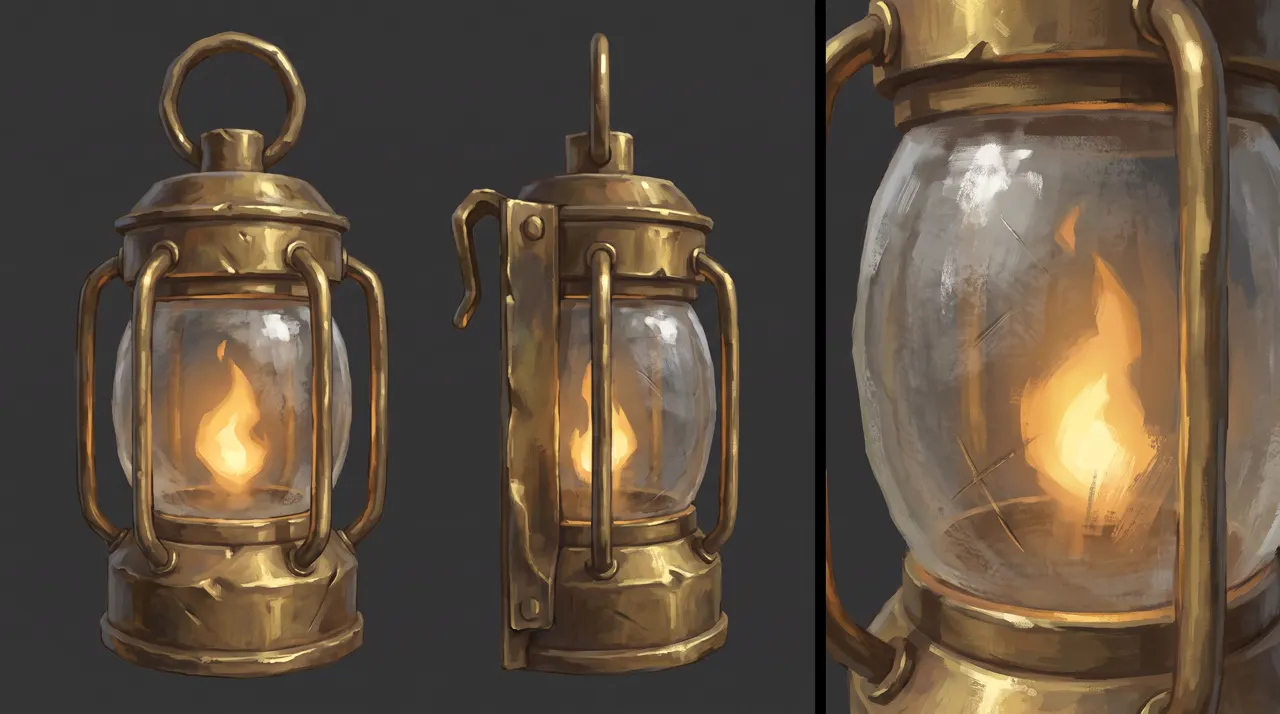
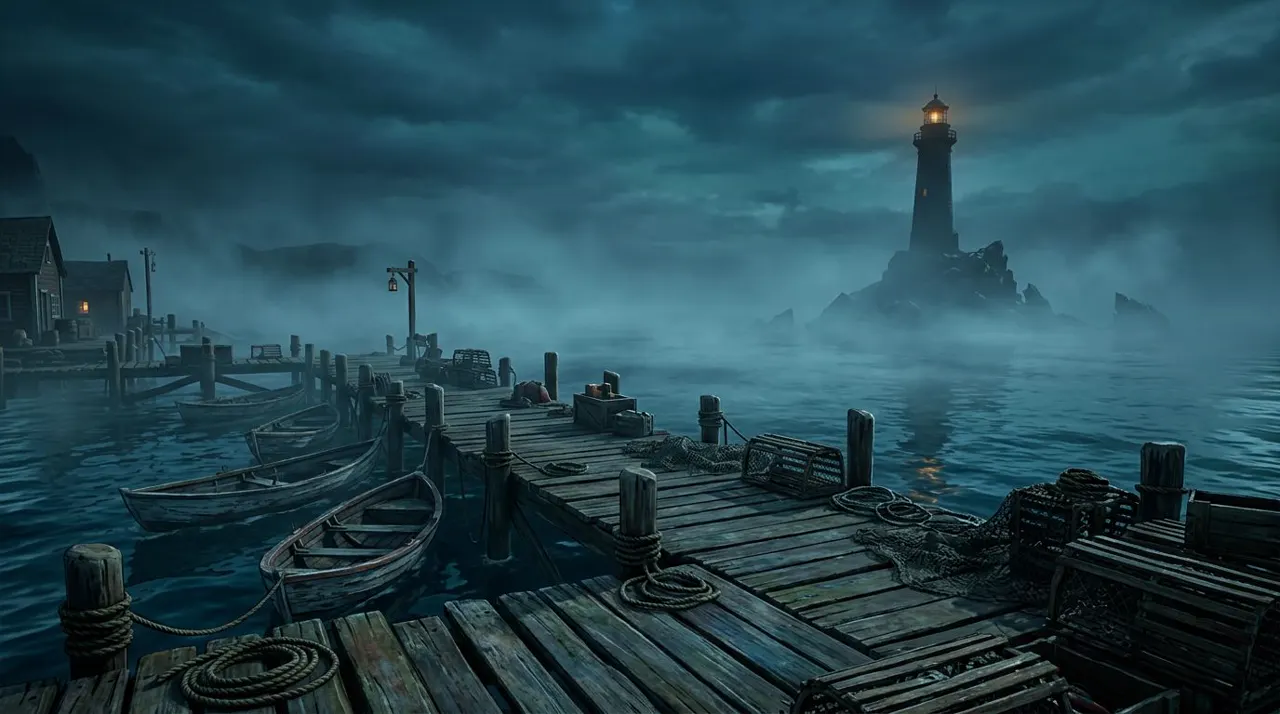
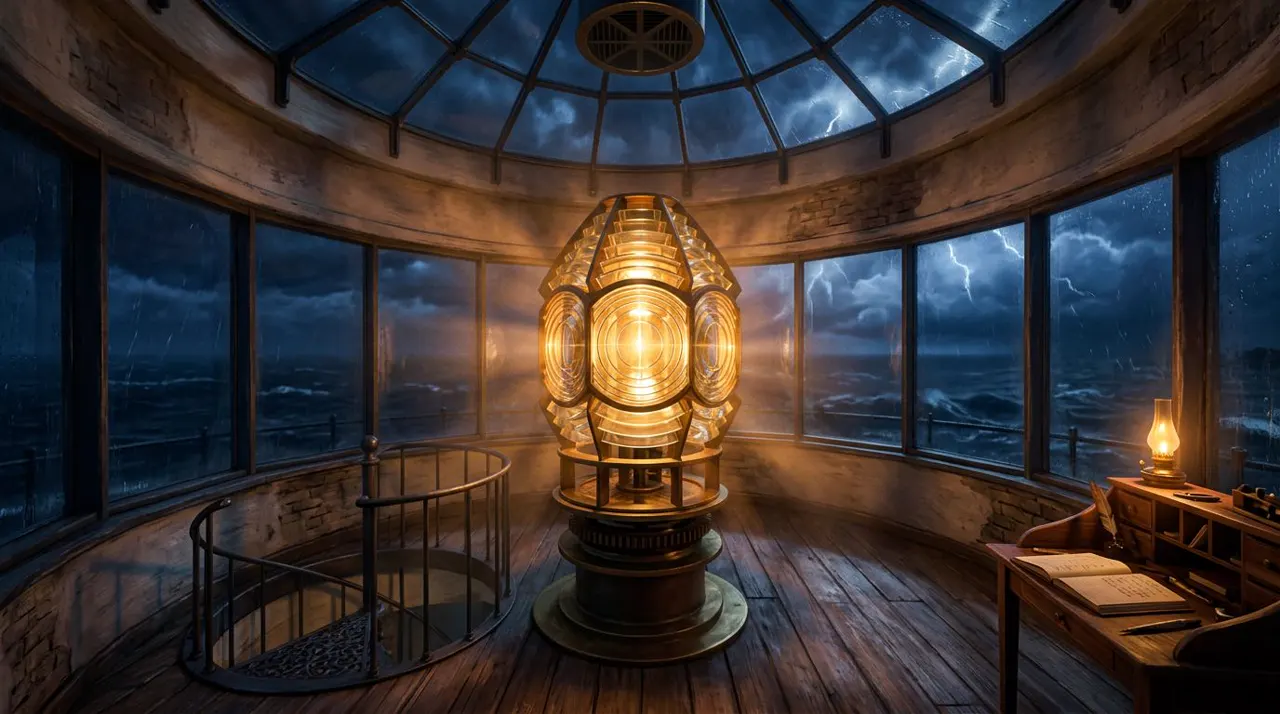
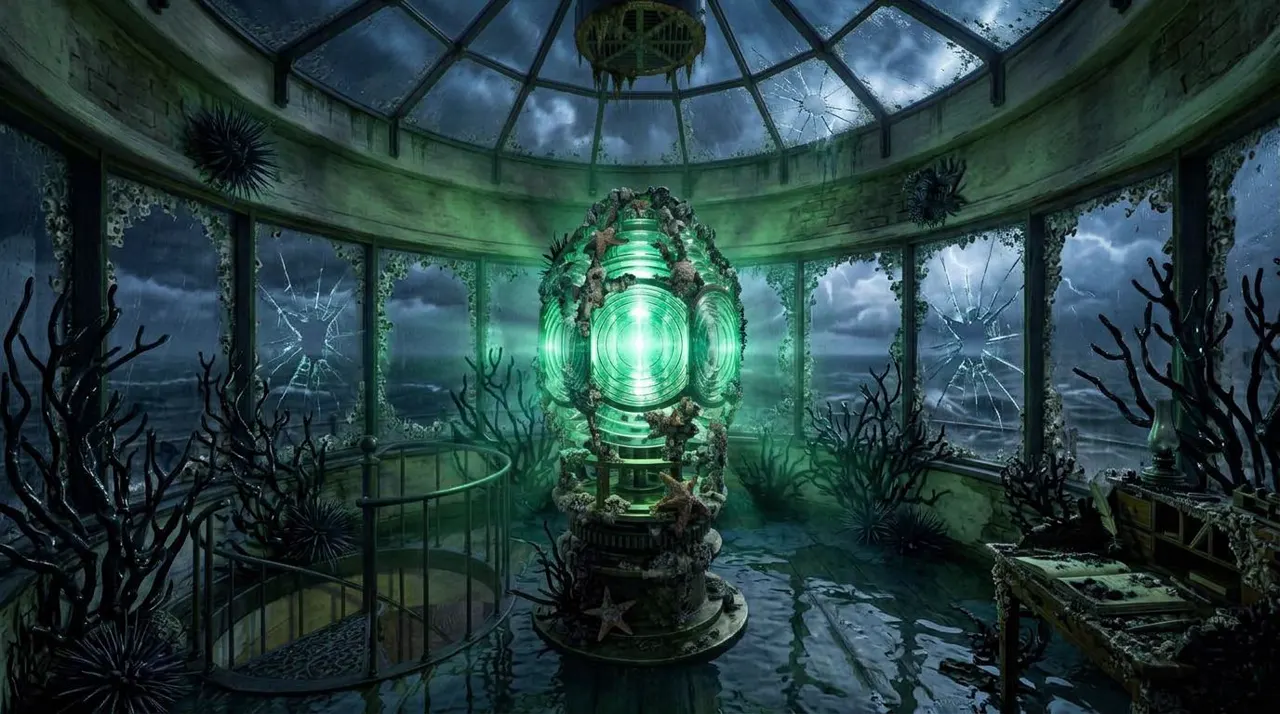
The AI series episode template
@Image1: [main character] (character). @Image2: [second character or creature] (character). @Image3: [prop] (prop). @Image4: [location] (location).[Style line from the bible.] [Main character] from @Image1, [fixed description], [does what] in the [location] from @Image4, [time of day], [holding the prop from @Image3].0–4 s: [establishing shot and action].4–7 s: [the turn: something changes].7–10 s: [the hook that leads into the next episode].Sound: [2 or 3 plain sounds]; no background music.Consistency: same face, [hair, outfit, prop] as @Image1 and @Image3; the room's layout matches @Image4.
Keep the four-picture order the same in every episode, so @Image1 is always your lead.
Our series: The Drowned Light
An investigator comes to a fog-bound fishing village where the lighthouse keeper won't turn around, and something lives in the lamp.
Episode 1 of 3
The dock
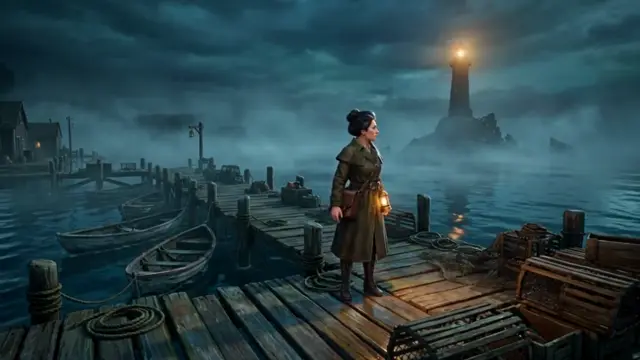
@Image1: the investigator (character). @Image2: the lighthouse keeper (character). @Image3: the brass lantern (prop). @Image4: the dock (location).In the look of a video game cutscene, clearly computer-generated: painterly hand-textured surfaces, slightly stylized proportions, volumetric fog and dramatic rim light. The investigator from @Image1, a woman in her forties with black pinned-up hair and one bold grey streak, in a long dark-olive oilcloth coat, walks the foggy fishing dock from @Image4 at dusk, the brass lantern from @Image3 swinging at her belt.0–4 s: wide shot, she walks along the creaking planks through thick fog.4–7 s: she stops and looks out at the distant lighthouse; a small warm light sways in its top window.7–10 s: close on the lighthouse window: the keeper from @Image2, tall in a yellow oilskin coat and sou'wester, stands behind the glass holding a lantern, his face lost in shadow under the hat brim.Sound: lapping water, creaking boards, a distant foghorn; no background music.Consistency: same face, grey streak, coat and lantern as @Image1 and @Image3; the keeper's face always stays in shadow.
Episode 2 of 3
The lamp room
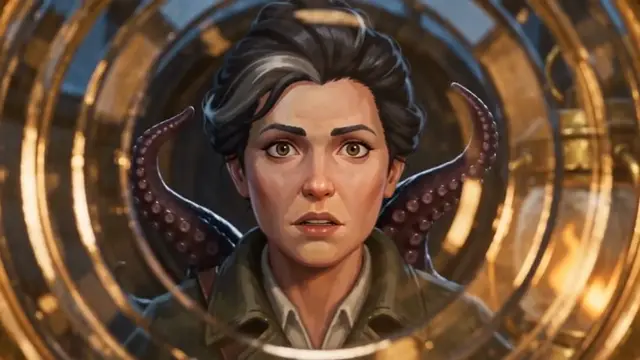
@Image1: the investigator (character). @Image2: the lighthouse keeper (character). @Image3: the brass lantern (prop). @Image4: the lamp room (location).In the look of a video game cutscene, clearly computer-generated: painterly hand-textured surfaces, slightly stylized proportions, volumetric fog and dramatic rim light. The investigator from @Image1 climbs up into the lighthouse lamp room from @Image4 at night, holding up the brass lantern from @Image3.0–4 s: she rises through the spiral staircase opening on the left, lantern raised, warm light on her face.4–7 s: the keeper from @Image2 stands by the great lens with his back to her and does not turn around.7–10 s: close on the curved glass of the lens: behind her reflection, something wet and dark shifts; her eyes widen.Sound: wind against the glass, a slow drip, creaking iron; no background music.Consistency: same face, grey streak, coat and lantern as @Image1 and @Image3; the room's layout matches @Image4.
Episode 3 of 3
The same room, overgrown
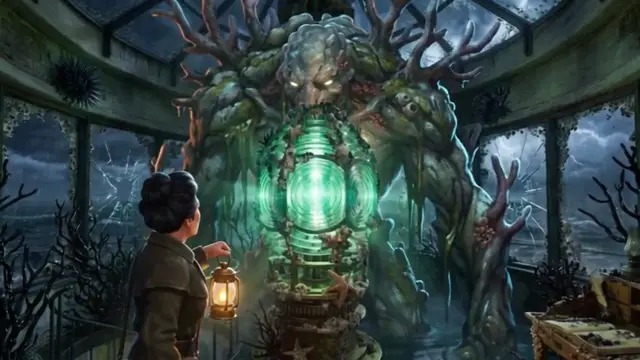
@Image1: the investigator (character). @Image2: the creature (character). @Image3: the brass lantern (prop). @Image4: the overgrown lamp room (location).In the look of a video game cutscene, clearly computer-generated: painterly hand-textured surfaces, slightly stylized proportions, volumetric fog and dramatic rim light. The same lamp room, now overgrown with wet black coral as in @Image4, lit only by a sickly green glow from the lens. The investigator from @Image1 steps in slowly, holding up the brass lantern from @Image3.0–4 s: wide shot, she edges forward over the wet floor between the coral.4–7 s: the coral along the walls swells and shrinks, as if breathing.7–10 s: the creature from @Image2 rises behind the glowing lens, its pale lantern-like eyes opening one by one; she backs away.Sound: wet creaking, a deep low rumble, dripping water; no background music.Consistency: same face, grey streak, coat and lantern as @Image1 and @Image3; the room's layout matches @Image4.
What came out:
- The investigator was the same in all 3 episodes: face, grey streak, olive coat, belt lantern.
- The places matched their pictures in all 3: the dock, the lamp room (stairs on the left, desk on the right, lens in the middle), and the overgrown room with the same layout.
- The keeper kept his face in shadow in the window and his back turned in the lamp room, as written. His sheet showed his whole face; the prompt hid it.
- The creature in episode 3 matched its sheet.
- One surprise: "something wet and dark shifts" in the lens came out as octopus tentacles, the most familiar horror image there is. If you want your own monster, show your creature sheet in every shot it's hinted at, not only its big reveal.
Why a video game look?
Because Seedance blocks reference pictures of realistic people, AI-made ones included. A clearly computer-generated look got through: the investigator's sheet passed the face filter in all 4 clips we made with it (a test clip and 3 episodes), while both realistic human sheets we tried were refused.
Push the look clearly CG ("painterly", "slightly stylized proportions"). A near-photoreal game engine look may still read as a real face. The other route, for a realistic cast, is to make one clip of each actor from words and reuse it as a reference video; see the consistency guide.
Keep horror to dread, not gore, and keep sound lines plain. A dramatic "strong wind, distant thunder" once failed an audio copyright check for us; creaks, drips and a foghorn passed.
How much does an AI short film cost?
In SpeedReel, a 10-second Seedance 2.5 shot at 480p with sound is 124 credits, so our three episodes cost 372 (about $3.72). Reference pictures add nothing. The bible's pictures cost 18 credits per sheet and 9 per location picture, 99 for this series. Each episode took a little over 3 minutes to make.
A one-minute episode is six 10-second shots, about 744 credits, before retakes.
Making the series longer
- One episode = several shots. Our episodes are one shot each; a real episode cuts several together. Every shot gets the same bible pictures.
- Shots can be up to 30 seconds in Seedance 2.5, but shorter shots give you more control over each beat.
- Write the next episode's hook into the last 3 seconds. That's what the 7–10 s line is for.
- When a place changes for good, make a new picture of it as an edit of the old one, and add it to the bible.
- Keep a log: which pictures went into which episode, in which order. Picture order is what @Image1 means.
Questions
AI series and short films: FAQ
How do I keep the same characters in every episode?
Attach the same character sheets to every episode, in the same order, and paste the same style line and descriptions. Our investigator stayed the same across all 3 episodes.
How much does an AI short film cost?
About 124 credits (about $1.24) per 10-second shot in SpeedReel at 480p. A minute is about 744 credits before retakes.
How long can one AI shot be?
4 to 30 seconds in Seedance 2.5. Longer films are many shots edited together.
How do I show the same place before and after?
Make the "after" picture as an edit of the "before" picture. List every object and where it stands, then describe only what changed.
Does a video game look get past the face filter?
Ours did, in all 4 clips. Keep it clearly computer-generated; a near-photoreal look may still be refused.
Where to go next
- How to keep characters consistent in AI video
- AI character sheet prompts: every sheet in this series, word for word.
- More templates: product video · music video.
- Generate in SpeedReel ↗
How we tested: all three episodes were made with Seedance 2.5 in SpeedReel on November 3, 2026: 480p, 16:9, with sound, 10 seconds each, single takes, unedited. The story, characters and creature are our own. PromptJazz makes its clips in SpeedReel, a friendly partner (About).