
The short answer
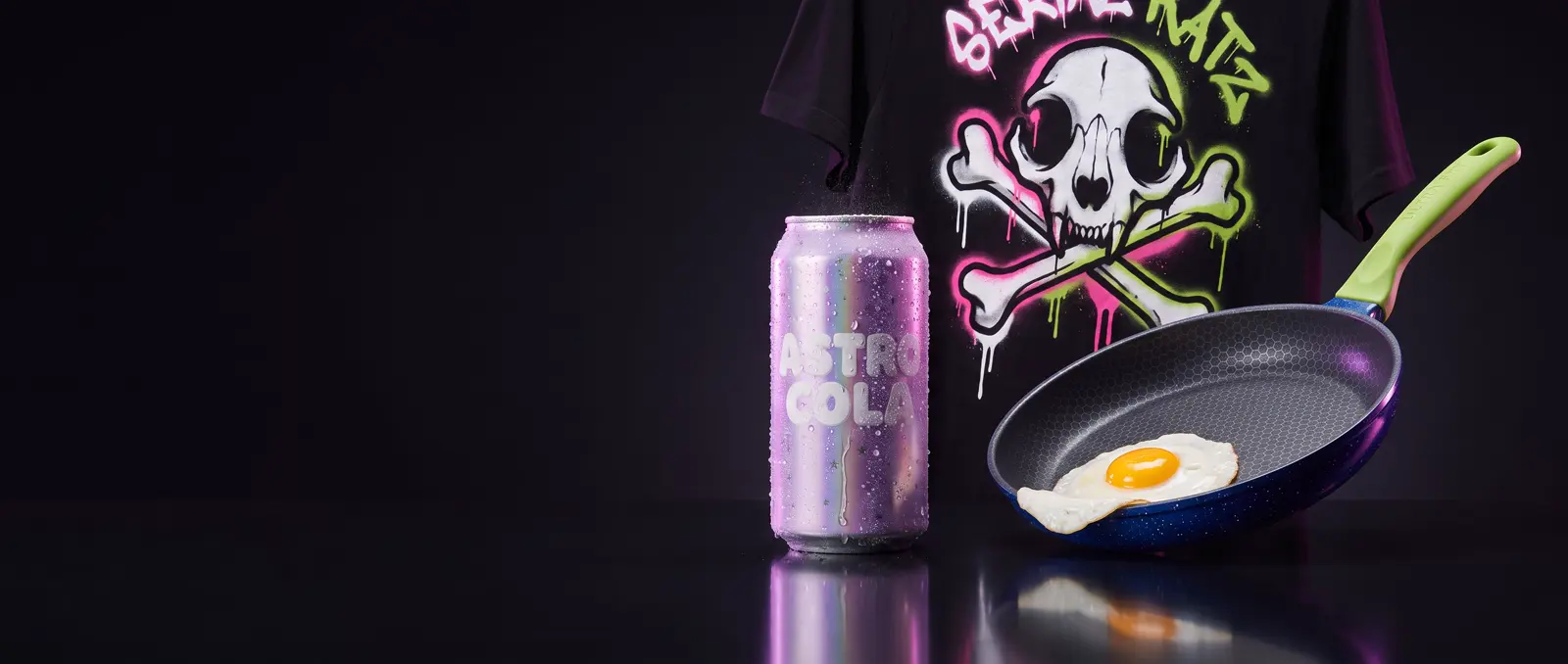
Make a product sheet (the product from the front and side, plus a close-up of the label), attach it to every shot, and give the ad one benefit that one shot can show. Below is a fill-in template and three test ads, for a soda, a frying pan and a t-shirt. With its sheet, our pan stayed the same; described in words alone, it changed colour.
The AI product video prompt template
You need three pictures: a product sheet, a people-free picture of the place, and (for a stylized or 3D presenter only) a character sheet. Make them with the character sheet prompts.
Shot 1: the use shot (8 s), the product doing its one job
@Image1: the [product] (product). @Image2: the [place] (location).[Who, in one line with features you'd notice] [does what] in the [place] from @Image2 with the [product] from @Image1, photorealistic, handheld camera.0–3 s: [shot: the product in hand, clearly visible].3–5 s: [the moment it does its job].5–8 s: [the reaction].Sound: [2 or 3 real sounds of the product]; no background music.Consistency: the [product] matches @Image1 exactly: [colour, shape, label in a few words].
Shot 2: the hero shot (5 s), the product and its name, big
@Video1: the [person] (subject). @Image1: the [product] (product).The same [person] from @Video1 [pose] with the [product] from @Image1.0–2 s: [they show the product to camera].2–5 s: the camera pushes in slowly until the [LABEL] letters fill the frame.Sound: [one quiet sound]; no background music.Consistency: the [product] matches @Image1 exactly.
Negative prompt: subtitles, captions, square brackets. Leave "text" out of it, or the model may drop your label.
Ad 1: Astro Cola, a soda for Gen Z
The one benefit: ice-cold fizz.
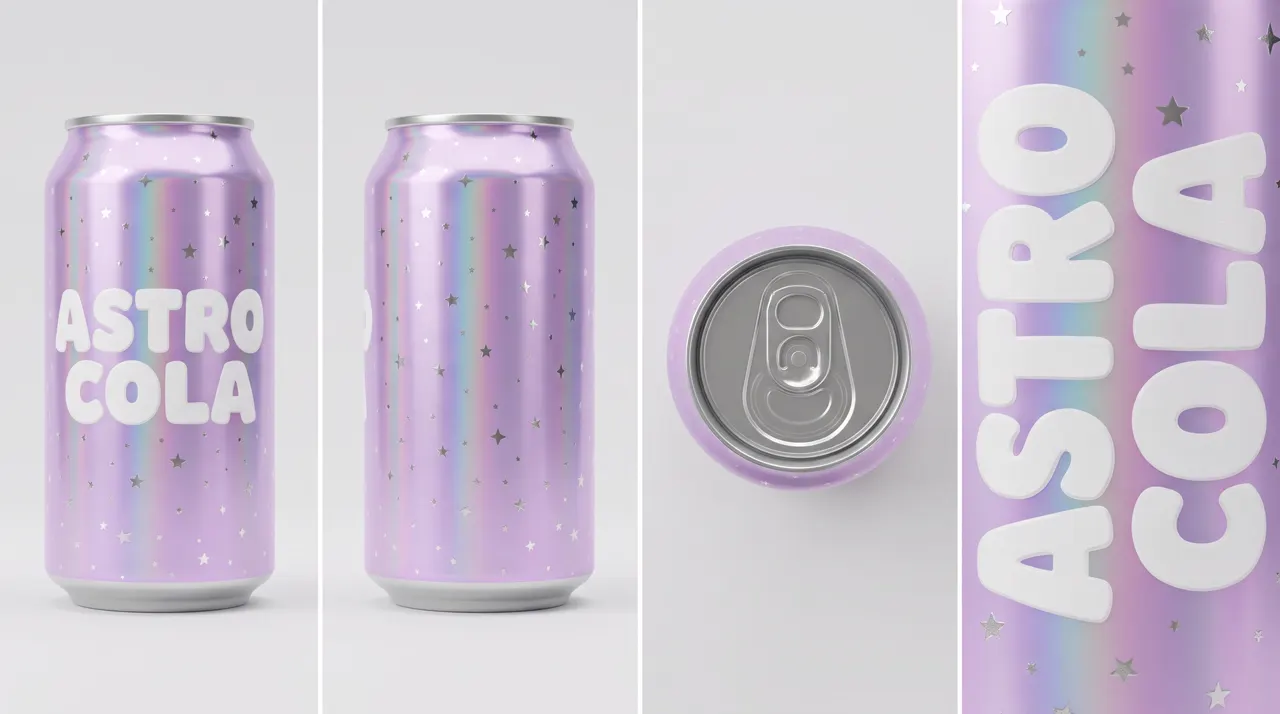
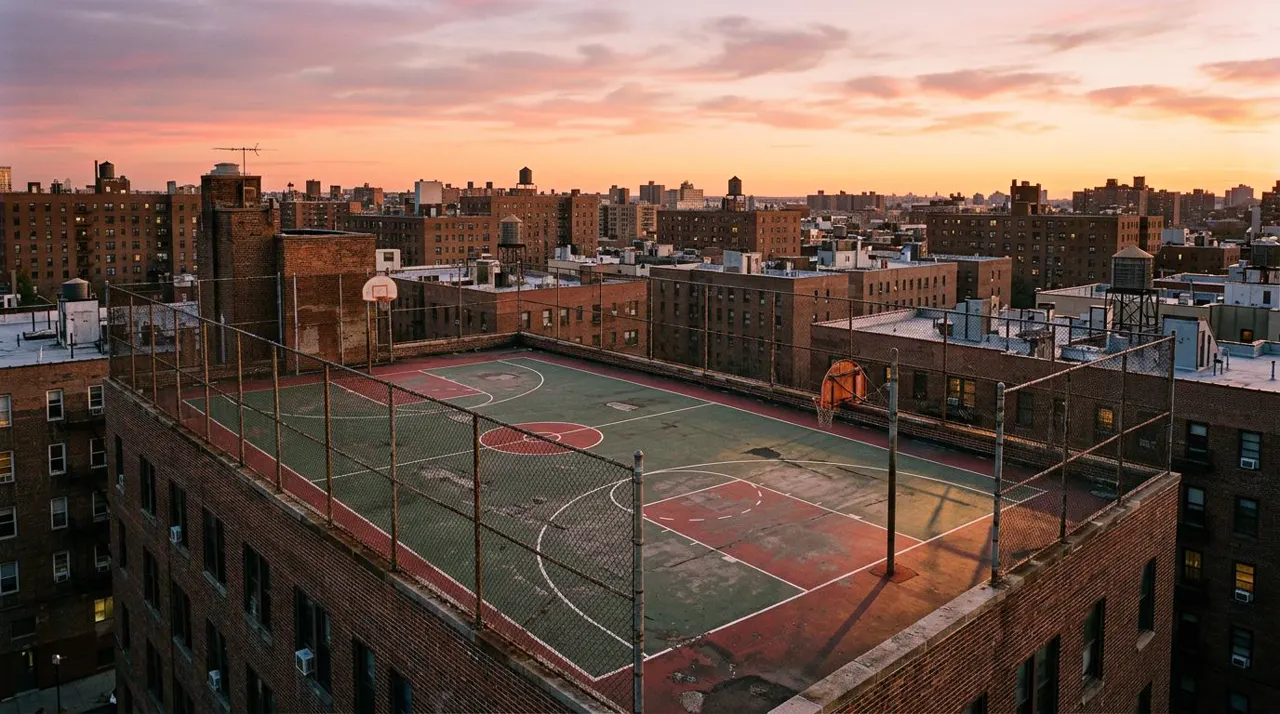
@Image1: the Astro Cola can (product). @Image2: the rooftop court (location).A Gen-Z skater in their early twenties with a lilac buzz cut, a small silver septum ring and light freckles, in a loose plain white t-shirt and baggy olive cargo pants, sits on the edge of the rooftop basketball court from @Image2 at sunset with the Astro Cola can from @Image1, photorealistic, handheld camera.0–3 s: medium shot, the skater holds up the can, frost beading on its holographic lilac surface.3–5 s: they crack it open with a crisp hiss and a burst of fine fizz.5–8 s: they take a long gulp, close their eyes and grin.Sound: the can's crack and hiss, fizzing bubbles, distant city traffic; no background music.Consistency: the can matches @Image1 exactly: holographic lilac, chrome star speckles, ASTRO COLA in chunky rounded white letters.
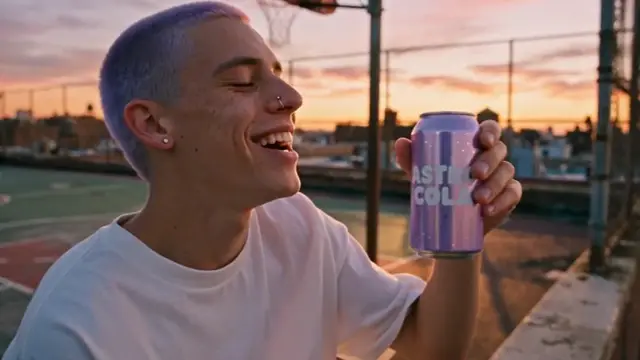
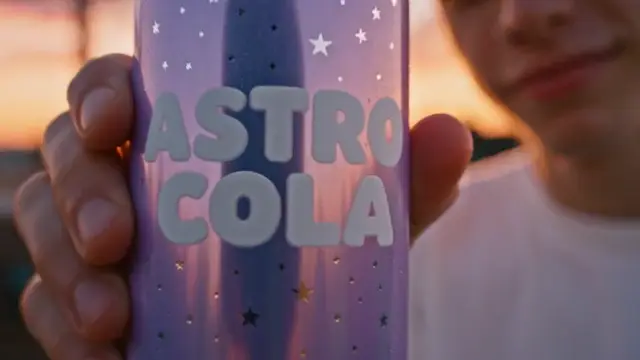
What came out: the same skater in both shots, a crisp crack and burst of fizz on cue, and the can lilac with ASTRO COLA readable in the close-up.
Ad 2: Ultra Fry, a non-stick pan
The one benefit: an egg slides off with no oil. No person needed, only hands.
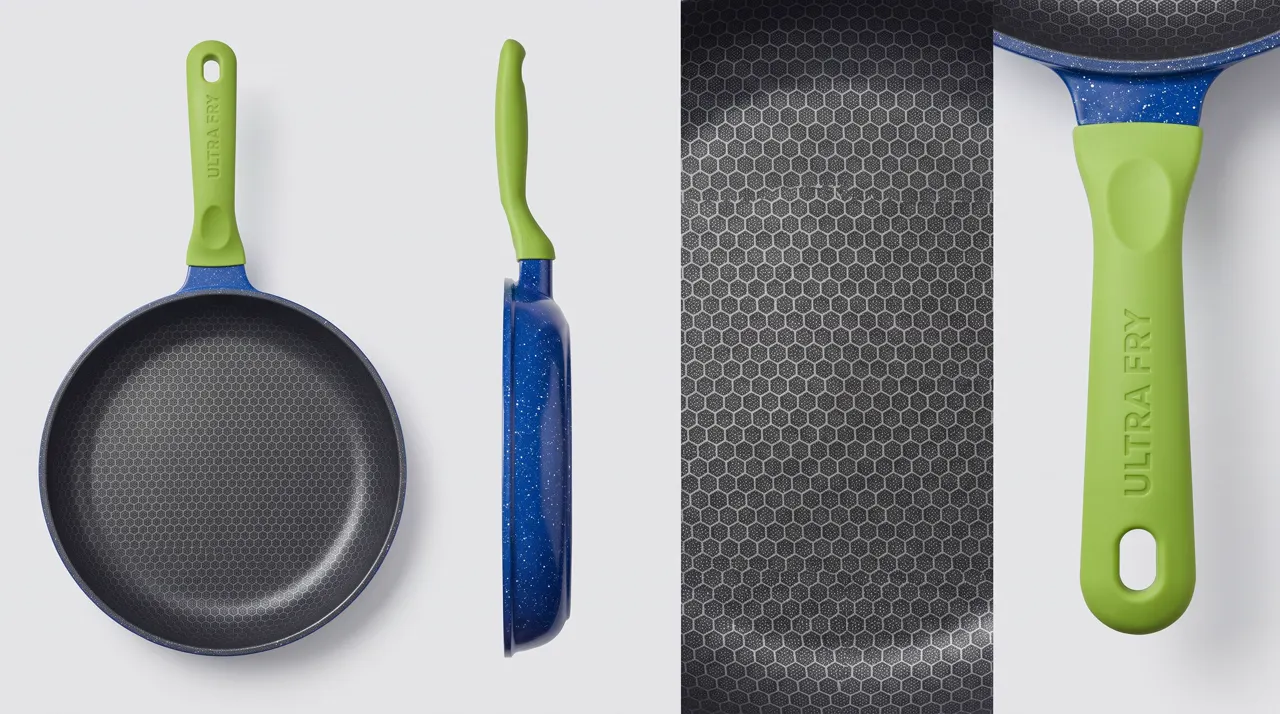
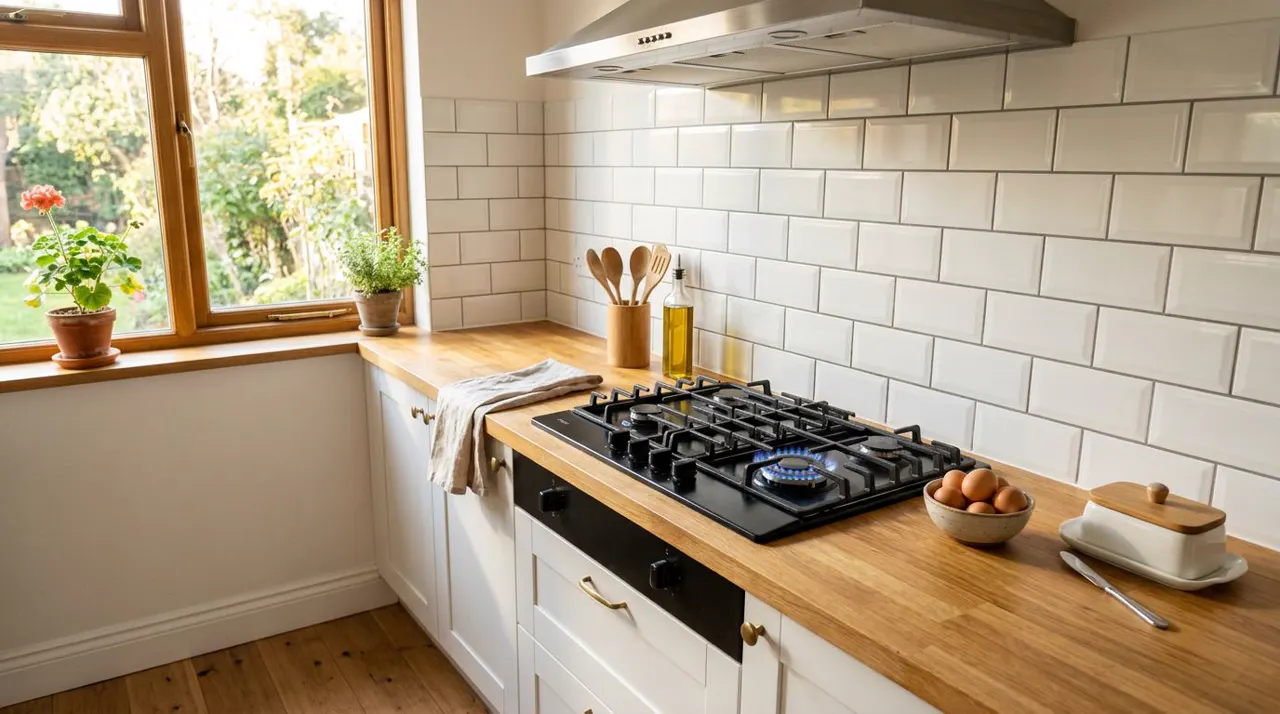
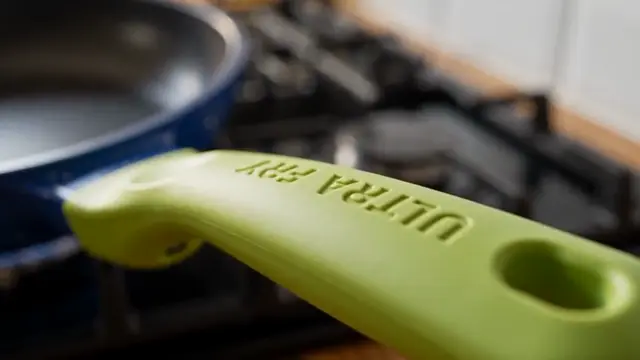
@Image1: the Ultra Fry pan (product). @Image2: the kitchen (location).A close shot of the Ultra Fry pan from @Image1 on the gas stove in the sunny kitchen from @Image2, photorealistic, only a cook's hands in frame.0–3 s: top-down shot, a hand cracks an egg into the dry pan, with no oil or butter.3–6 s: the egg sizzles and the white sets on the dark honeycomb surface.6–8 s: the hand tilts the pan by its lime-green handle and the fried egg slides off cleanly onto a white plate.Sound: the crack of the shell, sizzling, the soft slide of the egg; no background music.Consistency: the pan matches @Image1 exactly: cobalt-blue speckled enamel, chunky lime-green handle with ULTRA FRY in white, dark grey honeycomb surface.
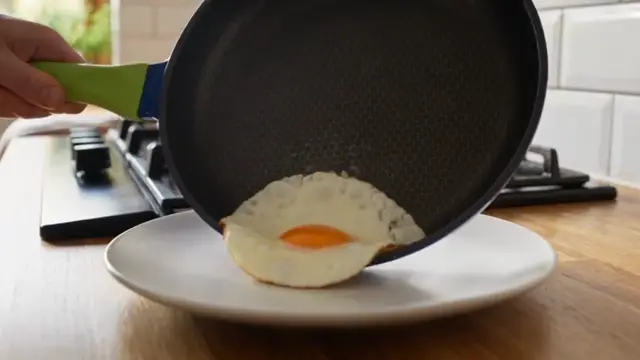
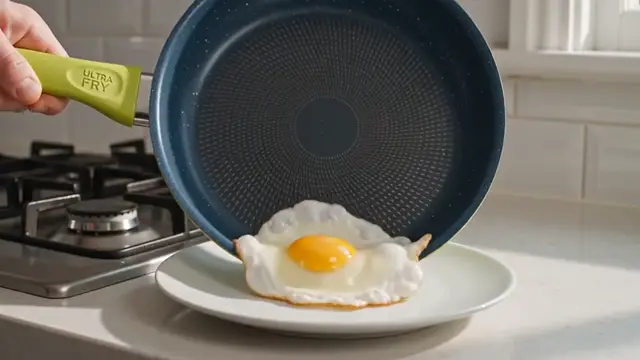
What came out: with the sheet, the pan matched and the egg slid off cleanly. From words, the ULTRA FRY label survived but the pan didn't: it grew a lime-green base and lost its honeycomb surface.
The lesson: your product sheet is what keeps it yours.
Ad 3: Serial Katz, a rock-and-graffiti t-shirt
The one benefit: the back print, worn with attitude.
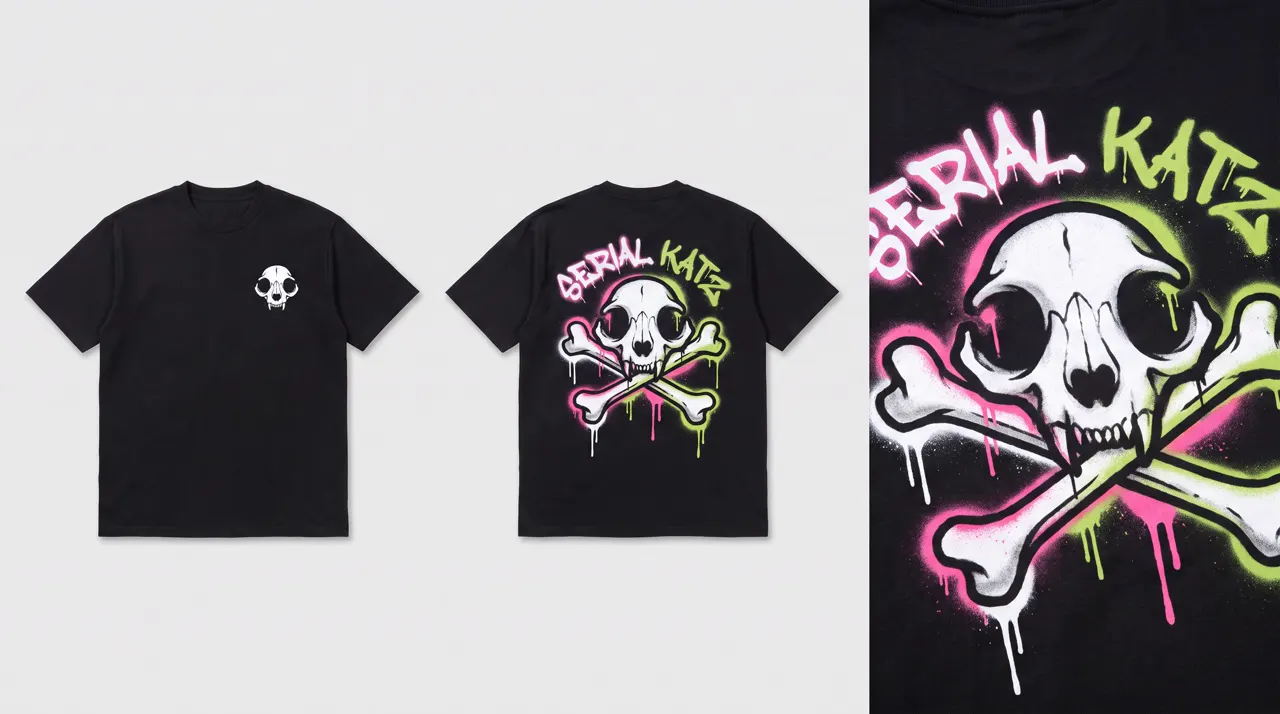
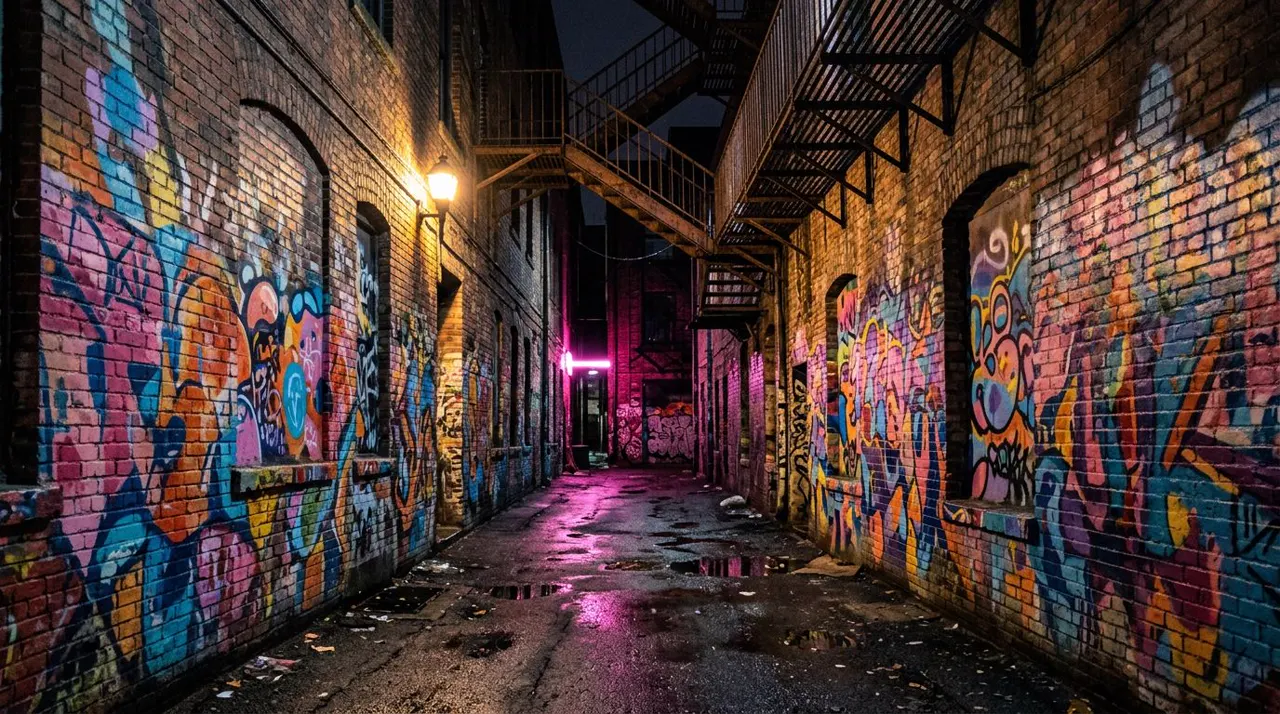
@Image1: the Serial Katz t-shirt (product). @Image2: the alley (location).A rock-style model in their mid-twenties with a bleached-blonde mullet, chipped black nail polish and small silver hoop earrings, in ripped black skinny jeans and black boots, wearing the black Serial Katz t-shirt from @Image1, in the graffiti alley from @Image2 at night, photorealistic, handheld camera.0–3 s: from behind, the model walks slowly down the alley, the big cat-skull print and SERIAL KATZ letters on the back of the shirt lit by pink neon.3–6 s: they stop and look back over their shoulder at the camera.6–8 s: they turn to face us with arms crossed; the small cat skull on the chest catches the light.Sound: boots on wet asphalt, distant traffic, a buzzing neon tube; no background music.Consistency: the shirt matches @Image1 exactly, front and back.
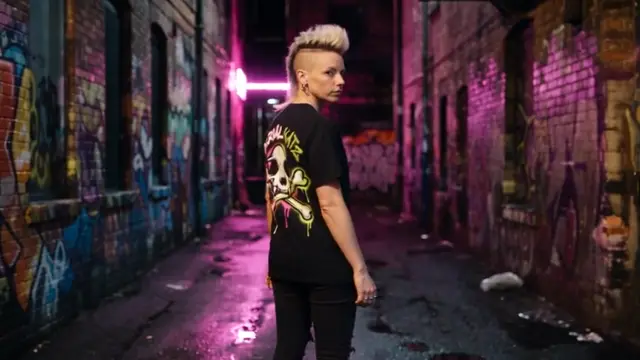
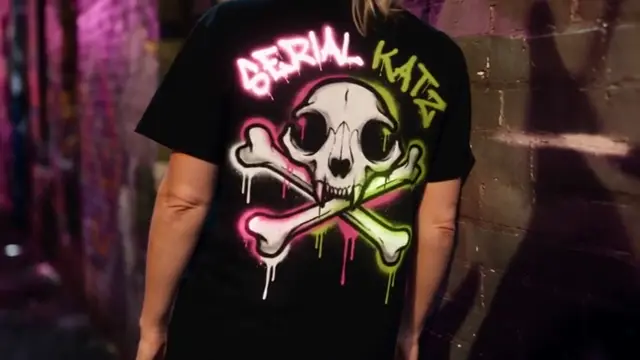
What came out: the print came through almost exactly in both shots: skull, bones, drips, colours and lettering. The model's mullet turned into a shaved-sides mohawk in the first shot, and the hero shot copied it. Graffiti lettering is hard: our stylized S reads almost like a G, so keep a brand name short and check it in every take.
Watch out: printed clothes are where AI likes to add real logos. Say "plain unbranded" for everything except your product, and check every frame.
Can you use a realistic model in an AI ad?
Yes, but not from a photo. Seedance refused our realistic character sheets as reference pictures ("the input image may contain real person"). What worked, all three times we tried it:
- Describe the model in words, with features you'd notice (a lilac buzz cut and a septum ring, a bleached mullet).
- Make the use shot. If the person isn't right, re-roll it, because every later shot copies it.
- Attach that clip as the reference video for the hero shot and any others.
Both people ads above were made this way. BytePlus allows a Seedance clip back in as a reference for 30 days on the same account. ByteDance also offers a library of more than 10,000 approved virtual humans, and you can use them in SpeedReel. Full details are in the consistency guide.
What to change for your own product
- Your real product: use a real product photo as the product sheet. Products aren't faces, so they pass.
- One benefit per ad, and make it visible in a single shot: fizz, a slide, a print. If you need two benefits, make two ads.
- Vertical for social: change the ratio to 9:16 for TikTok, Reels or Shopee. Put the product in the middle of the frame.
- Labels: short words spell best. Keep the camera turning less than a quarter turn around the label. If the name has to be perfect, add it in your editor.
- Cost: in SpeedReel, one 8-second use shot plus one 5-second hero shot is 161 credits at 480p. All three ads here, including the words-only test, came to 582.
Questions
AI product videos: FAQ
How do I keep my product looking the same in every AI shot?
Attach a product sheet to every shot, describe the product with the same words each time, and end with "the product matches @Image1 exactly". Without the sheet, our pan changed colour.
Why does AI change my product's logo?
Models know famous designs better than yours and drift toward them, and small text is hard. Give the label its own close-up on the product sheet, avoid spins, and fix the logo in editing if it must be perfect.
Can I use a photo of my real product?
Yes. Product photos work as reference pictures. Only realistic faces get blocked.
Can I use a realistic model in an AI ad?
Not as a reference photo in Seedance. Describe the model in words, make one good clip, then reuse that clip as a reference video. That kept the same person in all three of our tests. You can also use ByteDance's approved virtual humans in SpeedReel.
What makes a good AI product ad?
One benefit, shown in one shot, with real sounds. A product doing its job beats a product floating in sparkles.
Where to go next
- How to keep characters consistent in AI video
- AI character sheet prompts: including the product sheet prompt.
- More templates: music video · AI series.
- Generate in SpeedReel ↗
How we tested: all clips were made with Seedance 2.5 in SpeedReel on November 3, 2026: 480p, 16:9, with sound, single takes, unedited. The products, brands and people are made up. Product sheets and places were made the same day in Nano Banana Pro and Nano Banana 2. PromptJazz makes its clips in SpeedReel, a friendly partner (About).